In today’s fast-paced digital landscape, effective and personalized communication is paramount for businesses, educators, and individuals alike. Traditional text-based messages often fall short in conveying tone, emotion, and complex information efficiently.
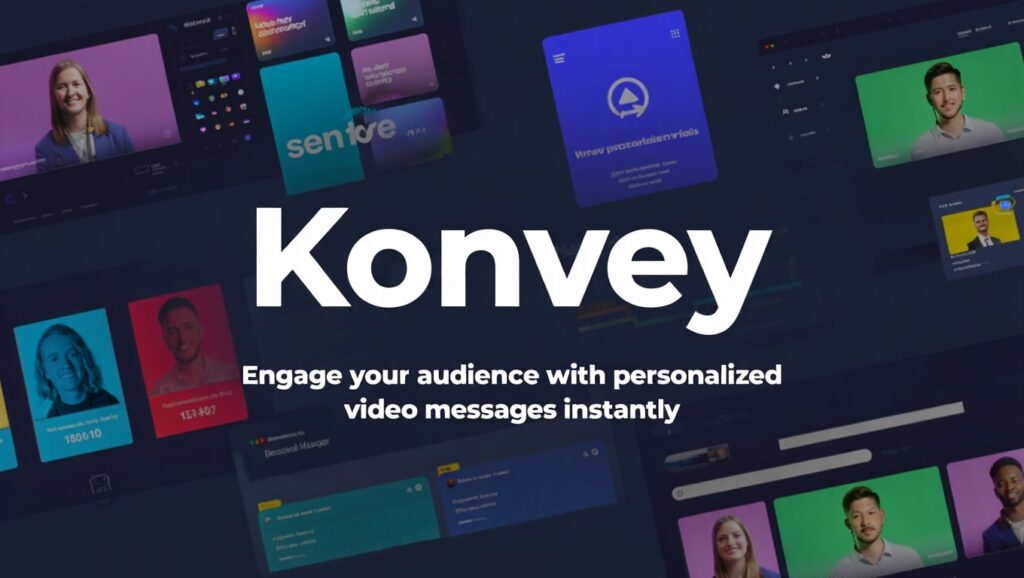
This is where video messaging tools like Konvey step in, transforming how we connect and collaborate. Konvey offers an intuitive platform for screen recording, webcam recording, and video messaging, designed to streamline workflows and enhance engagement.
The appeal of a lifetime deal for a powerful tool like Konvey is undeniable. For many entrepreneurs, small businesses, and content creators, subscribing to multiple monthly SaaS tools can quickly accumulate significant costs. A Konvey lifetime deal, particularly one offered through platforms like AppSumo, presents a unique opportunity to secure premium features and functionalities for a one-time payment.
This article will dive deep into Konvey, exploring its features, benefits, use cases, and ultimately, whether its lifetime deal offers a worthwhile investment for your communication needs.
What is Konvey?
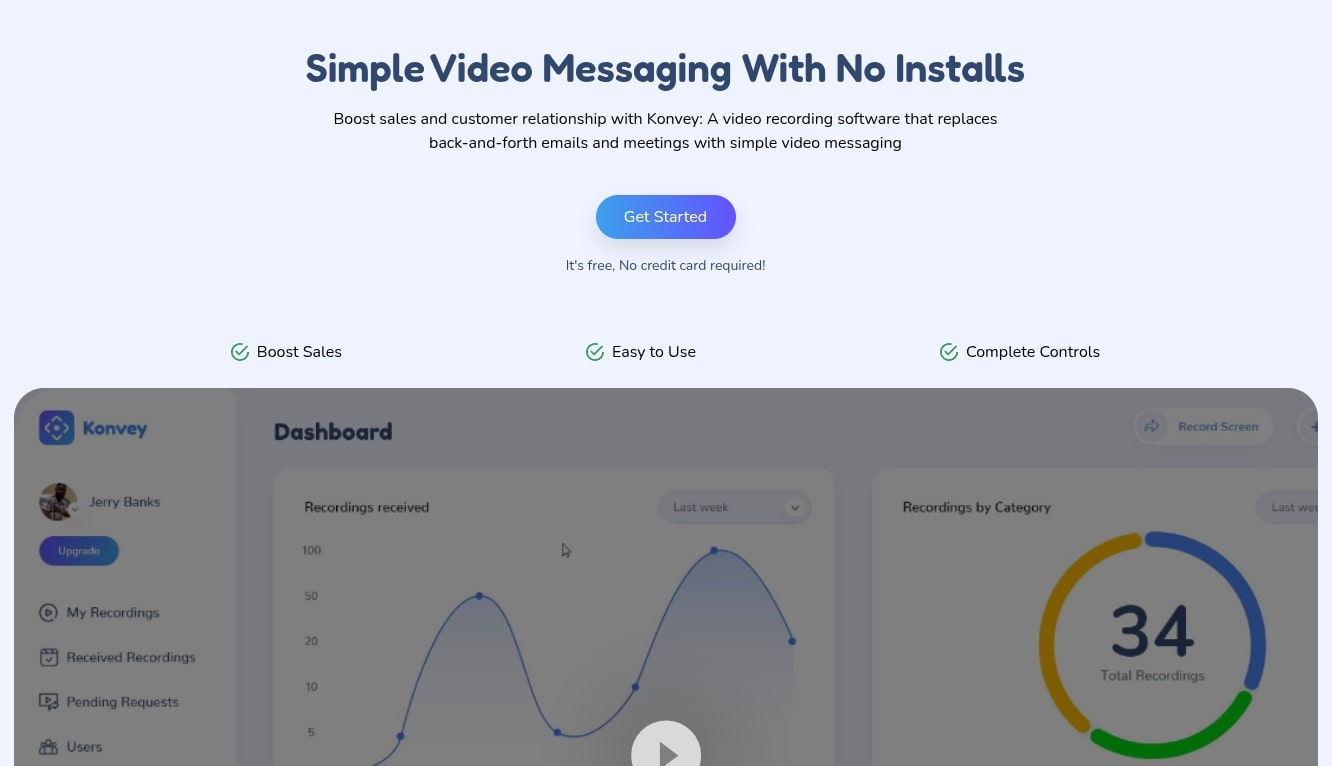
Konvey is an all-in-one video communication platform designed to empower users with effortless screen recording, webcam recording, and personalized video messaging capabilities. It aims to replace lengthy emails, confusing text chats, and unproductive meetings with clear, concise, and engaging video messages. Think of it as your personal video assistant, ready to capture your screen, your face, or both, and share it instantly with your audience.
At its core, Konvey simplifies complex explanations, personalizes outreach, and enhances collaboration across various industries. Whether you’re a salesperson trying to close a deal, a marketer showcasing a product, a support agent resolving an issue, or an educator delivering a lesson, Konvey provides the tools to communicate more effectively. Its intuitive interface ensures that even those new to video messaging can get started quickly, creating professional-looking videos without a steep learning curve.

Key Features of Konvey
Konvey comes packed with a robust set of features engineered to make video creation and sharing seamless and impactful. These functionalities cater to a wide range of professional needs, enhancing everything from sales pitches to customer support interactions. Understanding these key features is crucial to appreciating the value of a Konvey lifetime deal.
- Effortless Screen and Webcam Recording: Konvey allows users to record their entire screen, a specific application window, or a custom area. Simultaneously, you can record your webcam to add a personal touch, appearing as a bubble overlay or full screen. This flexibility makes it ideal for tutorials, demonstrations, and personalized messages.
- Intuitive Video Editor: After recording, you can quickly trim, cut, and enhance your videos directly within Konvey. This basic editing capability ensures your messages are polished and to the point, removing any unnecessary segments without needing external software.
- Customizable Call-to-Actions (CTAs): Drive action directly from your videos with clickable CTAs. You can add buttons that link to your website, booking page, product demo, or any other URL, guiding viewers to their next step seamlessly. This is incredibly powerful for sales and marketing efforts.
- Advanced Video Analytics: Gain insights into how your videos perform. Konvey tracks metrics like views, engagement rates, and CTA clicks, helping you understand viewer behavior and optimize your future video content for better results. This data-driven approach is invaluable for continuous improvement.
- White-Labeling Options: For businesses that prioritize brand consistency, Konvey offers white-labeling. This allows you to remove Konvey branding and replace it with your own logo and colors, ensuring your videos look professional and fully aligned with your brand identity.
- Team Collaboration Features: Konvey supports team accounts, enabling multiple users to share a workspace, collaborate on video projects, and manage shared assets. This fosters efficient teamwork and ensures consistent messaging across an organization.
- Secure Video Hosting and Sharing: Videos are hosted securely, and sharing is made easy through shareable links, email embedding, or direct integration with various platforms. You can also set privacy controls to ensure only intended recipients can view your content.
- Personalized Video Pages: Each video gets its own dedicated landing page, which can be customized with your branding, a clear title, and supporting text. These pages provide a professional viewing experience for your audience.
How Does Konvey Work?
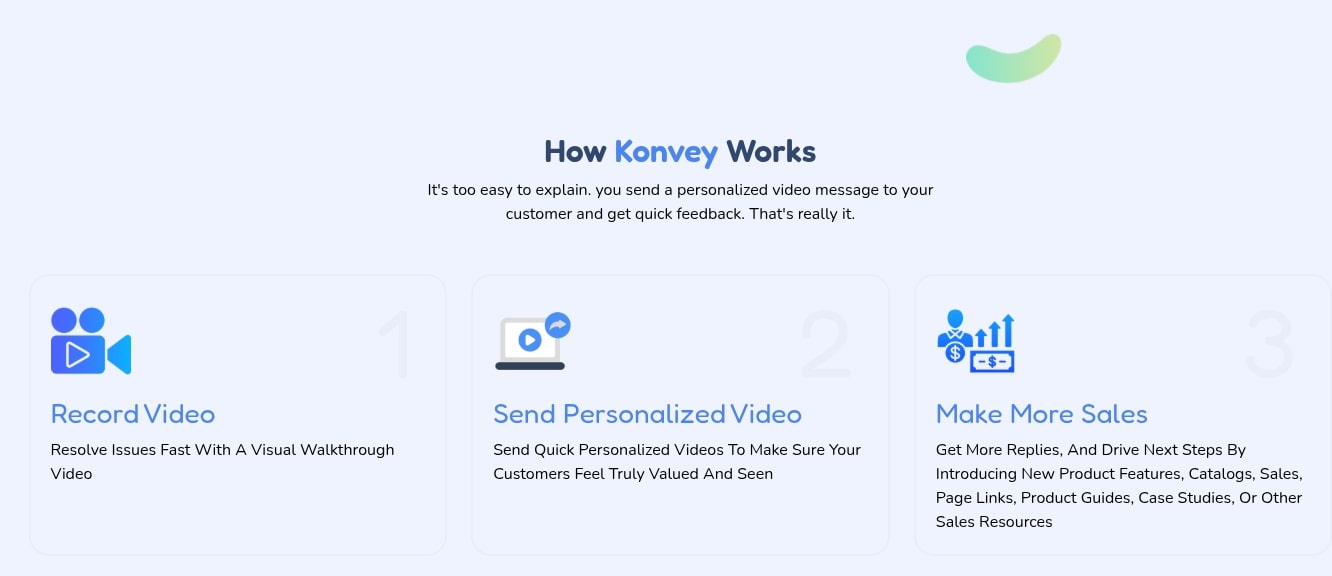
Konvey is designed for simplicity and efficiency, allowing users to create, share, and track personalized video messages in just a few steps. The process is intuitive, making it accessible even for those with minimal technical expertise. Understanding the workflow helps illustrate the tool’s practical utility.
First, users initiate a recording either from their web browser (via a Chrome extension) or the desktop application. They select their recording preferences: screen, webcam, or both. Konvey offers options to record the full screen, a specific window, or a custom region, providing flexibility for various content types. Audio input can also be selected, allowing for clear narration.
Once the recording is complete, the video is instantly uploaded to the Konvey cloud. Here, users can perform basic edits like trimming to remove awkward pauses or unwanted segments. This quick editing ensures that messages are concise and professional. After editing, users can add powerful elements such as custom call-to-action buttons, which are crucial for guiding viewers to the next desired step, whether it’s booking a demo or visiting a website.
Finally, sharing is made effortless. Konvey generates a unique, shareable link for each video, which can be pasted into emails, chat applications, or social media. Videos can also be embedded directly into websites or CRM systems. Post-sharing, Konvey provides detailed analytics, offering insights into who watched the video, for how long, and if they interacted with the CTA. This complete loop of creation, sharing, and analysis empowers users to refine their communication strategy.
Konvey Recording Options
Konvey offers versatile recording options, making it a flexible tool for diverse communication needs. This adaptability is one of its strongest selling points, ensuring that you can capture exactly what you need, how you need it. The platform understands that different messages require different visual approaches.
The primary recording modes include:
- Screen Recording: Capture everything happening on your desktop. This is ideal for software demonstrations, tutorial videos, bug reports, or walking clients through a proposal. You can choose to record your entire screen, a specific application window, or even just a custom-defined area, giving you precise control over what your audience sees.
- Webcam Recording: Record yourself directly using your webcam. This is perfect for personal messages, internal updates, or quick check-ins where facial expression and direct eye contact add a significant human touch. It helps build rapport and convey sincerity, which is often lost in text-based communication.
- Screen + Webcam Recording: Combine both elements for a powerful and engaging video. Your screen content is the primary focus, while your webcam feed appears as a small, movable bubble overlay (or sometimes full screen, depending on customization). This dual-mode is excellent for personalized explanations, as it allows viewers to see what you’re talking about on screen while also seeing your reactions and expressions. It blends instruction with personality, making your message more impactful.
Furthermore, Konvey ensures high-quality audio capture from your microphone, providing clear narration for your videos. The ease of switching between these modes and customizing recording parameters makes Konvey a truly adaptable tool for any professional setting, from sales and marketing to customer support and education.
White-Labeling with Konvey
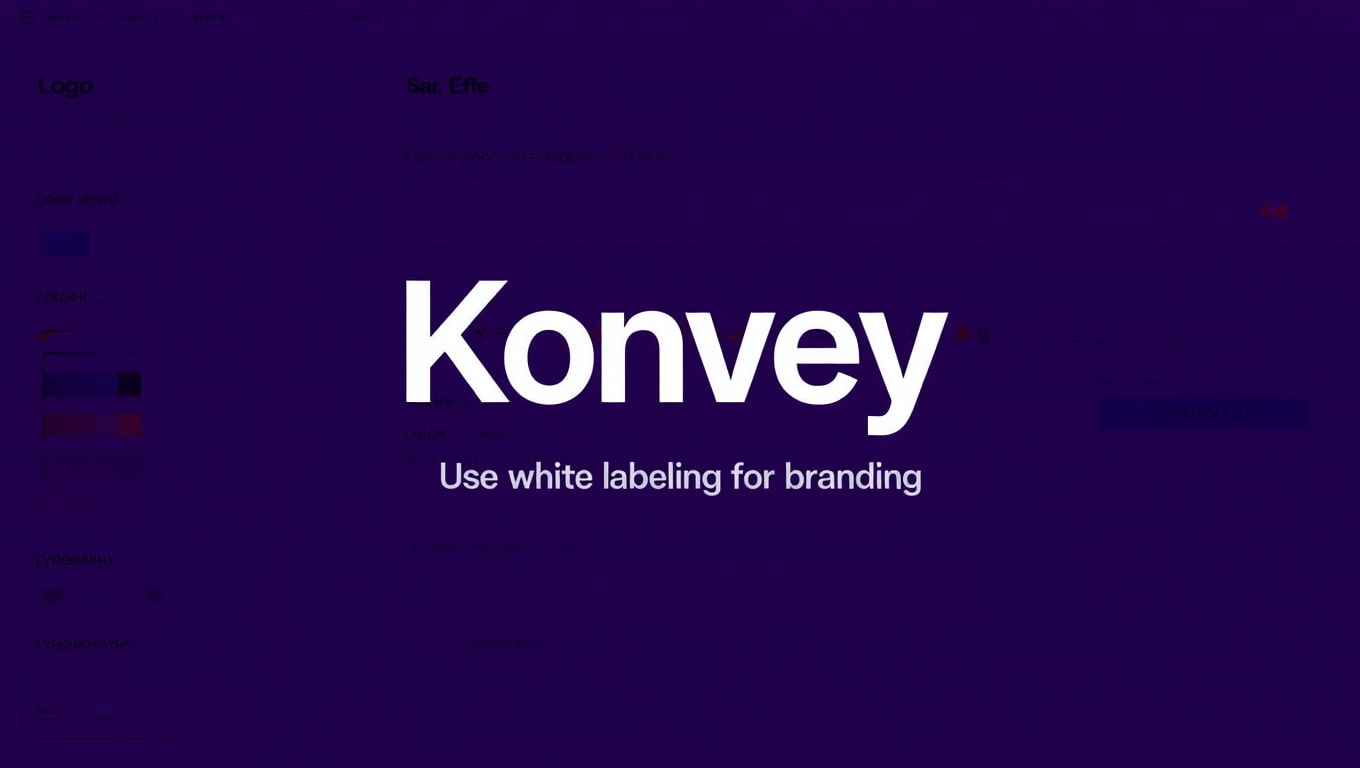
For businesses and professionals who prioritize brand consistency and a polished appearance, Konvey’s white-labeling feature is an invaluable asset. This functionality elevates your video communication beyond just sharing content, allowing you to reinforce your brand identity with every message sent. It’s about presenting a unified and professional front to your clients and prospects.
White-labeling in Konvey means you can remove all Konvey branding from your video players and sharing pages, and instead, replace it with your own company’s logo, colors, and domain. When your recipients view a video created with Konvey, they will see your brand prominently, creating a seamless and immersive experience that strengthens trust and professionalism. This is particularly crucial for agencies, consultants, and companies dealing directly with external clients.
The benefits of white-labeling extend to:
- Enhanced Brand Recognition: Every video becomes a touchpoint for your brand, reinforcing your image consistently.
- Increased Trust and Credibility: A branded video experience appears more professional and established, instilling greater confidence in your audience.
- Professional Presentation: It gives the impression that you have invested in custom video solutions, rather than using a generic third-party tool.
- Improved Client Experience: A cohesive brand experience across all communications reflects positively on your organization.
This feature is often reserved for higher-tier plans in other video messaging platforms, but with a Konvey lifetime deal, access to white-labeling can provide significant long-term value, allowing you to maintain a professional brand image without ongoing licensing fees.
Who Can Use Konvey?
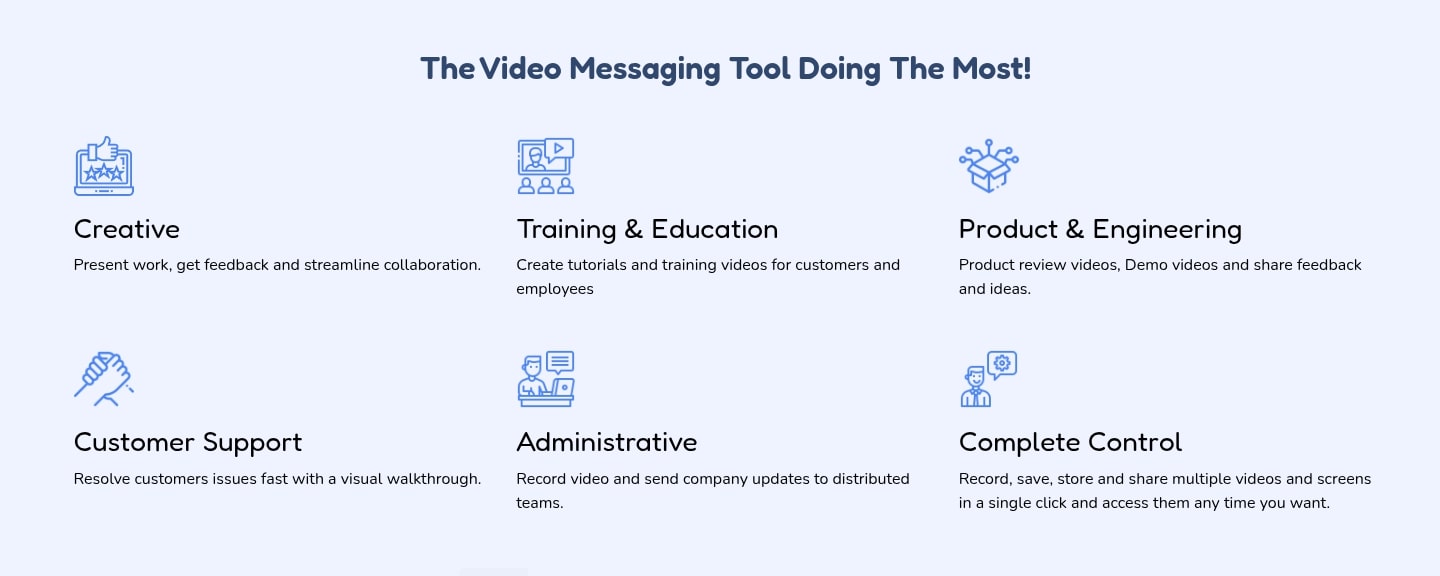
Konvey’s versatility makes it a valuable tool for a wide spectrum of professionals and organizations. Its ability to simplify complex explanations, personalize communication, and track engagement translates into benefits across numerous roles and industries. If you’re looking to enhance your digital communication, Konvey likely has a place in your toolkit.
Here’s a look at who can significantly benefit from a Konvey lifetime deal:
- Sales Professionals: Personalize outreach, send compelling product demos, explain proposals, and follow up with engaging video messages that cut through the noise of text-based emails.
- Marketing Teams: Create quick promotional videos, share campaign walkthroughs, explain new features, and produce engaging content for social media or landing pages.
- Customer Support Teams: Provide visual solutions to common problems, offer step-by-step troubleshooting guides, and send personalized responses that enhance customer satisfaction.
- Educators and Trainers: Deliver engaging lectures, create instructional tutorials, provide feedback on assignments, and offer virtual office hours with ease.
- Product Managers: Share product updates, demonstrate new functionalities, gather feedback, and collaborate internally on feature development.
- Freelancers and Consultants: Present proposals, explain project scopes, provide client updates, and deliver final work with a professional and personal touch.
- Remote Teams: Enhance internal communication, conduct async meetings, provide project updates, and foster a stronger sense of connection among distributed team members.
- Anyone Needing Clear Communication: If you frequently find yourself writing long emails to explain visual concepts or repeating instructions, Konvey can save you significant time and effort.
Benefits of Using Konvey
Adopting Konvey into your daily workflow brings a myriad of advantages that go beyond just simple screen recording. These benefits translate into improved efficiency, stronger relationships, and better overall outcomes for your communication efforts. The cumulative impact makes a strong case for considering a Konvey lifetime deal.
Here are the key benefits:
- Enhanced Personalization: Video messages add a human touch that text often lacks. Showing your face and voice makes your communication more personable and helps build rapport with clients, colleagues, or students. This is crucial for sales, support, and relationship building.
- Improved Clarity and Comprehension: Complex ideas or processes are much easier to explain visually. A screen recording demonstrating steps or concepts can convey information far more effectively than lengthy written instructions, reducing misunderstandings and follow-up questions.
- Significant Time Savings: Recording a quick video explanation can often be faster than typing out detailed emails or setting up live meetings. Recipients can watch at their convenience, and creators save time on scheduling and extensive writing.
- Increased Engagement Rates: Videos naturally capture attention more effectively than static text. With Konvey’s analytics, you can track engagement, ensuring your messages resonate and lead to desired actions, especially with integrated CTAs.
- Professional Brand Representation: With white-labeling options, Konvey allows you to present your content under your own brand, elevating your professional image and reinforcing trust with your audience.
- Actionable Insights: The detailed analytics Konvey provides on video views and CTA clicks empower you to understand audience behavior, refine your messaging, and optimize future video content for better performance.
- Streamlined Collaboration: For teams, Konvey facilitates asynchronous communication, reducing the need for synchronous meetings and improving project workflows, especially for remote or distributed teams.
Konvey Use Cases
Konvey’s versatility shines through its applicability across a wide array of professional scenarios. Understanding these specific use cases can help you envision how a Konvey lifetime deal could transform your daily operations and communication strategies. The possibilities extend far beyond simple screen captures.
- Sales & Business Development:
- Personalized Outreach: Send video introductions to prospects instead of generic emails, increasing open and response rates.
- Product Demos: Quickly record tailored demos highlighting specific features relevant to a prospect’s pain points.
- Proposal Walkthroughs: Guide clients through complex proposals or contracts, explaining key sections visually.
- Follow-ups: Send engaging video follow-ups after meetings or demos to reiterate key points and encourage next steps with a CTA.
- Marketing & Content Creation:
- Social Media Content: Create quick, engaging video snippets for platforms like LinkedIn or Twitter to announce updates or share insights.
- Website Explainer Videos: Embed short videos on landing pages to explain products, services, or complex concepts.
- Ad Creatives: Develop short, impactful video ads quickly, iterating based on analytics.
- Internal Communication: Share marketing campaign briefs, design feedback, or performance reports with team members.
- Customer Support & Success:
- Troubleshooting Guides: Record step-by-step videos to show customers how to resolve common issues, reducing ticket volume.
- Onboarding Videos: Create personalized onboarding sequences to guide new users through product features.
- Feedback & Feature Explanations: Visually confirm bugs or explain how new features work to customer inquiries.
- Education & Training:
- Lecture Delivery: Record lectures or mini-lessons with screen shares for online courses or flipped classrooms.
- Assignment Feedback: Provide detailed, personalized video feedback on student assignments.
- Internal Training: Create training modules for new hires or demonstrate software for employee upskilling.
- Project Management & Team Collaboration:
- Asynchronous Updates: Send video updates on project progress, design reviews, or code walkthroughs, especially for remote teams.
- Feedback Loops: Provide clear visual feedback on documents, designs, or presentations, reducing lengthy email chains.
- Bug Reporting: Record screen captures of bugs with clear narration for developers, expediting resolution.
Konvey AppSumo Lifetime Pricing Plan
The Konvey lifetime deal, often featured on platforms like AppSumo, represents a significant opportunity for individuals and businesses to acquire premium video communication capabilities without recurring subscription costs. These deals are typically structured in tiers, with each tier unlocking more features, higher usage limits, or increased team access. Understanding the structure of a Konvey lifetime deal is crucial for determining its value to your specific needs.
While specific pricing and features can vary over time with AppSumo deals, a typical Konvey lifetime deal might look something like this:
| Tier | Key Features | Best For |
|---|---|---|
| License Tier 1 |
|
Freelancers, solo entrepreneurs, and personal use. |
| License Tier 2 |
|
Small businesses, growing teams, sales & marketing professionals. |
| License Tier 3+ |
|
Agencies, larger teams, power users, and businesses requiring full brand control. |
The primary benefit of an AppSumo lifetime deal is the one-time payment for perpetual access to the software and its future updates within the purchased tier. This eliminates ongoing monthly or annual subscription fees, leading to substantial long-term savings. For instance, if a tool typically costs $20-$50 per month, a lifetime deal, even at a few hundred dollars, pays for itself within a year or two, making it an incredibly cost-effective solution for permanent access to a robust video communication platform. Always check the specific deal details on AppSumo for the most current offerings.
Pros and Cons of Konvey
Like any software, Konvey has its strengths and weaknesses. A balanced Konvey lifetime deal review requires an honest assessment of both its advantages and potential drawbacks. Understanding these can help you decide if it’s the right fit for your specific requirements.
Pros of Konvey:
- Cost-Effective Lifetime Deal: The primary advantage, especially with an AppSumo deal, is the one-time payment, eliminating recurring subscription costs and offering immense long-term value.
- User-Friendly Interface: Konvey is generally praised for its intuitive design, making it easy for beginners to start recording and sharing videos quickly without extensive training.
- Versatile Recording Options: The ability to record screen, webcam, or both provides flexibility for various communication needs, from tutorials to personal messages.
- Powerful Call-to-Actions (CTAs): The inclusion of customizable CTAs directly within videos is a significant boost for sales, marketing, and lead generation efforts, driving immediate action.
- Valuable Analytics: Tracking views, engagement, and CTA clicks offers actionable insights to optimize future video content and understand audience behavior.
- White-Labeling (Higher Tiers): For businesses focused on brand consistency, the option to remove Konvey branding and use their own is a huge professional advantage.
- Cloud Hosting and Easy Sharing: Videos are securely hosted and easily shareable via links or embeds, simplifying distribution.
- Team Collaboration: Support for multiple users and shared workspaces enhances team efficiency and consistent messaging.
Cons of Konvey:
- Basic Editing Capabilities: While convenient for quick trims, Konvey’s built-in editor is not as robust as dedicated video editing software. For advanced edits, external tools would still be needed.
- Reliance on Chrome Extension/Desktop App: While standard, some users might prefer a purely web-based recorder or more extensive mobile app functionality from the outset.
- Storage Limitations on Lower Tiers: While “unlimited videos” sounds great, lower lifetime deal tiers might have finite storage, which could become a concern for very heavy users over time.
- Maturity Compared to Older Competitors: As a relatively newer player in the market, Konvey might lack some niche features or integrations that more established competitors have developed over the years.
- Learning Curve for Advanced Features: While basic recording is easy, fully leveraging CTAs, analytics, and white-labeling might require a bit of exploration for new users.
Konvey vs. Alternatives
When considering a Konvey lifetime deal, it’s natural to compare it with other popular video messaging and screen recording tools on the market. Competitors like Loom, Vidyard, and Sendspark offer similar core functionalities but often differ in pricing models, specific features, and overall target audience. Here’s a comparative overview to help you position Konvey.
| Feature/Tool | Konvey (Lifetime Deal) | Loom | Vidyard | Sendspark |
|---|---|---|---|---|
| Pricing Model | One-time payment (Lifetime Deal) | Freemium, then monthly/annual subscriptions | Freemium, then monthly/annual subscriptions (more enterprise-focused) | Freemium, then monthly/annual subscriptions |
| Recording Options | Screen, Webcam, Screen+Webcam | Screen, Webcam, Screen+Webcam | Screen, Webcam, Screen+Webcam | Screen, Webcam, Screen+Webcam |
| Video Editing | Basic trimming/cutting | Basic trimming/cutting | More advanced (thumbnails, chapters, intros/outros on higher tiers) | Basic trimming/cutting, custom branding |
| Call-to-Actions (CTAs) | Yes, customizable | Yes, limited on free, more on paid | Yes, highly customizable | Yes, customizable |
| Analytics | Views, engagement, CTA clicks | Views, engagement, CTA clicks | Detailed, viewer-level tracking | Views, engagement, CTA clicks |
| White-Labeling | Yes (on higher tiers) | No (Loom branding always present) | Yes (on higher tiers) | Yes (on paid plans) |
| Team Features | Yes, shared workspace (tiered) | Yes, team library, shared videos | Yes, extensive team management | Yes, team library, shared videos |
| Unique Selling Point | One-time payment for premium features (lifetime deal) with white-labeling. | Ease of use, widespread adoption, good free tier. | Enterprise-grade features, advanced marketing integrations. | Emphasis on personalized video emails, custom branding. |
The most significant differentiator for Konvey, especially in the context of an “AppSumo Konvey lifetime deal review,” is its pricing model. While alternatives like Loom offer a great free tier and are very popular for quick, informal videos, their paid plans are recurring. Vidyard and Sendspark also operate on subscriptions, with Vidyard often targeting larger enterprises with more robust (and expensive) features. Konvey’s lifetime deal means you get access to features like unlimited videos, analytics, CTAs, and even white-labeling (on higher tiers) for a single payment, making it an incredibly attractive proposition for those seeking to avoid ongoing SaaS expenses. If long-term cost-effectiveness and brand control are priorities, Konvey stands out.
Is Konvey Worth It?
The question of whether Konvey is “worth it” largely depends on your specific needs, current communication practices, and budget. However, when evaluating the Konvey lifetime deal, several factors strongly lean towards a positive assessment for a significant segment of users.
For individuals and small to medium-sized businesses who frequently rely on visual communication, the value proposition is compelling. If you find yourself repeatedly explaining complex processes, providing technical support, conducting sales demos, or personalizing client outreach, Konvey can dramatically streamline these tasks. The time saved in writing lengthy emails or scheduling live meetings alone can justify the investment.
The lifetime deal aspect is perhaps the strongest argument for its worth. In an era where SaaS subscriptions quickly add up, securing a powerful tool like Konvey for a one-time payment offers immense financial relief and predictability. Over time, this deal pays for itself, especially when considering the recurring costs of comparable alternatives. Features like customizable CTAs and detailed analytics add a layer of functionality that transforms simple video messaging into a potent conversion and feedback tool.
However, it’s important to set expectations. Konvey provides robust recording and sharing with essential editing and analytics. If you require advanced video editing capabilities (e.g., multi-track editing, complex effects), Konvey is not designed to replace professional editing software. Its strength lies in quick, impactful video communication. For most sales, marketing, support, and educational purposes, its feature set is more than adequate. If your budget is tight, and you need a reliable, feature-rich video communication tool without the burden of ongoing fees, Konvey is indeed worth considering.
Frequently Asked Questions About Konvey
To provide a comprehensive Konvey lifetime deal review, addressing common questions helps clarify potential concerns and offers further insight into the platform’s capabilities.
- Does Konvey require any software download?
Yes, Konvey typically offers both a desktop application (for more stable and feature-rich recording) and a Chrome browser extension for quick, in-browser captures. Both provide seamless integration for creating videos. - Can I embed Konvey videos on my website?
Absolutely. Konvey provides embed codes that allow you to easily integrate your videos into any website, blog, or landing page, offering a professional viewing experience for your audience. - What kind of analytics does Konvey offer?
Konvey typically provides insights into total views, unique viewers, watch duration, engagement rates, and clicks on any custom Call-to-Action buttons you’ve added. This data helps you understand how your videos are performing. - Is Konvey suitable for team collaboration?
Yes, Konvey includes team features, especially on higher-tier lifetime deals. This allows multiple users to share a workspace, collaborate on video projects, and maintain a consistent brand voice across the organization. - What if I run out of storage on my lifetime deal?
While lower tiers might have storage limits, Konvey usually allows you to upgrade your tier within the lifetime deal period if more storage or features are needed. Always check the specific AppSumo deal terms for upgrade options. - Can I customize the video player with my brand?
Yes, Konvey offers white-labeling capabilities on higher-tier plans within its lifetime deal. This allows you to remove Konvey branding and apply your own logo and colors to the video player and sharing pages. - How does Konvey handle video privacy and security?
Konvey hosts videos securely in the cloud. You can typically set privacy controls for your videos, choosing between public access, private links, or password protection, ensuring your content reaches only the intended audience.
Our Konvey Recommendation
After a thorough Konvey lifetime deal review, our recommendation is clear: Konvey presents an outstanding value proposition, particularly for professionals and businesses seeking to elevate their video communication without the burden of recurring subscriptions. If you fall into one of the following categories, Konvey is highly recommended.
We recommend Konvey for:
- Sales and Marketing Teams: The ability to personalize outreach, create engaging demos, and drive action with CTAs is invaluable for boosting conversion rates and lead generation.
- Customer Support Professionals: Providing visual solutions and personalized troubleshooting videos can significantly improve customer satisfaction and reduce resolution times.
- Educators and Trainers: For creating engaging course content, tutorials, and personalized feedback, Konvey is an excellent tool to enhance learning experiences.
- Freelancers and Consultants: Presenting proposals, delivering project updates, and showcasing work with a branded, professional video message sets you apart.
- Remote and Hybrid Teams: Facilitating asynchronous communication, project updates, and collaborative feedback reduces meeting fatigue and improves overall efficiency.
- Anyone Seeking Long-Term Value: The Konvey lifetime deal is perfect for those who want to avoid monthly SaaS fees and gain permanent access to a powerful video communication platform.
However, if your primary need is advanced video editing or a massive video archive (hundreds of terabytes) for complex productions, you might need supplemental tools. But for impactful, everyday video messaging and screen recording, Konvey’s feature set is robust, and its lifetime pricing makes it a highly attractive investment. Its ease of use, combined with powerful engagement features, makes it a tool that can quickly become indispensable in your daily operations.
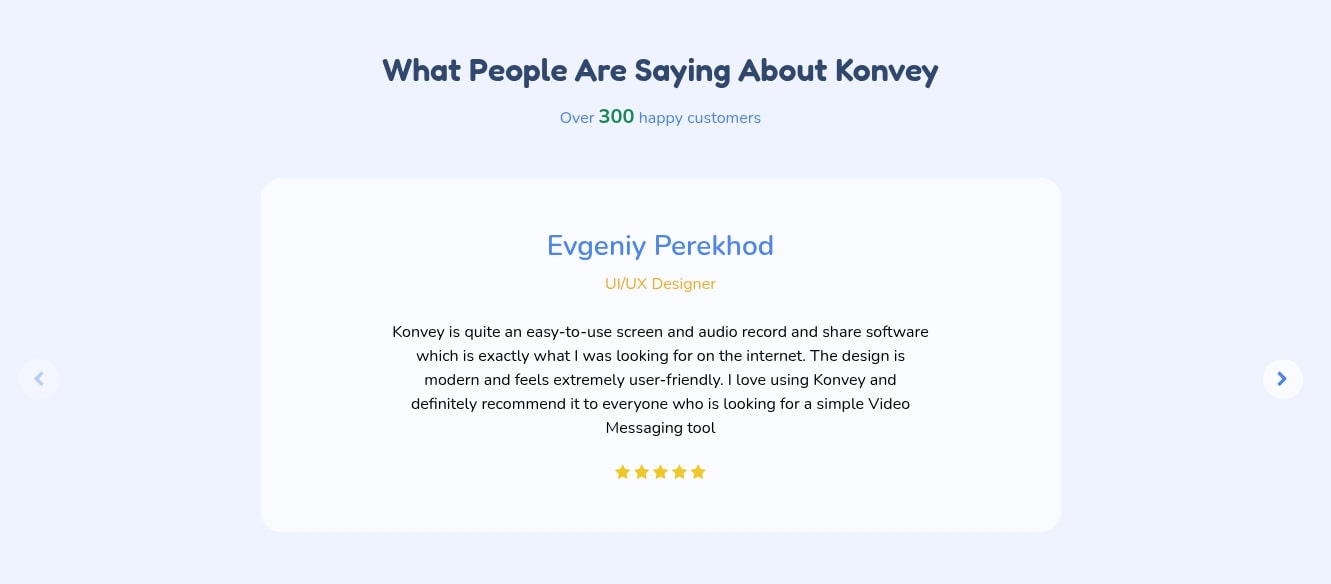
Final Verdict on Konvey Appsumo Lifetime Deal
In conclusion, the Konvey Appsumo Lifetime Deal stands out as an exceptional opportunity for anyone looking to harness the power of video communication effectively and affordably. Throughout this Konvey lifetime deal review, we’ve explored its robust feature set, from versatile screen and webcam recording to advanced analytics, customizable CTAs, and essential white-labeling capabilities on higher tiers. These features collectively empower users to create more personalized, engaging, and impactful messages across various professional domains.
The most compelling aspect, without a doubt, is the one-time payment model. In a subscription-heavy world, securing a premium tool like Konvey for life eliminates recurring costs, offering substantial long-term savings and predictable expenses. This makes it an ideal investment for solo entrepreneurs, small to medium-sized businesses, agencies, and educators who wish to scale their communication efforts without escalating monthly overheads.
While it may not replace a dedicated video editing suite for cinematic productions, Konvey excels at its core purpose: simplifying and enhancing everyday video messaging. Its intuitive interface ensures quick adoption, and its analytical tools provide valuable insights for continuous improvement.
For those ready to move beyond static text and embrace dynamic video communication, the Konvey lifetime deal is not just a purchase; it’s a strategic investment in clearer, more engaging, and ultimately more effective communication for years to come. We wholeheartedly recommend taking advantage of this deal while it’s available.
Related Category: AppSumo Deals