
In the fast-paced world of digital business, effective client collaboration isn’t just a luxury; it’s a necessity. Agencies, freelancers, consultants, and marketing teams constantly seek robust solutions to streamline communication, manage projects, and share deliverables seamlessly.
This quest often leads professionals down a rabbit hole of subscriptions, each adding to an ever-growing tech stack.
Enter FuseBase, an innovative platform aiming to revolutionize how businesses interact with their clients. Billed as an AI-powered client portal and collaboration hub, FuseBase has captured significant attention, especially with its recent appearance on AppSumo as a lifetime deal.
This comprehensive review will delve deep into FuseBase AI, dissect its features, evaluate its AppSumo offering, and help you determine if this tool is the game-changer your business needs.
What Is FuseBase?
FuseBase is an all-in-one client collaboration and project management platform designed to centralize client communication, document sharing, and task management. It aims to eliminate the scattered conversations and file transfers that plague many professional relationships by providing a unified, branded space for all client interactions.
At its core, FuseBase offers a white-label client portal solution, allowing businesses to create a fully customized, branded environment for each client. This professional touch elevates the client experience, making interactions feel more integrated and exclusive. Beyond a simple portal, FuseBase integrates robust project management tools, secure file sharing, and dedicated communication channels.
The platform’s standout feature is its integrated AI capabilities. FuseBase leverages artificial intelligence to enhance content creation, summarize communications, answer client queries, and automate various tasks. This AI infusion aims to boost productivity, reduce manual effort, and ensure a higher quality of interaction and output.

Key Features of FuseBase
FuseBase comes packed with a suite of features designed to simplify client collaboration and project delivery. These functionalities address common pain points faced by service-based businesses, from disorganized files to disjointed communication. Let’s explore some of the most prominent features that make FuseBase stand out.
- AI Assistant: A central component, the AI assistant can generate content, summarize complex documents, answer client FAQs, and even help brainstorm ideas. It’s designed to act as an intelligent co-pilot for your client interactions.
- White-Label Client Portals: Create fully branded portals for each client, complete with custom domains, logos, and color schemes. This feature allows businesses to maintain a consistent professional image and provide a seamless client experience.
- Document Management & Sharing: Securely upload, store, and share various file types with clients. Organize documents into folders, set access permissions, and track version history, ensuring everyone works with the most current information.
- Task & Project Management: Assign tasks, set deadlines, track progress, and manage projects directly within the client portal. This keeps clients informed about project milestones and allows for easy feedback on specific tasks.
- Secure Communication Channels: Dedicated chat and messaging features within each portal facilitate direct and organized communication. This eliminates the need for endless email threads or relying on external messaging apps.
- Knowledge Base & FAQs: Build a self-service knowledge base within the client portal, allowing clients to find answers to common questions independently. This reduces support queries and empowers clients.
- Custom Forms & Surveys: Gather client requirements, feedback, or data using customizable forms. Integrate these directly into the portal for easy access and submission.
- Reporting & Analytics: Gain insights into client engagement, project progress, and content consumption within the portal. This helps optimize strategies and improve client satisfaction.
How FuseBase Works: Step-by-Step
Getting started with FuseBase and integrating it into your workflow is designed to be intuitive. The platform guides you through the process of setting up your professional client collaboration environment. Here’s a typical step-by-step overview of how FuseBase functions:
1. Account Setup and Customization: After signing up, you’ll first customize your main workspace. This involves adding your company logo, setting brand colors, and configuring general settings that will apply across all your client portals.
2. Create a New Client Portal: For each client or project, you create a dedicated portal. Here, you can further tailor the branding specifically for that client, including a custom sub-domain if your plan allows. This is where all client-specific content and communication will live.
3. Populate the Portal with Content: Start adding relevant information, files, and resources. Upload project briefs, contracts, brand guidelines, and any other necessary documents. Organize these into folders for easy navigation.
4. Define Tasks and Projects: Use FuseBase’s project management tools to break down work into actionable tasks. Assign responsibilities, set deadlines, and track progress, providing transparency for both your team and the client.
5. Invite Clients and Team Members: Once the portal is ready, invite your clients to join. They’ll receive an email invitation to access their personalized, branded workspace. You can also invite internal team members to collaborate on specific client projects.
6. Engage and Collaborate: Clients can log in to view shared documents, check project status, provide feedback on tasks, and communicate directly through the portal’s messaging system. Your team can respond, share updates, and upload new deliverables.
7. Leverage AI Capabilities: Throughout the process, the integrated AI assistant can be utilized. Use it to draft project updates, summarize long chat threads, generate initial content for presentations, or even help clients find answers within the knowledge base.

Use Cases
FuseBase is designed for a broad spectrum of professionals and businesses that rely on seamless client interaction and efficient project delivery. Its versatile feature set makes it suitable for various industries and operational models.
- Marketing and Advertising Agencies: Manage multiple client campaigns, share creative assets, gather feedback on designs, and provide transparent progress reports. The white-label feature is particularly valuable for maintaining agency branding.
- Freelancers and Consultants: Streamline communication with individual clients, deliver project milestones, share proposals and contracts, and establish a professional online presence without large overheads.
- SaaS Companies: Onboard new customers, provide a centralized resource hub for product documentation and FAQs, offer support, and gather feature requests in a branded environment.
- IT and Web Development Firms: Collaborate on development projects, share code snippets, manage bug reports, and demonstrate progress on website or software builds.
- Design Studios: Present design mockups, receive detailed feedback from clients, manage review cycles, and deliver final creative assets.
- Accountants and Financial Advisors: Securely share sensitive financial documents, tax returns, and investment reports, while communicating important updates in a confidential portal.
- Coaches and Educators: Deliver course materials, share assignments, provide feedback, and create a dedicated learning environment for students or coaching clients.
Benefits That Speak Volumes
The integration of FuseBase into a business workflow can yield a multitude of benefits, transforming how companies manage client relationships and project outcomes. These advantages directly impact efficiency, professionalism, and ultimately, client satisfaction.
One of the primary benefits is the elimination of communication silos. Instead of juggling emails, instant messages, and various cloud storage links, all client-related interactions and documents reside in one central, accessible location. This vastly reduces the time spent searching for information and ensures everyone is on the same page.
Furthermore, FuseBase significantly enhances professionalism. The ability to create white-label, branded client portals elevates a company’s image, making it appear more organized and established. Clients appreciate having a dedicated, secure space that reflects the brand they are working with, fostering trust and loyalty.
Key point: The AI integration is a substantial differentiator, offering intelligent assistance that streamlines content creation, information retrieval, and even client support, saving valuable time and resources. This leads to faster project completion and more efficient resource allocation.
Streamline Collaboration
Effective collaboration is the cornerstone of successful client projects. FuseBase is meticulously designed to break down barriers and facilitate a smooth, cohesive workflow between your team and your clients. This streamlined approach minimizes confusion and accelerates project delivery.
The platform centralizes all project-related communication. Instead of fragmented email chains or scattered chat messages, every conversation, feedback round, and approval request happens within the dedicated client portal. This ensures that historical context is always available, making it easy to track decisions and discussions.
With integrated task management, both internal teams and clients have clear visibility into project progress. Clients can see which tasks are outstanding, in progress, or completed, promoting transparency and reducing the need for constant status updates. Team members can easily assign, track, and update tasks, ensuring accountability.
Key point: Secure file sharing and version control prevent costly errors. All documents are stored in an organized manner, and clients can easily access the latest versions of files, streamlining review cycles and approvals.
AI-Driven Client Collaboration
The integration of artificial intelligence is where FuseBase truly distinguishes itself from traditional client portal solutions. This AI layer isn’t just a gimmick; it’s a powerful tool designed to supercharge productivity and enhance the quality of client interactions.
FuseBase’s AI assistant can significantly reduce the manual workload associated with content creation. Need a draft for a project update, a summary of a lengthy client meeting, or initial ideas for a blog post? The AI can generate these quickly, providing a starting point for your team to refine and personalize.
Beyond content generation, the AI can act as an intelligent information retriever. It can analyze documents and chat histories to quickly answer client questions, summarize complex project discussions, or even identify potential bottlenecks based on shared data. This means faster responses for clients and less time spent by your team digging through archives.
Key point: The AI can also contribute to building a dynamic knowledge base, automatically identifying common client queries and suggesting answers, thereby improving self-service options and reducing direct support requests.

Impress Clients with White-Labelled Portals
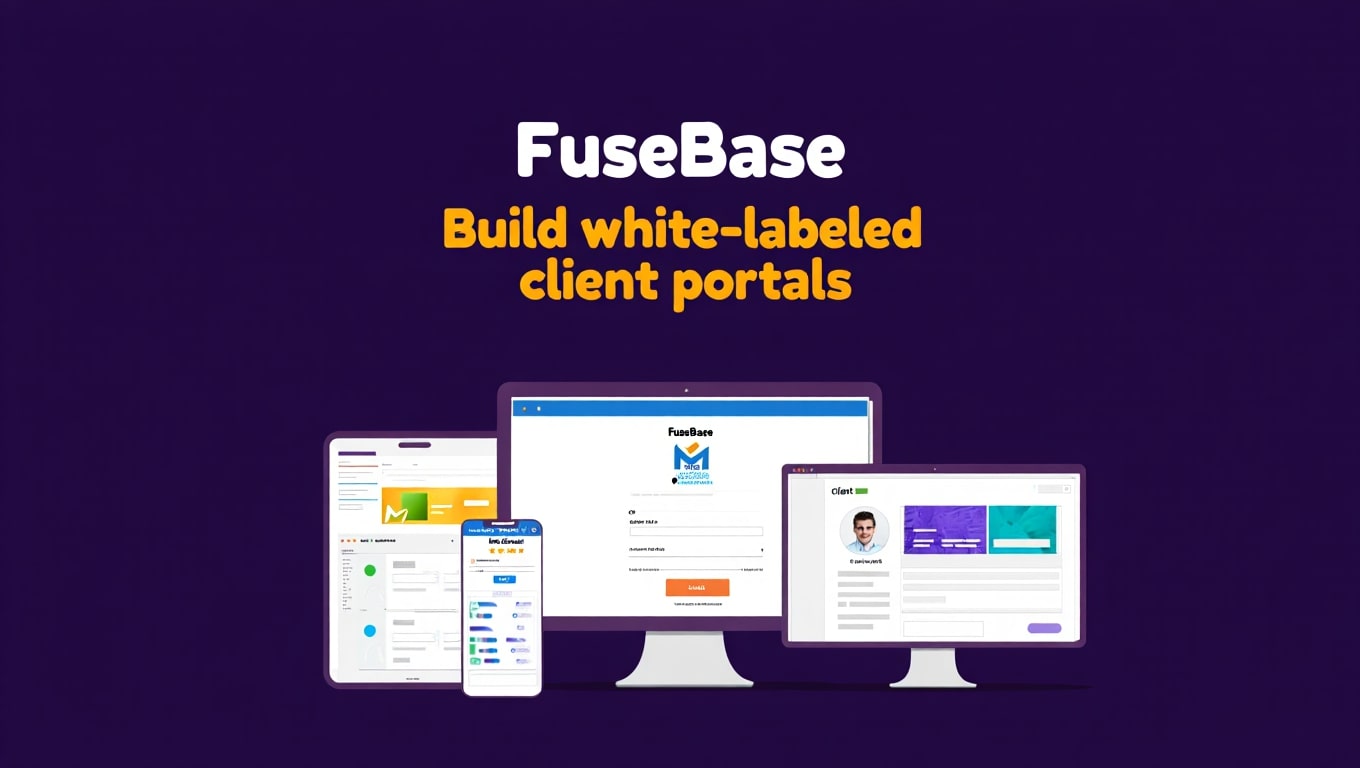
First impressions are critical in business, and a professional, cohesive brand experience can set you apart from the competition. FuseBase’s white-label client portals offer an unparalleled opportunity to impress clients and reinforce your brand identity at every touchpoint.
Instead of sending clients to a generic third-party platform or relying on disjointed communication methods, you can provide them with a dedicated online space that looks and feels like an extension of your own company. This level of customization includes your logo, brand colors, and even a custom domain (e.g., portal.yourcompany.com).
This branded environment fosters a sense of trust and exclusivity. Clients feel valued when they have a secure, personalized hub for all their project needs. It communicates professionalism and attention to detail, which can significantly enhance client retention and satisfaction.
Key point: A white-label portal doesn’t just look good; it centralizes information. It acts as a single source of truth for all project documents, communications, and progress updates, ensuring clarity and organization for both your team and your clients.
FuseBase vs. Competitors
When evaluating FuseBase, it’s essential to understand its position relative to other tools in the market. While many platforms offer aspects of client collaboration or project management, FuseBase aims for a unique combination. Here’s a comparison with typical alternatives:
Traditional project management tools like Asana, Trello, or ClickUp excel at internal team organization but often lack robust client-facing features or white-labeling. They may require workarounds to share information securely with clients, leading to fragmented communication.
Dedicated client portal software might offer white-labeling and secure file sharing, but typically lacks integrated AI capabilities or comprehensive project management functionalities. They often focus solely on the client interface without deeply integrating the internal workflow.
Then there are general-purpose collaboration suites like Microsoft Teams or Slack, which are great for communication but can become messy for managing client-specific projects and documents without additional integrations or careful organization. They rarely offer true white-label solutions.
| Feature | FuseBase | Traditional PM Tools (e.g., Asana) | Dedicated Client Portals (e.g., Client Portal by SuiteDash) |
|---|---|---|---|
| AI Assistant | ✅ (Content generation, summarization, Q&A) | ❌ (Generally not built-in, may require integrations) | ❌ (Rarely, if ever, offered natively) |
| White-Label Client Portals | ✅ (Custom domain, logo, branding) | ❌ (Limited to no white-label options) | ✅ (Often a core offering, but can be expensive) |
| Project & Task Management | ✅ (Robust, client-facing views) | ✅ (Core strength, but often internal-focused) | Limited (Usually basic task tracking, not full PM) |
| Secure File Sharing | ✅ (Organized, version control) | ✅ (Integrates with cloud storage, sometimes native) | ✅ (Often a strong feature) |
| Communication Tools | ✅ (Dedicated chat, comments) | ✅ (Comments, mentions, sometimes chat integrations) | ✅ (Messaging, comments) |
| Knowledge Base | ✅ (Client-facing self-service) | ❌ (May have internal wikis, not client portals) | ✅ (Common feature) |
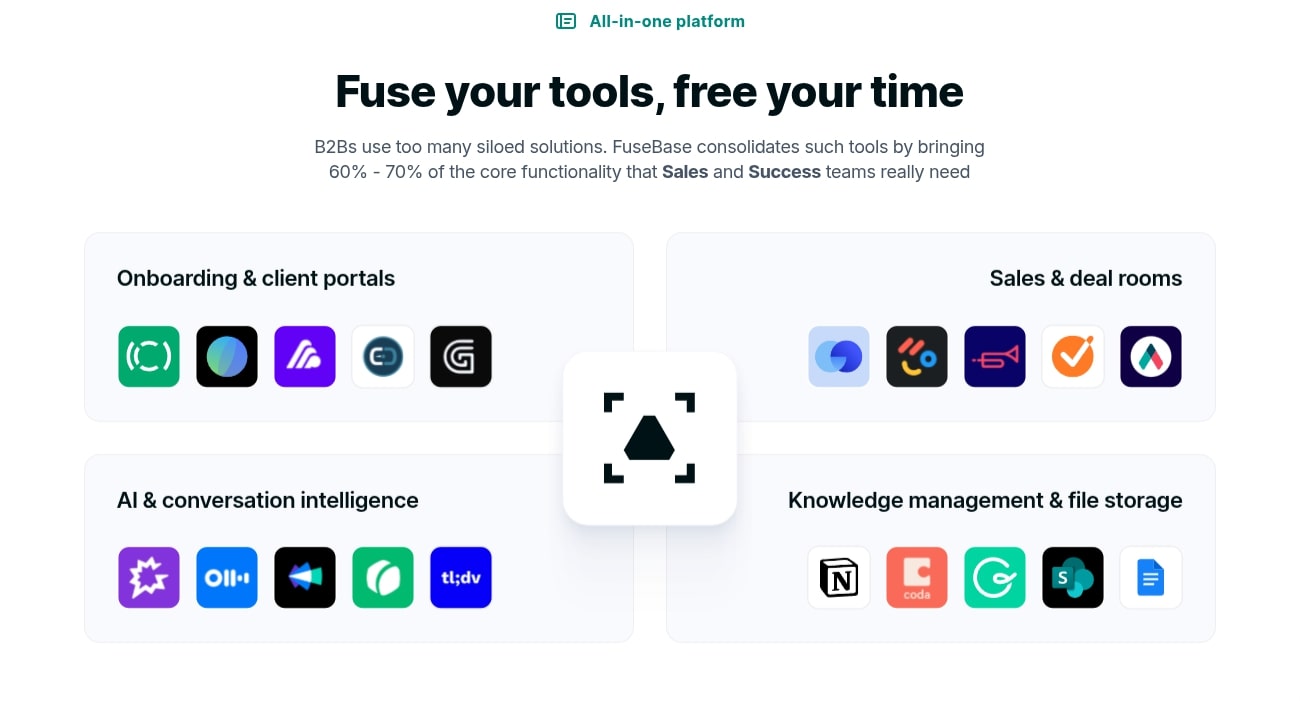
FuseBase’s strength lies in its ability to blend robust project management and white-label client portals with a cutting-edge AI assistant. This integrated approach aims to provide a more holistic solution than what specialized tools or general collaboration platforms offer individually.
Pros & Cons of FuseBase
Like any software solution, FuseBase comes with its own set of advantages and potential drawbacks. Understanding these can help you make an informed decision about whether it’s the right fit for your business needs.
Pros:
- AI-Powered Efficiency: The integrated AI assistant is a major plus, offering capabilities like content generation, summarization, and intelligent Q&A, which can significantly boost productivity and client support.
- Professional White-Labeling: The ability to fully brand client portals with custom domains, logos, and colors creates a highly professional impression and strengthens your brand identity.
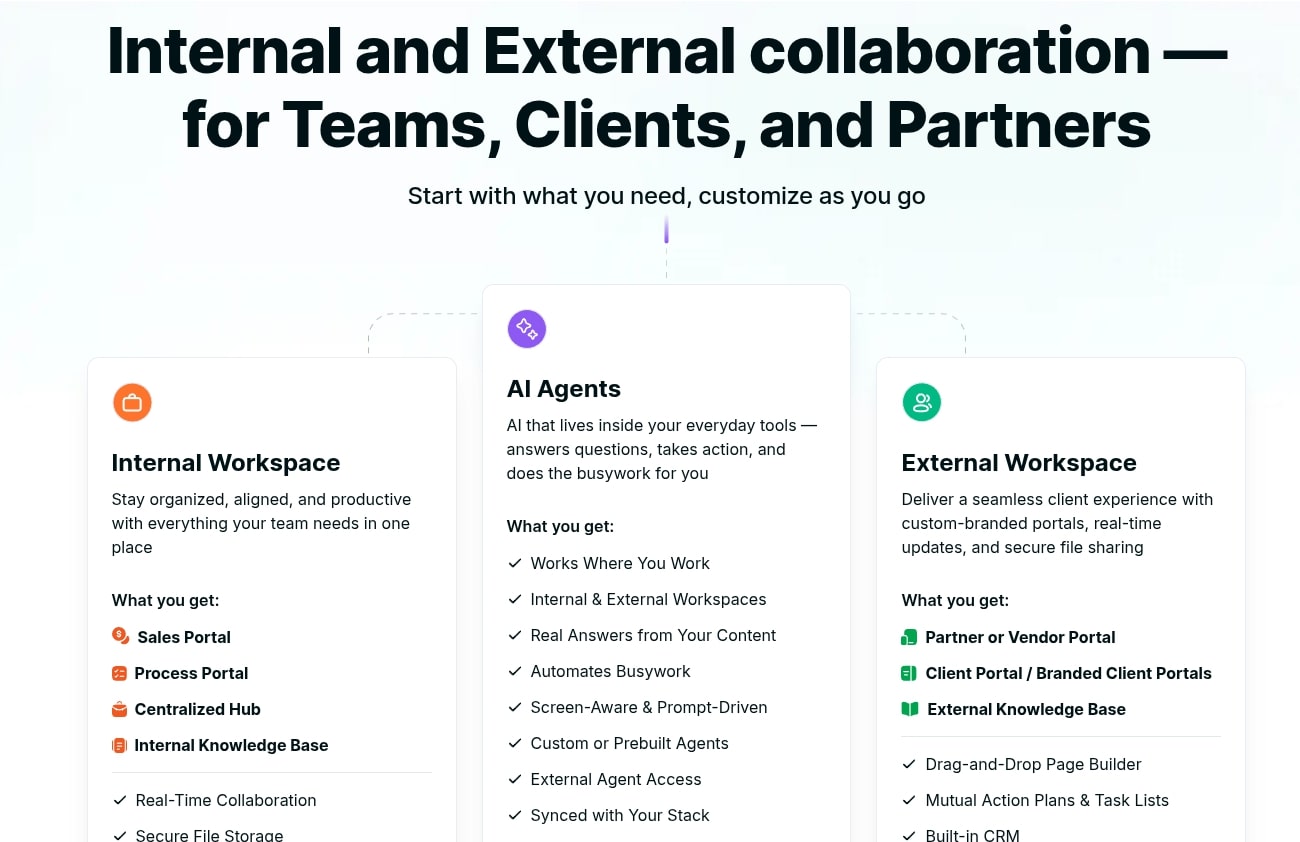
- Centralized Collaboration: FuseBase consolidates all client communication, files, and project tasks into one secure platform, reducing fragmentation and improving organization.
- Enhanced Client Experience: Clients get a dedicated, easy-to-navigate portal to access everything they need, fostering better communication and higher satisfaction.
- Lifetime Deal Value (AppSumo): For early adopters, the AppSumo lifetime deal offers immense long-term value, eliminating recurring subscription costs for a powerful tool.
- Comprehensive Feature Set: Combines project management, document sharing, communication, and knowledge base features in one platform.
Cons:
- Learning Curve: While intuitive, adopting a new all-in-one platform might require an initial learning period for both your team and clients to fully utilize all features.
- Newer Platform: As a relatively newer player, some advanced or niche features found in highly specialized project management or CRM tools might not yet be present or as mature.
- AI Reliance: While powerful, the quality of AI output might still require human oversight and refinement, as it’s an assistive tool, not a full replacement for human creativity and judgment.
- Potential for Overwhelm: For very small businesses with extremely simple needs, the full suite of features might feel like overkill initially, though scalability is a pro for growth.
- AppSumo Specific Limitations: While a great deal, AppSumo deals sometimes have specific limitations on future features or higher-tier functionalities compared to ongoing subscription plans.
FuseBase Lifetime Deal Pricing Plans
The AppSumo lifetime deal for FuseBase presents a compelling opportunity for businesses looking to invest in a robust client collaboration tool without the burden of ongoing monthly subscriptions. Typically, AppSumo deals are structured in tiers, or “codes,” allowing users to scale their investment based on their needs.
While specific details can vary and change over time on AppSumo, a common structure for the FuseBase AI lifetime deal might look like this:
- License Tier 1: Often provides a foundational set of features suitable for individual freelancers or very small teams. This might include a certain number of client portals, specific storage limits, and access to core AI functionalities.
- License Tier 2: Builds upon Tier 1, offering increased limits on portals, storage, and potentially enhanced AI usage or additional team members. This tier is typically ideal for growing agencies or consultants with a moderate client base.
- License Tier 3 (or higher): Designed for larger teams or agencies with extensive client rosters and higher demands for storage and collaboration. These higher tiers often unlock premium features like custom domains for each portal, more advanced reporting, or higher usage caps for AI.
Each tier is purchased with a one-time payment, granting lifetime access to the features and limits of that specific tier. Users often have the option to “stack” codes, meaning they can purchase multiple tiers to combine their limits and scale their account further. It’s crucial to review the exact offer details on the AppSumo listing page, as these can include specific terms around user seats, storage, and AI credits.
Deal Terms – No Fine Print, Just Great Value
AppSumo deals are known for their straightforward terms, and the FuseBase AI lifetime deal typically follows this pattern, aiming to provide genuine long-term value. When considering an AppSumo purchase, understanding these terms is key to ensuring it aligns with your expectations.
Lifetime Access: The most significant term is lifetime access to FuseBase. This means you pay a one-time fee and never have to worry about recurring monthly or annual subscription charges for the features included in your purchased tier(s). This can lead to substantial savings over time.
All Future Updates: AppSumo lifetime deals usually include all future updates for the purchased plan. This ensures your software remains current, benefiting from ongoing improvements, bug fixes, and feature enhancements without additional cost.
60-Day Money-Back Guarantee: AppSumo famously offers a 60-day money-back guarantee. This allows you to test FuseBase thoroughly for two months. If it doesn’t meet your expectations for any reason, you can request a full refund, making the investment virtually risk-free.
Stacking Options: As mentioned, the ability to stack multiple codes allows you to increase your account limits (e.g., more client portals, more storage, more team members). This provides flexibility to scale your FuseBase usage as your business grows.
Feature Exclusions: While lifetime access is comprehensive, it’s important to note that AppSumo deals generally cover the core features of the product. Very high-tier enterprise features or brand-new add-on modules developed later might sometimes be offered separately, but core functionality is typically included. Always check the specific deal page for any explicit exclusions.
Frequently Asked Questions (FAQ)
To further clarify common queries about FuseBase AI and its AppSumo lifetime deal, here’s a collection of frequently asked questions:
Q: Is FuseBase suitable for small businesses and freelancers?
A: Absolutely. FuseBase is highly scalable. The lower tiers of the AppSumo deal are particularly cost-effective for freelancers and small businesses that need a professional client portal and collaboration solution without a hefty monthly subscription. Its white-labeling features are excellent for enhancing brand image even on a small scale.
Q: How secure is client data within FuseBase portals?
A: FuseBase emphasizes security. It provides secure, dedicated portals for each client, using industry-standard encryption protocols for data in transit and at rest. Access permissions can be managed granularly, ensuring that only authorized individuals can view specific documents and communications.
Q: Can I integrate FuseBase with my existing tools?
A: While FuseBase aims to be an all-in-one solution, it often includes integrations with popular tools for enhanced workflow. Check the specific AppSumo deal page or FuseBase’s official website for current integration lists, which commonly include platforms like Zapier for broader connectivity, or direct integrations with cloud storage services.
Q: What kind of AI capabilities does FuseBase offer?
A: FuseBase’s AI assistant is designed to streamline various tasks. This includes generating text content (e.g., meeting summaries, project updates, initial drafts), answering common client questions from a knowledge base, and providing quick insights from shared documents. Its purpose is to augment human productivity, not replace it.
Q: Is the AppSumo lifetime deal transferable if I sell my business?
A: AppSumo deal terms generally state that licenses are tied to the purchasing account and are non-transferable. However, specific deal terms can sometimes vary. It’s always best to consult AppSumo’s official FAQ or the specific deal page for the most accurate information regarding transferability.
Is the FuseBase Lifetime Deal Worth It?
Evaluating the worth of the FuseBase Appsumo Lifetime Deal on AppSumo boils down to several factors, primarily your business needs, budget, and long-term vision for client collaboration. For many, this deal represents a significant opportunity.
If your business heavily relies on client communication, project management, and delivering assets, FuseBase offers a compelling, centralized solution. The ability to create branded, white-label portals alone can justify the investment by elevating your professional image and improving client satisfaction.
The AI component is a powerful differentiator. In an era where efficiency is paramount, having an AI assistant to help with content generation, summarization, and information retrieval can save countless hours and free up your team for higher-value tasks. This directly translates to increased productivity and potentially higher profitability.
Financially, a lifetime deal eliminates recurring subscription costs, which can quickly add up over months and years. For a tool as comprehensive as FuseBase, the one-time payment offers incredible long-term ROI, especially compared to the cumulative cost of monthly subscriptions for similar (or less featured) platforms.
Key point: However, consider if you truly need all its features. If your client interactions are minimal or extremely simple, a basic cloud storage service might suffice. But for any professional service business looking to scale, streamline, and impress, the FuseBase AI AppSumo deal is highly attractive.
Final Verdict
FuseBase AI emerges as a strong contender in the client collaboration and project management space, particularly with its innovative integration of artificial intelligence and robust white-label client portals.
The AppSumo lifetime deal positions it as an exceptionally valuable investment for agencies, freelancers, consultants, and any business striving for superior client engagement and operational efficiency.
Its ability to centralize all client-facing activities—from secure document sharing and task management to streamlined communication—solves a prevalent pain point for many service providers.
The AI assistant adds a significant layer of sophistication, promising to boost productivity by automating content creation and information retrieval. This blend of features not only saves time but also significantly enhances the professional image and client experience.
While new platforms always have a growth trajectory, the current offering on AppSumo provides a risk-free opportunity, thanks to the 60-day money-back guarantee, to lock in a powerful tool at a fraction of its potential long-term subscription cost.
For businesses ready to elevate their client collaboration game, reduce operational friction, and harness the power of AI, the FuseBase AI AppSumo lifetime deal comes with a strong recommendation. It’s an investment in a more organized, efficient, and impressive future for your client relationships.
Related Category: AppSumo Deals