In today’s digital landscape, PDF documents are the bedrock of professional communication, legal agreements, and academic pursuits. However, simply viewing PDFs is no longer enough. The demand for robust, intuitive, and efficient PDF editing software has grown exponentially, with users seeking tools that can not only edit text and images but also leverage artificial intelligence for enhanced productivity. Enter UPDF review, a rapidly evolving PDF editor that promises to deliver an all-encompassing solution.
This comprehensive UPDF review delves deep into its capabilities, from basic editing to advanced AI features, cross-platform compatibility, and pricing. We’ll explore whether UPDF lives up to its claims and if it truly stands out in a crowded market dominated by established players.
Whether you’re a student, a professional, or a business owner, understanding UPDF’s strengths and weaknesses can help you make an informed decision about your next PDF software investment.
What is UPDF?
UPDF is a feature-rich PDF editor developed by Superace Software, designed to provide a seamless and comprehensive solution for all your PDF needs. It goes beyond mere viewing and offers extensive tools for editing, annotating, converting, organizing, and securing PDF documents. Its commitment to user experience and continuous innovation has quickly made it a contender in the PDF software space.
One of UPDF’s significant advantages is its cross-platform availability. It supports Windows, macOS, iOS, and Android, allowing users to work on their documents consistently across various devices. This versatility ensures that your workflow remains uninterrupted, whether you’re at your desk or on the go.
Key Features
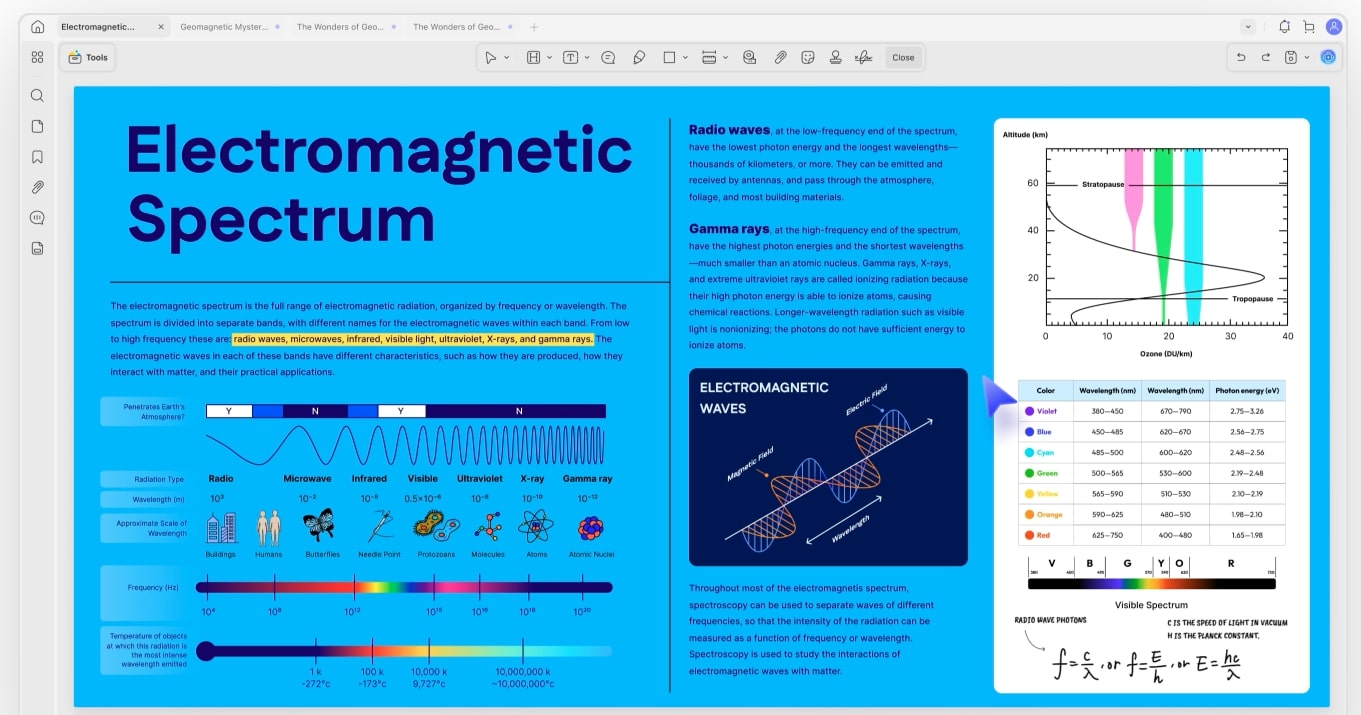
UPDF boasts an impressive array of features designed to cater to a wide range of PDF-related tasks. From fundamental editing to sophisticated AI integrations, it aims to be a one-stop solution for anyone working with documents. Here’s a snapshot of its core functionalities:
- Comprehensive Editing: Edit text, images, links, watermarks, backgrounds, and headers/footers directly within your PDF.
- Annotation & Markup: Highlight, underline, strike out, add sticky notes, shapes, stamps, and even draw freehand.
- Conversion Capabilities: Convert PDFs to and from various formats like Word, Excel, PowerPoint, image files, HTML, and more.
- Optical Character Recognition (OCR): Transform scanned PDFs into editable and searchable text.
- Page Organization: Insert, delete, extract, split, merge, rotate, and rearrange PDF pages with ease.
- Form Filling: Fill out PDF forms and even create new interactive forms.
- Security Features: Protect your PDFs with passwords, permissions, and redaction tools.
- UPDF AI Integration: A powerful AI assistant for summarizing, translating, explaining, rewriting, and chatting with your PDF content.
- Cloud Integration: Seamlessly sync documents across devices using UPDF Cloud.
UPDF 2.0 Updates
UPDF has continually pushed the boundaries of what a PDF editor can do, and its 2.0 updates represent a significant leap forward. This version introduced a range of enhancements focused on performance, user experience, and, most notably, the integration of advanced artificial intelligence. These updates reinforce UPDF’s position as a modern, forward-thinking PDF solution.
Key improvements in UPDF 2.0 include a refined user interface that makes navigation even more intuitive and efficient. Performance optimizations mean faster loading times and smoother operation, even with large documents. However, the standout feature of this release is undoubtedly the deeper integration and expansion of the UPDF AI Assistant, which now offers more robust and versatile capabilities for intelligent document interaction.
Key PDF Editing Features
At its core, a PDF editor must excel at modifying documents, and UPDF doesn’t disappoint. Its editing suite is comprehensive, allowing for granular control over every element within your PDF files. This makes it a powerful tool for correcting typos, updating information, or completely revamping document layouts.
Text Editing: UPDF allows you to add, delete, or modify existing text with ease. You can change font size, color, style, and even the typeface itself, just like a word processor. This is incredibly useful for making quick corrections or major content overhauls without needing to convert the PDF first.
Image Manipulation: Beyond text, you can effortlessly add new images, replace existing ones, or crop, rotate, and resize graphics within your PDF. This functionality is crucial for documents that rely heavily on visual elements, such as brochures, presentations, or reports. You can also extract images for reuse elsewhere.
Link and Watermark Management: Adding and editing hyperlinks is straightforward, enabling you to create interactive documents. Furthermore, UPDF provides robust tools for inserting, customizing, or removing watermarks and backgrounds, essential for branding or document security. Headers and footers can also be added or adjusted, ensuring consistent page numbering and information across your documents.
UPDF AI Assistant
The UPDF AI Assistant is a game-changer, transforming the way users interact with their PDF documents. This integrated artificial intelligence tool moves beyond simple editing, offering intelligent assistance that can significantly boost productivity and comprehension. It’s like having a research assistant embedded directly into your PDF editor.
Key capabilities of the UPDF AI Assistant include:
- Summarization: Get concise summaries of lengthy documents, saving valuable time when you need to grasp the main points quickly.
- Translation: Translate text within your PDF to and from multiple languages, breaking down language barriers for international collaboration or research.
- Explanation: Understand complex concepts or jargon by asking the AI to explain specific sections or terms within the document. This is invaluable for educational or technical documents.
- Rewriting & Proofreading: Improve clarity, conciseness, or tone by having the AI rewrite sentences or paragraphs. It can also assist in proofreading for grammatical errors and stylistic improvements.
- Chat with PDF: Engage in a conversational interface with your PDF. You can ask questions about the document’s content, extract specific information, or even brainstorm ideas based on the text. This interactive feature allows for deep engagement without manual searching.
This AI functionality positions UPDF as more than just an editor; it’s a smart document assistant, capable of accelerating research, enhancing understanding, and streamlining content creation processes.

How Easy is UPDF to Use?
A powerful tool is only as good as its usability, and UPDF shines in this regard with its remarkably intuitive interface. From the moment you launch the application, you’re greeted with a clean, modern design that prioritizes accessibility and efficiency. The layout is thoughtfully organized, with tools clearly labeled and logically grouped, minimizing the learning curve for new users.
Whether you’re performing basic tasks like opening and viewing a PDF or more advanced operations such as editing text or organizing pages, UPDF makes the process straightforward. Contextual menus appear when needed, and drag-and-drop functionality is widely supported, simplifying many common actions. This focus on user experience ensures that users can quickly become proficient and productive with the software, regardless of their technical expertise.
Key point: The consistent user interface across Windows, macOS, iOS, and Android further enhances ease of use, allowing for seamless transitions between devices without needing to relearn the application.
Reading and Annotating PDFs
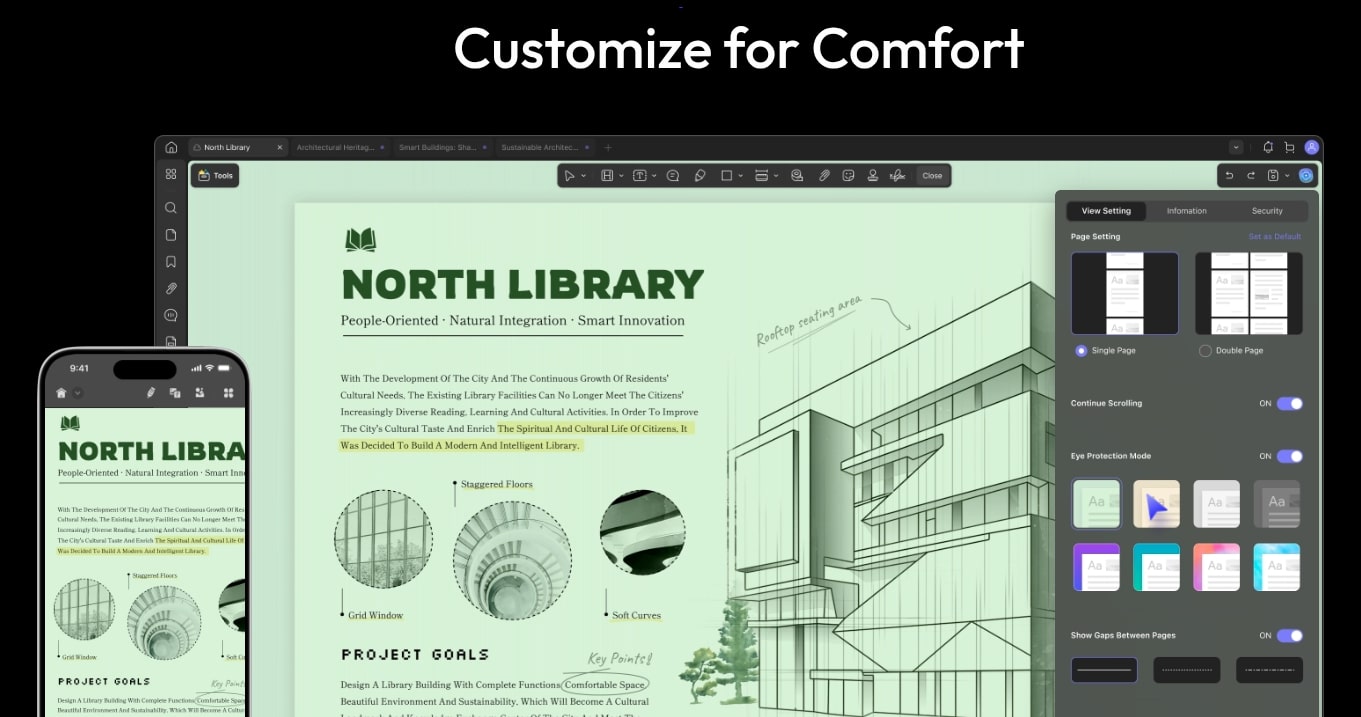
Beyond its robust editing capabilities, UPDF provides an excellent environment for reading and reviewing PDF documents. It offers various viewing modes to suit different preferences and tasks, ensuring a comfortable reading experience for extended periods. These modes include single-page view, two-page view, and continuous scroll, allowing you to navigate documents effortlessly.
For academic, legal, or collaborative work, UPDF’s annotation tools are indispensable. You can highlight important text, underline key phrases, or strike out irrelevant information. Sticky notes allow for detailed comments and explanations, while a range of shapes and drawing tools enable you to mark up diagrams or add visual cues. Stamps, including dynamic stamps with dates, further enhance review workflows. These features make UPDF an ideal tool for active reading and collaborative feedback.
Editing and Organizing Documents
UPDF excels in providing comprehensive tools for both editing content and organizing the structure of your PDF documents. This dual capability ensures that you have complete control over both the information within your files and their overall presentation, making it invaluable for document management.
Content Editing: We’ve already touched upon text and image editing, but it’s worth reiterating the granular control UPDF offers. You can refine every detail, from individual characters to entire paragraphs and embedded graphics. This level of precision is crucial for maintaining professional standards and accuracy in your documents.
Page Management: Organizing your PDF’s structure is effortless with UPDF. You can easily insert new pages from other PDFs or blank sheets, delete unwanted pages, or extract specific pages to create new documents. Rotating pages, splitting large PDFs into smaller, more manageable files, and merging multiple PDFs into one cohesive document are all intuitive operations. This flexibility is essential for creating tailored documents from various sources.
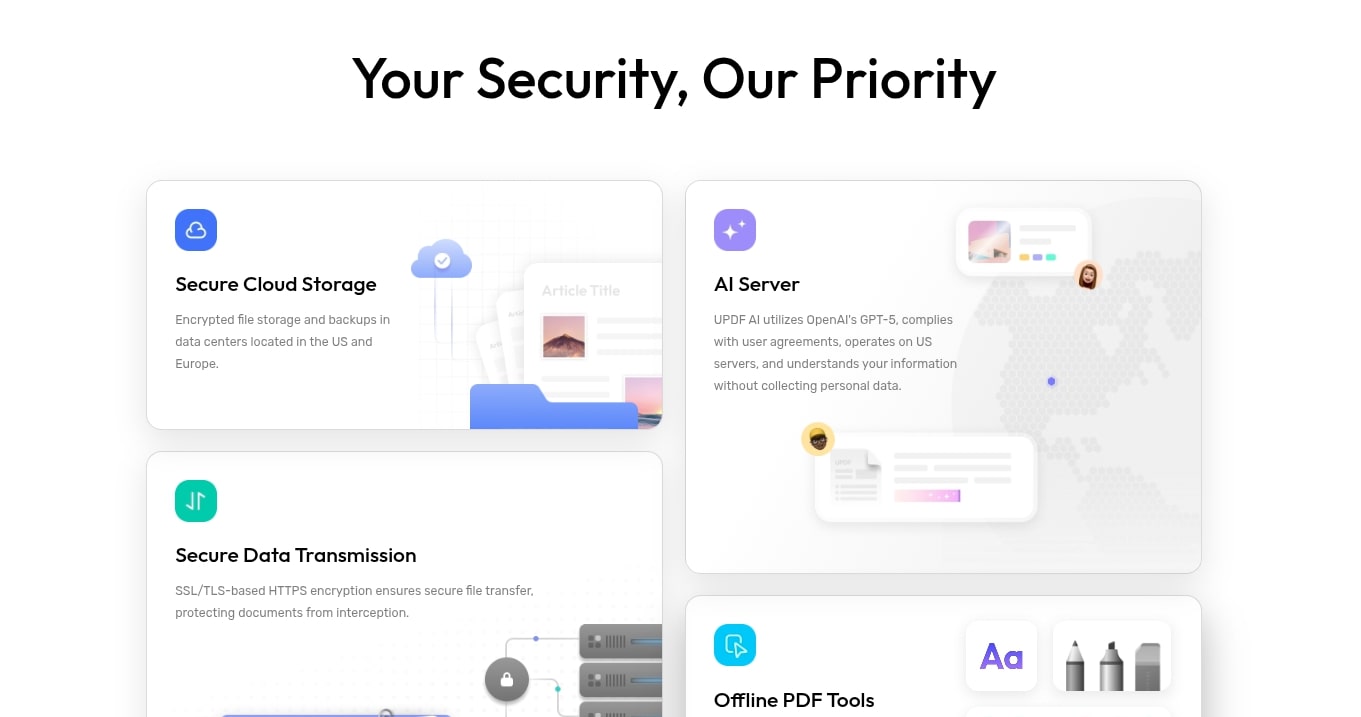
Security Features: Protecting sensitive information is paramount. UPDF offers robust security options, including password protection to restrict access and permissions management to control printing, copying, and editing. Furthermore, its redaction tool allows you to permanently black out confidential text or images, ensuring that sensitive data is irretrievable, which is vital for legal and privacy compliance.
Organizing and Sharing Files
Efficient document management extends beyond editing; it also encompasses how you organize, store, and share your files. UPDF addresses these needs with integrated solutions designed to streamline your workflow and foster collaboration.
Cloud Integration: UPDF Cloud is a standout feature, offering seamless synchronization of your documents across all your devices. This means you can start working on a PDF on your desktop, save it to the cloud, and pick up exactly where you left off on your tablet or smartphone. This cross-device accessibility is a significant advantage for users who work across multiple platforms.
Sharing Options: Sharing documents directly from UPDF is straightforward. You can send PDFs via email, generate shareable links for cloud access, or even print documents directly from the application. For large files, UPDF also includes a compression tool that reduces file size without compromising quality, making them easier to send and upload. This ensures your documents reach their intended recipients quickly and efficiently.
Pricing and Plans
Understanding the pricing structure is a crucial part of any software review. UPDF offers flexible licensing options designed to cater to various user needs, from individual professionals to larger teams. It balances affordability with access to a full suite of powerful features, including cutting-edge AI capabilities.
UPDF generally offers two primary pricing models: an annual subscription and a perpetual license (one-time purchase). The annual plan provides continuous access to updates and support, while the perpetual license is a one-time investment that grants lifetime access to the version purchased and usually includes free minor updates.
Key point: Both options typically include access to UPDF across all supported platforms (Windows, macOS, iOS, Android) under a single license, which represents excellent value compared to competitors that often require separate licenses for different operating systems or devices.
Specific pricing can vary based on ongoing promotions or regional offers, but users can generally expect:
- UPDF Pro Annual Plan: Offers full features, including UPDF AI, for a yearly fee.
- UPDF Pro Perpetual Plan: A one-time purchase for lifetime access to the current version and all its core functionalities, often with a bundled AI subscription for a limited period or separate AI credit purchases.
While there is often a free trial version available, it usually comes with limitations (e.g., watermarks on saved documents, limited AI usage) to allow users to test the software before committing to a purchase.
Pros and Cons
Every software has its strengths and weaknesses. This balanced look at UPDF helps in understanding where it excels and where there might be room for improvement.
Pros:
- AI Integration: The UPDF AI Assistant is a significant differentiator, offering advanced summarization, translation, explanation, and interactive chat capabilities.
- Cross-Platform Compatibility: A single license works across Windows, macOS, iOS, and Android, providing unmatched flexibility.
- Intuitive User Interface: Clean, modern, and easy-to-navigate design makes it accessible for all skill levels.
- Comprehensive Feature Set: Offers a wide range of tools for editing, annotating, converting, organizing, and securing PDFs.
- Excellent Value: Often more affordable than leading competitors, especially with its perpetual license option.
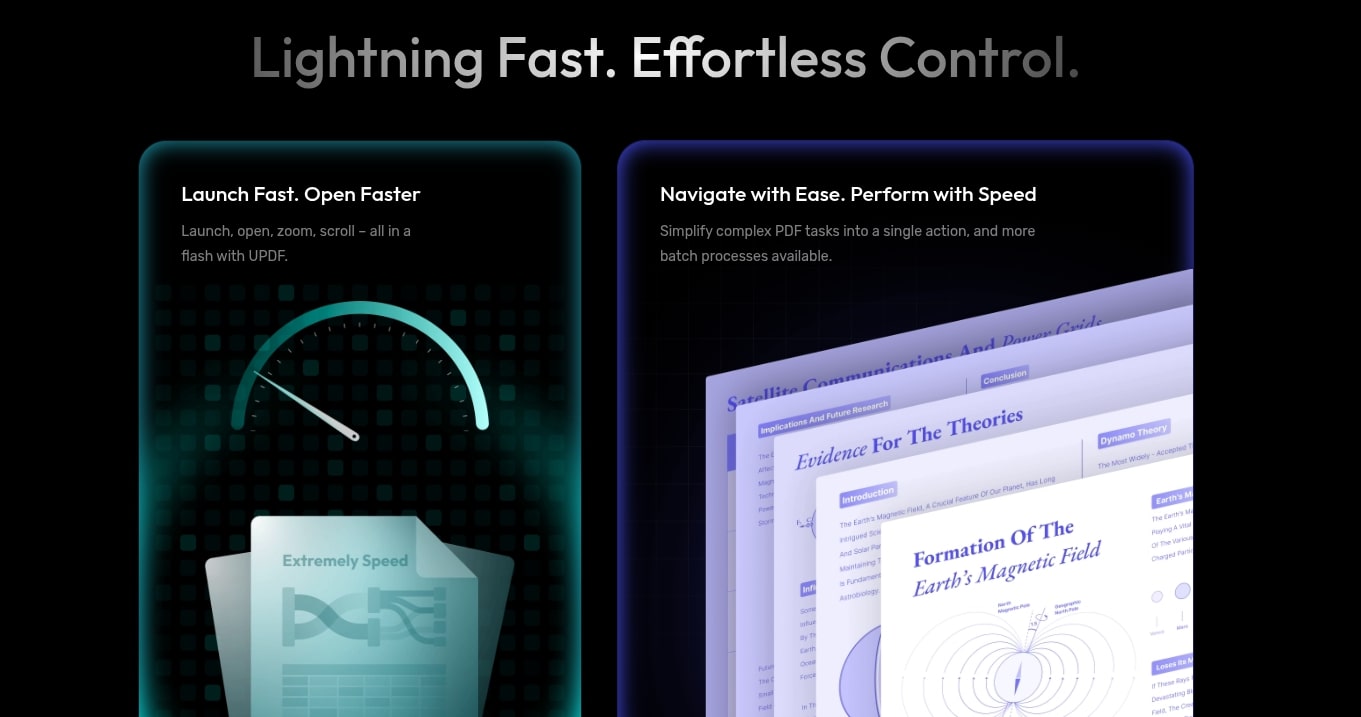
- Fast Performance: Optimized for speed, ensuring smooth operation even with large files.
- UPDF Cloud Sync: Seamless document synchronization across devices.
Cons:
- Advanced Form Features: While it supports basic form filling, creating highly complex interactive forms might require more specialized tools.
- OCR Accuracy for Niche Languages: While generally good, OCR accuracy for highly specialized or rare fonts/languages might still have room for improvement.
- Initial AI Credit Limitations: The free trial or initial perpetual license might have limited AI credits, requiring additional purchases for heavy AI usage.
- Still Evolving: As a relatively newer player compared to giants, some highly specialized industry-specific features might not yet be present.

Frequently Asked Questions
To provide a more complete UPDF review, here are answers to some common questions potential users might have.
Q: Is UPDF free to use?
A: UPDF offers a free trial version that allows you to experience most of its features. However, documents saved in the free version may include a watermark, and AI usage is limited. To unlock full functionality and remove watermarks, a paid license is required.
Q: Is UPDF safe and secure for my documents?
A: Yes, UPDF prioritizes security. It offers robust password protection, permissions settings, and redaction tools to help secure your sensitive documents. The software itself is designed with user privacy and data integrity in mind.
Q: Can UPDF replace Adobe Acrobat?
A: For the vast majority of users, UPDF can absolutely replace Adobe Acrobat. It offers a comparable, and in some areas (like AI integration), a superior feature set for daily PDF tasks at a more competitive price point. While Adobe might retain a slight edge in very niche, highly specialized enterprise features, UPDF is a formidable and often more user-friendly alternative.
Q: Which platforms does UPDF support?
A: UPDF is truly cross-platform, supporting Windows, macOS, iOS (iPhone and iPad), and Android devices. A single license typically grants you access across all these platforms, allowing for maximum flexibility.
Q: Does UPDF include OCR functionality?
A: Yes, UPDF includes a powerful OCR (Optical Character Recognition) engine that can convert scanned PDFs and image-based documents into editable, searchable, and selectable text. This feature is crucial for digitizing physical documents or working with non-native PDFs.
Which PDF Editors Are Worth Considering?
The PDF editor market is diverse, with several strong contenders vying for users’ attention. While UPDF presents a compelling package, it’s helpful to see how it stacks up against some of its well-known competitors. Here’s a comparison focusing on key aspects:
| Feature/Software | UPDF | Adobe Acrobat Pro | PDFelement |
|---|---|---|---|
| Core Editing | Excellent (Text, Images, Links, Forms) | Comprehensive (Industry Standard) | Very Good (Similar to UPDF) |
| AI Capabilities | Integrated AI Assistant (Summarize, Translate, Chat, Explain) | Developing AI features (e.g., AI Assistant for specific tasks) | Basic AI features, less integrated than UPDF |
| Ease of Use | Highly Intuitive, Modern UI | Feature-rich but can be complex for new users | User-friendly, moderate learning curve |
| Cross-Platform | Windows, macOS, iOS, Android (single license) | Windows, macOS, Mobile (separate or bundled) | Windows, macOS, iOS, Android (separate licenses or subscriptions) |
| Pricing Model | Annual & Perpetual License (Good Value) | Subscription-based (Higher Cost) | Annual & Perpetual License (Competitive) |
| Cloud Integration | UPDF Cloud | Adobe Document Cloud | Wondershare Document Cloud |
While Adobe Acrobat remains the industry standard with its extensive feature set, its subscription-only model and steeper learning curve can be deterrents for many. PDFelement is a strong competitor, offering a good balance of features and price. However, UPDF distinguishes itself with its deeply integrated AI features and the exceptional value of its cross-platform perpetual license, making it a compelling choice for users seeking modern functionality without the recurring high cost.
Special Offer for AppSumo Users
For those constantly on the lookout for exceptional software deals, AppSumo often presents unique opportunities to acquire powerful tools at a fraction of their regular price. While specific offers on AppSumo are time-limited and vary, platforms like UPDF have historically made their lifetime licenses available through such channels. This provides an incredible chance for users to secure a robust PDF editor without the burden of recurring subscription fees.
When UPDF appears on AppSumo, it’s typically an opportunity to purchase a perpetual license, often bundled with a certain amount of AI credits or a lifetime AI subscription. This means a one-time payment can grant you full access to UPDF’s premium editing features and its advanced AI capabilities for the long term. Keeping an eye on AppSumo deals for UPDF can translate into significant savings and a valuable addition to your software toolkit. Such lifetime deals are highly sought after by savvy users and businesses aiming to maximize their budget.
Final Verdict
After a thorough UPDF review, it’s clear that this PDF editor is a powerful and versatile tool that stands out in a crowded market. Its combination of comprehensive editing features, an incredibly intuitive user interface, and groundbreaking AI integration makes it a top contender for both individual users and professionals. The cross-platform compatibility and the value offered by its pricing models, particularly the perpetual license, further enhance its appeal.
While no software is perfect, UPDF addresses the vast majority of PDF-related needs with efficiency and elegance. The UPDF AI Assistant, in particular, elevates it beyond a traditional editor, offering smart functionalities that truly enhance productivity and understanding.
If you’re looking for a modern, user-friendly, and feature-rich PDF solution that embraces the future of document interaction, UPDF is unequivocally worth considering. It’s an investment that promises to streamline your workflow and transform the way you interact with PDF documents.
Related Category: AppSumo Deals