In the dynamic world of web development, building a stunning, high-performing WordPress website without extensive coding knowledge has become a top priority for entrepreneurs, marketers, and agencies alike.
The native WordPress editor, Gutenberg, has revolutionized content creation, but often designers seek more power, flexibility, and pre-designed elements to accelerate their workflow. This is where a robust block builder like Stackable shines.
Stackable emerges as a premier solution, enhancing the Gutenberg experience with a suite of advanced blocks, design options, and performance optimizations. It transforms the default editor into a powerful design canvas, enabling users to craft professional-grade websites with remarkable ease and speed. Its focus on performance ensures that beauty doesn’t come at the cost of speed, a crucial factor for SEO and user experience.
The buzz around Stackable has grown exponentially, particularly with its appearance on AppSumo, the popular platform known for offering incredible lifetime deals on software. These AppSumo lifetime deals present a unique opportunity for users to acquire premium tools like Stackable Pro for a one-time payment, sidestepping recurring subscription costs. This article will delve deep into Stackable, its features, how it integrates with WordPress, its value proposition, and the unparalleled opportunity presented by the Stackable AppSumo lifetime deal.
What Is Stackable?
Stackable is a powerful, lightweight, and intuitive block builder for WordPress that significantly extends the capabilities of the native Gutenberg editor. It transforms the standard block editor into a comprehensive design tool, allowing users to create sophisticated and visually appealing web pages with drag-and-drop ease. It’s designed to empower both beginners and seasoned developers to build professional websites faster.
At its core, Stackable provides a vast library of custom Gutenberg blocks, alongside a wealth of pre-designed layouts, sections, and global styling options. This rich feature set enables users to achieve complex designs without ever touching a line of code, making it an ideal solution for anyone looking to maximize their WordPress site’s potential. Its commitment to performance ensures that websites built with Stackable remain fast and SEO-friendly.
Key point: Stackable leverages the native WordPress Gutenberg editor, enhancing it rather than replacing it, which results in better compatibility and performance.
Stackable Key Features and Benefits
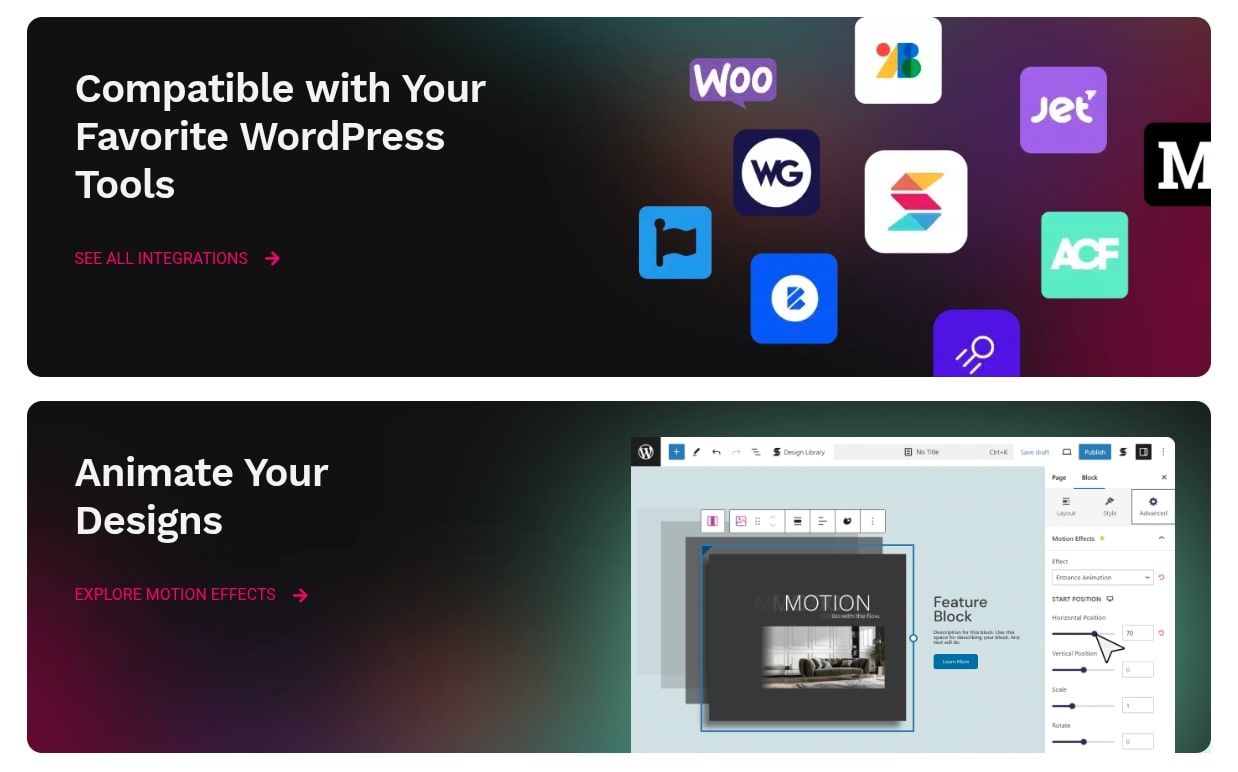
Stackable boasts an impressive array of features designed to streamline the website building process and elevate design quality. These features collectively deliver significant benefits in terms of efficiency, design flexibility, and site performance. From robust customization options to performance-focused engineering, Stackable covers all bases for modern web design.
Here are some of its standout features and the benefits they bring:
- Extensive Block Library: Stackable offers a wide range of custom blocks, from advanced headings and images to sophisticated post grids, pricing tables, and testimonials. This means you have a tool for almost any content element you need.
- Pre-built Designs & Templates: Save countless hours with Stackable’s collection of beautifully designed block layouts, sections, and full-page templates. You can import these with a single click and customize them to fit your brand, significantly accelerating development.
- Global Settings & Styles: Maintain design consistency effortlessly with global color palettes, typography settings, and container widths. Changes made here apply across your site, ensuring a cohesive look and feel without repetitive adjustments.
- Advanced Customization Options: Each block comes with a comprehensive set of styling controls, including typography, colors, backgrounds (gradients, images, videos), borders, shadows, spacing, and responsive adjustments. This granular control allows for pixel-perfect designs.
- Dynamic Content Integration: Stackable blocks can be populated with dynamic content from your WordPress site, such as post titles, featured images, and custom fields. This is invaluable for creating flexible and scalable website designs, especially for blogs and portfolios.
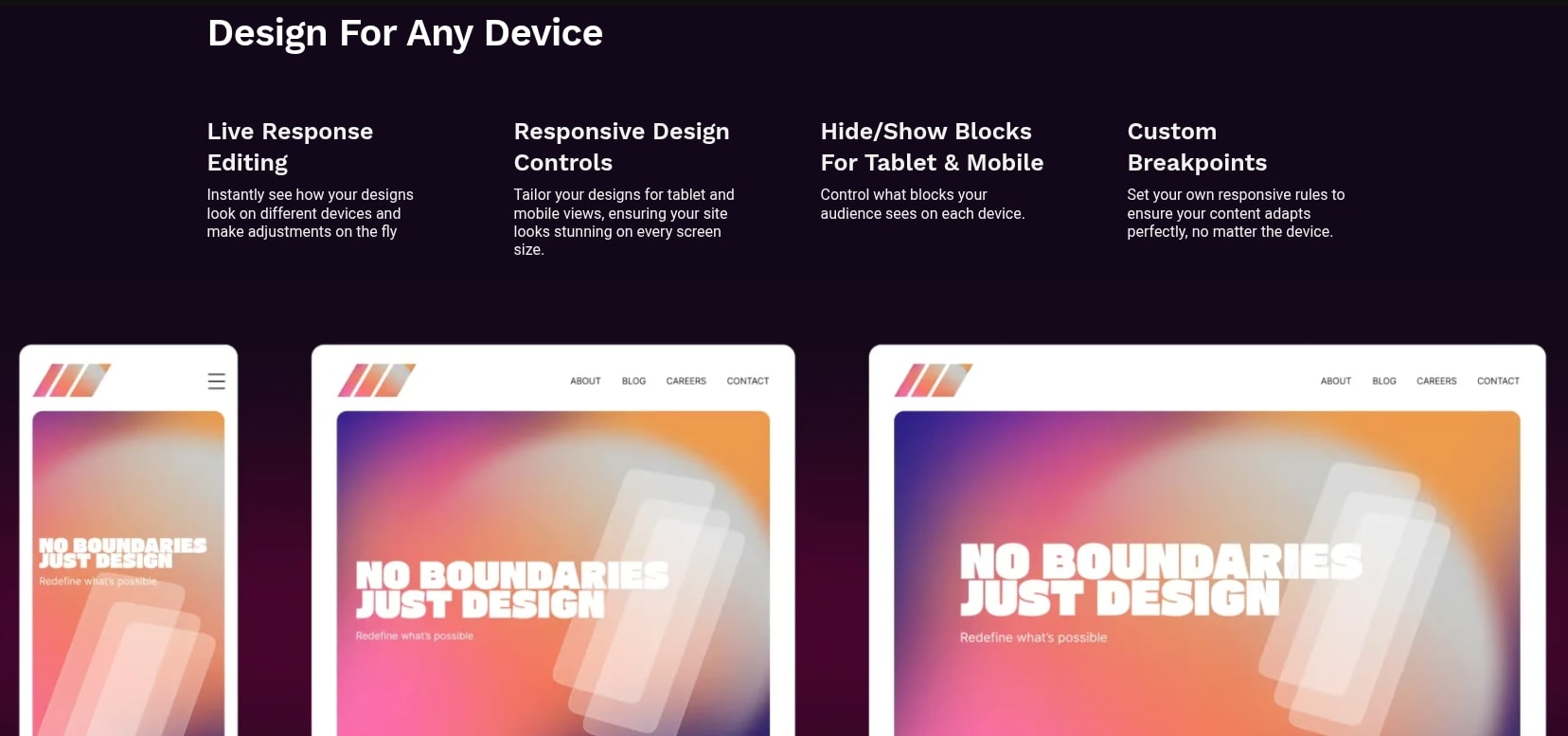
- Responsive Design Controls: Ensure your website looks flawless on any device with specific responsive settings for different screen sizes. You can adjust block visibility, spacing, and typography for desktop, tablet, and mobile views, guaranteeing an optimal user experience.
- Performance Optimization: Stackable is built with performance in mind. It generates clean, optimized code and includes features like lazy loading and minimal asset loading to keep your site fast and lightweight, which is critical for SEO and user engagement.
- Design Library & Wireframes: Beyond full designs, Stackable offers wireframe layouts, allowing you to quickly structure your page before diving into detailed styling. This is perfect for iterative design and client approvals.
- Role Manager: For agencies and teams, the role manager feature allows you to control which users can access and modify Stackable blocks and settings, providing greater security and workflow management.
- SVG Shape Dividers: Add unique visual flair to your sections with a variety of customizable SVG shape dividers, creating smoother transitions and more engaging layouts.
These features collectively position Stackable as a comprehensive solution for crafting visually stunning, performant, and highly functional WordPress websites efficiently.
How Stackable Compares to Elementor
When discussing WordPress page builders, Elementor is often the first name that comes to mind, known for its extensive features and drag-and-drop interface. Stackable, while also a powerful design tool, operates on a fundamentally different principle: it enhances Gutenberg rather than replacing it. This difference leads to distinct advantages and disadvantages for each.
Elementor is a full-fledged page builder that introduces its own interface, separate from the native WordPress editor. It offers a live, front-end editing experience and a massive ecosystem of add-ons. Stackable, on the other hand, works directly within the Gutenberg editor, leveraging its structure and ensuring closer integration with the core WordPress experience. This approach often results in a lighter footprint and better performance for Stackable-built sites.
| Feature/Aspect | Stackable (Gutenberg Blocks) | Elementor (Page Builder) |
|---|---|---|
| Integration with WordPress | Deeply integrated with the Gutenberg, native WordPress editor. | Separate, custom front-end editor interface. |
| Performance & Code Output | Generally lighter, optimized, and generates cleaner code due to Gutenberg’s structure. | It can be heavier due to extensive features and a custom front-end editor, potentially impacting load times. |
| Ease of Use (Beginner) | Intuitive for those familiar with Gutenberg. Steeper learning curve if new to blocks. | Very intuitive drag-and-drop, real-time visual editing. Easy for beginners. |
| Block/Widget Library | Extensive, high-quality Gutenberg blocks with advanced styling. | Very large widget library, plus a vast third-party ecosystem. |
| Design Flexibility | High degree of customization for each block, global styles. | Extremely flexible, fine-tuned control over every element. |
| Workflow | Seamlessly integrates with the WordPress backend, allowing for mixed content types. | Full-page designs are often managed entirely within Elementor’s environment. |
| Vendor Lock-in | Less vendor lock-in; content largely remains as native Gutenberg blocks if Stackable is deactivated. | More vendor lock-in; deactivating Elementor can leave behind shortcodes and unformatted content. |
Choosing between Stackable and Elementor often comes down to preference and project requirements. If you value tight integration with the native WordPress experience, performance, and cleaner code, Stackable is an excellent choice. If you prioritize a visual, front-end drag-and-drop experience with a vast ecosystem of add-ons and don’t mind a potentially heavier site, Elementor might be more suitable. For many, the future of WordPress design is with Gutenberg, making Stackable a forward-thinking choice.
Use Cases of Stackable for WordPress
Stackable’s versatility makes it an invaluable tool for a wide range of WordPress users and projects. Its robust features empower individuals and businesses to create diverse types of websites with efficiency and a high level of design sophistication. Whether you’re a freelancer, a small business owner, or an agency, Stackable offers tailored solutions.
Here are some key use cases where Stackable truly shines:
- Business Websites: Create professional company websites with engaging hero sections, detailed service pages, team introductions, and contact forms. Stackable’s pre-designed blocks and templates make it easy to showcase brand identity effectively.
- Portfolio Sites: Artists, photographers, designers, and writers can build stunning portfolios to display their work with dynamic image galleries, testimonials, and clean layouts. The post grid block is particularly useful for showcasing projects.
- Landing Pages: Design high-converting landing pages for marketing campaigns, product launches, or events. Stackable offers powerful customization for calls to action, feature lists, and testimonials, driving user engagement and conversions.
- Blogs and Content Sites: Enhance traditional blog posts with richer layouts, custom section breaks, and visually appealing content blocks. Stackable can turn a plain blog into a more interactive and engaging reading experience.
- E-commerce Stores (with WooCommerce): While not a direct e-commerce builder, Stackable can be used to design stunning product display pages, landing pages for promotions, or custom “about us” sections that complement your WooCommerce store’s functionality, making the entire shopping experience more appealing.
- Personal Websites: Build a compelling personal brand website, resume site, or online resume quickly and easily. Customize every element to reflect your personality and professional aspirations.
- Agency & Freelancer Projects: Agencies and freelance developers can leverage Stackable to deliver high-quality client websites rapidly. The global settings and design library accelerate project completion, while the role manager helps manage client access.
- Event & Conference Websites: Quickly set up informative and attractive websites for events, including schedules, speaker profiles, registration forms, and location details, ensuring a professional online presence.
In each of these scenarios, Stackable empowers users to move beyond the limitations of default Gutenberg blocks, providing the tools needed to craft unique, responsive, and performance-optimized websites without the need for extensive coding or reliance on heavy, proprietary page builders.
Build WordPress Sites Fast with Stackable
Speed is a crucial factor in web development, both in terms of website loading times and the time it takes to build them. Stackable is engineered to excel in the latter, enabling users to construct professional WordPress sites at an accelerated pace. Its intuitive interface and rich feature set are specifically designed to minimize friction and maximize efficiency in the design workflow.
The foundation of Stackable’s speed lies in its integration with Gutenberg. By enhancing the native editor, Stackable ensures a consistent and familiar editing experience, reducing the learning curve often associated with new tools. Users don’t need to switch between different interfaces; everything is handled directly within the WordPress backend.
Key elements that contribute to building sites fast with Stackable include:
- One-Click Design Import: Access a library of professionally designed blocks, sections, and full-page layouts. With just a click, you can import complex designs and then quickly swap out text and images, cutting down design time significantly.
- Wireframe Kits: Start with structural wireframes to lay out your page’s foundation quickly. This allows you to focus on content and flow before diving into detailed styling, speeding up the initial concept phase.
- Global Styles & Color Palettes: Define your brand’s colors and typography once, and apply them across your entire site. This ensures consistency and eliminates the need for repetitive styling on individual blocks.
- Block Presets: Save your customized block designs as presets, allowing you to reuse them across different pages or even different websites. This is invaluable for maintaining brand consistency and reusing common elements.
- Intuitive User Interface: Stackable’s settings are well-organized and easily accessible within the Gutenberg sidebar. This streamlined UI helps users find and apply design options quickly without getting bogged down in complex menus.
- Responsive Controls: Easily adjust designs for various screen sizes directly within the editor. This means less back-and-forth testing and quicker optimization for mobile devices.
By leveraging these features, Stackable empowers users to move from concept to a fully functional, aesthetically pleasing website much faster than traditional methods. It effectively bridges the gap between simple content creation and advanced web design, all within the familiar WordPress environment.
Create Lightweight, Sophisticated Websites
One of the most significant advantages of choosing Stackable for your WordPress website is its commitment to creating lightweight yet sophisticated designs. In today’s digital landscape, website performance is paramount. Fast loading times not only improve user experience but are also a critical factor for search engine rankings. Stackable is engineered from the ground up to deliver on this promise.
Unlike many heavy page builders that can bloat your site with unnecessary code and scripts, Stackable focuses on efficiency. It leverages the native Gutenberg editor, which is inherently designed to be lean and performant. Stackable adds its functionality in an optimized manner, ensuring that your website remains agile and quick to load, even with advanced designs.
Here’s how Stackable helps you build lightweight, sophisticated websites:
- Optimized Code Output: Stackable generates clean, semantic HTML and CSS, avoiding excessive div wrappers and inline styles that can weigh down a site. This results in faster parsing by browsers and search engines.
- Conditional Asset Loading: Resources (CSS and JavaScript) for Stackable blocks are loaded only when they are actively used on a page. This prevents unnecessary code from being loaded site-wide, significantly reducing page size.
- Responsive Image Handling: While WordPress handles basic responsive images, Stackable’s design controls allow for fine-tuning images within blocks, ensuring they are optimized for different screen sizes without sacrificing quality.
- No Render-Blocking Resources: Stackable ensures that its scripts and styles are handled efficiently to minimize render-blocking resources, which can delay the initial rendering of your web pages.
- Seamless Integration with Performance Plugins: Stackable works harmoniously with popular caching and optimization plugins, allowing you to further boost your site’s speed and performance with minimal effort.
- Sophisticated Design Capabilities: Despite its lightweight nature, Stackable doesn’t compromise on design sophistication. Its vast array of blocks, advanced styling options, dynamic content features, and animation effects allows you to create visually rich and interactive websites that stand out.
By combining superior performance with comprehensive design tools, Stackable empowers users to build modern, professional, and sophisticated WordPress websites that rank well in search results and provide an exceptional user experience without sacrificing speed.
Stackable Pricing: Regular vs. Lifetime Deal
Understanding the pricing structure of any software is crucial for making an informed decision. Stackable offers both a free version and a premium “Pro” version with enhanced features and support. The regular pricing model for Stackable Pro typically involves annual subscriptions, but periodically, special opportunities like lifetime deals arise, significantly altering the value proposition.
The free version of Stackable provides a solid foundation with essential blocks and customization options, suitable for personal blogs or basic websites. However, to unlock the full potential of advanced design, global settings, dynamic content, and a broader array of pre-built designs, the Pro version is necessary.
Standard annual Stackable Pro pricing generally comes in tiers, often based on the number of websites you wish to use it on:
- Single Site License: Ideal for individual users or small businesses with one website.
- Multiple Sites License: Suitable for freelancers or agencies managing a few client websites.
- Unlimited Sites License: Best for agencies or power users who need to install Stackable Pro on an unrestricted number of websites.
These annual subscriptions ensure continuous updates and dedicated support. While standard subscriptions are a common business model, they represent an ongoing operational cost.
The game-changer, however, is a lifetime deal. A lifetime deal, like those frequently offered on AppSumo, allows you to purchase a software license with a single, upfront payment, granting you access to the software (and often future updates) for the lifetime of the product, without any recurring fees. This can lead to substantial long-term savings, especially for tools you plan to use for many years or across multiple projects. It transforms an ongoing expense into a one-time investment, making it a highly attractive option for savvy buyers.
Stackable AppSumo Lifetime Deal: Only $59
The Stackable AppSumo lifetime deal stands out as an extraordinary opportunity for anyone serious about elevating their WordPress website design. AppSumo is renowned for curating high-value software deals, and Stackable’s offering is a prime example of their commitment to bringing premium tools to the masses at an accessible price point. For a limited time, Stackable Pro is available for a one-time payment of just $59.
This $59 deal grants you a lifetime license to Stackable Pro, which typically comes with annual subscription costs significantly higher than this single payment. This means you get access to all current Pro features, plus future updates, without ever paying another dime. This is a monumental saving, especially when considering the ongoing costs of annual subscriptions for similar tools.
The specifics of the $59 AppSumo deal usually include:
- Lifetime Access: A one-time purchase eliminates recurring payments forever.
- Pro Features: Full access to all premium blocks, pre-built designs, global settings, dynamic content, and advanced customization options.
- Single Site License: This specific tier of the deal typically covers use on one WordPress website. For those needing more, AppSumo often offers stacking options, where you can buy multiple codes to unlock higher tiers, such as 5 sites or even unlimited sites, usually at incremental prices (e.g., $118 for 5 sites, $177 for unlimited).
- Future Updates: Continued access to all future Stackable Pro updates and features, ensuring your tool remains current and compatible with the latest WordPress versions.
- Dedicated Support: Access to Stackable’s premium support team, assisting with any issues or questions you might encounter.
For just $59, acquiring a powerful Gutenberg block builder like Stackable Pro is an incredible investment. It democratizes access to professional-grade design tools, making it affordable for freelancers, small businesses, and agencies to build high-quality, performant WordPress websites without breaking the bank on annual fees. This deal provides an unparalleled opportunity to future-proof your website design toolkit.
How to Get an Extra 10% Discount on Stackable
For new AppSumo users, there’s often an additional perk that makes the Stackable lifetime deal even more attractive: an extra 10% discount. This is a common promotional offer from AppSumo designed to welcome first-time buyers and encourage them to explore the platform’s amazing deals. Getting this discount is usually straightforward and can result in further savings on your Stackable purchase.
Here’s how you can typically secure an extra 10% off your Stackable AppSumo lifetime deal:
- Visit the AppSumo Website: If you are a new user, navigate to AppSumo.com.
- Look for the Pop-up: Often, a pop-up window will appear offering a 10% discount on your first purchase in exchange for your email address. This subscribes you to their newsletter, keeping you informed about future deals.
- Sign Up: Enter your email address in the provided field and complete the sign-up process. You might need to confirm your email.
- Check Your Email: AppSumo will typically send a unique coupon code to your registered email address. This code is usually valid for a limited time and applies to your first purchase.
- Apply the Code at Checkout: Once you’ve added the Stackable lifetime deal to your cart, proceed to checkout. Look for a field to enter a coupon or promo code. Paste your unique 10% discount code there.
- Enjoy the Savings: The discount will be applied to your total, bringing the already low $59 price down even further, making it an even more unbeatable offer.
It’s important to note that this 10% discount is generally available for first-time AppSumo purchases only. Always double-check the terms and conditions on the AppSumo website to ensure eligibility. This extra saving makes the Stackable AppSumo lifetime deal an even more compelling proposition, allowing you to acquire a premium WordPress tool at an incredibly affordable price.
Customer Reviews and Ratings for Stackable
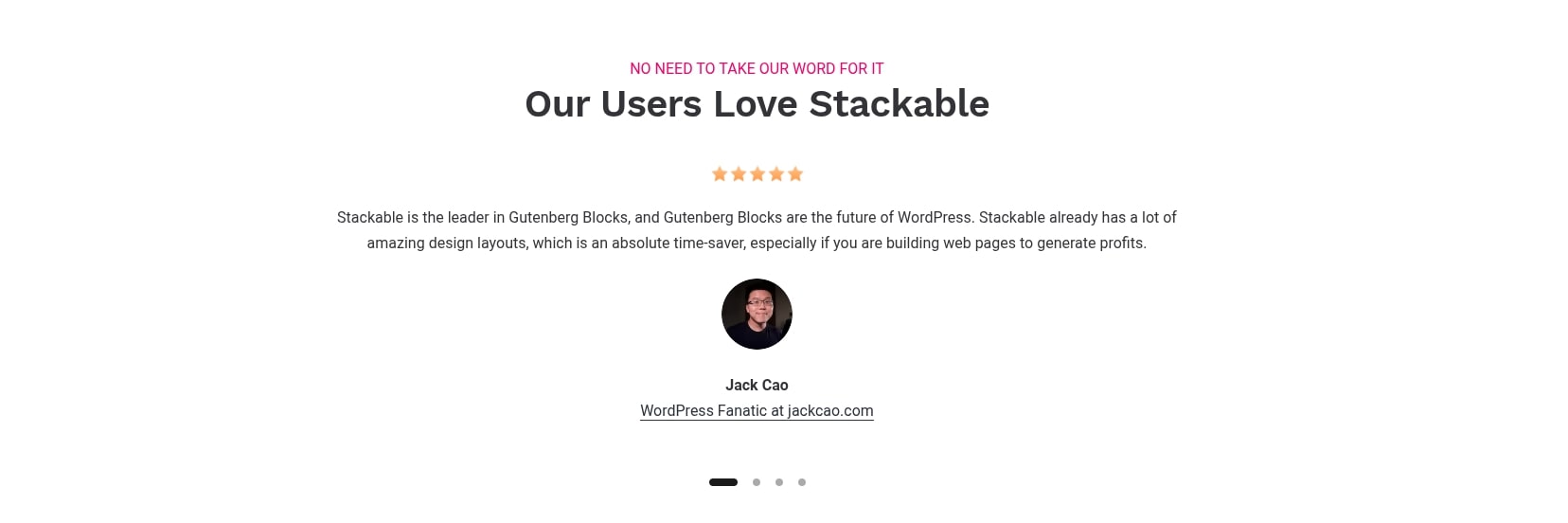
Customer feedback is invaluable for assessing the true worth and performance of any software. Stackable consistently receives overwhelmingly positive reviews and high ratings from its user base, both on the WordPress plugin repository and on platforms like AppSumo. This widespread approval underscores its effectiveness, ease of use, and the value it provides to WordPress users.
On the official WordPress.org plugin directory, Stackable boasts an impressive average rating, typically 4.9 or 5 stars out of 5, based on thousands of reviews. Users frequently highlight its intuitive interface, comprehensive block library, and responsive design capabilities as major strengths. Many appreciate how it enhances the Gutenberg experience without adding bloat.
Key themes emerging from customer reviews often include:
- Ease of Use: Users, even those new to Gutenberg, find Stackable straightforward to learn and implement. The drag-and-drop functionality and clear options are frequently praised.
- Extensive Features: The sheer number and quality of blocks, combined with advanced customization options, are consistently lauded. Users feel they have all the tools needed to build complex designs.
- Performance: Many reviews commend Stackable for its lightweight nature and the clean code it produces, leading to faster website loading times – a critical factor for SEO.
- Design Flexibility: The ability to create highly customized and unique designs without coding is a recurring positive, with users appreciating the control over every aspect of their blocks.
- Responsive Controls: The dedicated settings for different device views are highly valued, allowing users to ensure their sites look great on desktops, tablets, and mobiles.
- Excellent Support: The Stackable team often receives praise for their prompt, helpful, and knowledgeable customer support, a vital aspect for any software.
- Value for Money: Especially concerning the AppSumo lifetime deal, users express immense satisfaction with the long-term value, comparing it favorably to annual subscriptions of competitors.
While overwhelmingly positive, minor criticisms sometimes arise regarding specific niche features that might be missing for some advanced workflows, or a slight learning curve for those completely new to block-based editing. However, these are rare and typically overshadowed by the tool’s overall robust performance and user-friendly design. The strong positive sentiment from a broad user base reaffirms Stackable’s position as a top-tier Gutenberg block builder.
Frequently Asked Questions About Stackable
To help potential users make an informed decision, here are answers to some frequently asked questions regarding Stackable, its functionality, and the AppSumo lifetime deal.
- Is Stackable compatible with all WordPress themes?
Yes, Stackable is designed to be compatible with any standard WordPress theme that supports the Gutenberg editor. It integrates seamlessly, allowing you to use its blocks and features regardless of your theme. For best results, it pairs well with lightweight, block-ready themes. - Can I use Stackable with other page builders like Elementor or Beaver Builder?
While Stackable works within Gutenberg, and other page builders replace or extend it, it’s generally not recommended to use multiple page builders on the same page or for the same sections due to potential conflicts and code bloat. You can use Stackable for certain pages and another builder for others, but generally, stick to one tool per section. - Will my content break if I deactivate Stackable?
One of Stackable’s strengths is its integration with Gutenberg. If you deactivate Stackable, your content will generally revert to standard Gutenberg blocks (e.g., a Stackable heading becomes a standard Gutenberg heading). While some advanced styling or unique block functionalities might be lost, the core content remains editable, preventing vendor lock-in. - Does Stackable offer responsive editing?
Absolutely. Stackable provides dedicated responsive controls for each block, allowing you to adjust spacing, typography, visibility, and more for desktop, tablet, and mobile views. This ensures your website looks perfect on any device. - Is the AppSumo lifetime deal for Stackable a one-time payment?
Yes, the Stackable AppSumo lifetime deal is a one-time payment. Once purchased, you get lifetime access to Stackable Pro, including all future updates and support, without any recurring subscription fees. - What happens if Stackable stops developing or is acquired?
While the term “lifetime” generally refers to the lifetime of the product, reputable companies typically honor their lifetime deals. In the event of an acquisition or significant change, existing users are usually grandfathered in or offered alternative arrangements. AppSumo also offers a 60-day money-back guarantee for peace of mind. - Can I upgrade my AppSumo deal later if I need more sites?
Yes, AppSumo often allows you to stack multiple codes to upgrade your license tier (e.g., from 1 site to 5 sites or unlimited sites) during the deal period. If the deal has ended, upgrading may not be possible through AppSumo, and you might need to contact Stackable directly for options.
Pros and Cons of Using Stackable
Like any powerful software, Stackable comes with its own set of advantages and potential drawbacks. Understanding these can help you determine if it’s the right fit for your WordPress website-building needs.
Pros of Stackable:
- Gutenberg Native: Seamlessly integrates with the WordPress block editor, providing a consistent and future-proof editing experience.
- Lightweight & Performant: Built for speed, it generates clean code and loads assets conditionally, resulting in faster websites and better SEO.
- Extensive Block Library: Offers a wide array of highly customizable blocks for virtually any design need, from simple text to complex dynamic grids.
- Pre-built Designs: Accelerates development with numerous professionally designed blocks, sections, and full-page templates ready for one-click import and customization.
- Advanced Customization: Provides granular control over styling, typography, backgrounds, spacing, and responsive settings for pixel-perfect designs.
- Dynamic Content: Easily integrate content from custom fields and WordPress data sources, essential for blogs, portfolios, and directory sites.
- Affordable Lifetime Deal: The AppSumo offer provides incredible value, eliminating recurring costs for a powerful Pro tool.
- Less Vendor Lock-in: Content is primarily stored as standard Gutenberg blocks, making it easier to switch away if needed without losing all content formatting.
- Excellent Support & Regular Updates: A dedicated team provides reliable support and consistently releases new features and improvements.
Cons of Stackable:
- Learning Curve for Gutenberg Newbies: While intuitive, users completely unfamiliar with the Gutenberg block editor might face a slight initial learning curve compared to traditional front-end page builders.
- Not a Full Theme Builder: While powerful, Stackable focuses on content areas. It doesn’t typically offer comprehensive theme-building capabilities for headers, footers, or archives directly within its interface, unlike some heavier page builders (though it integrates with themes that do).
- Specific Niche Features: Some highly specialized or extremely niche functionalities found in massive, all-encompassing page builder ecosystems might not be present or might require custom solutions.
- Reliance on Gutenberg: Its strength is also a slight limitation; if you prefer a complete front-end drag-and-drop experience that completely bypasses the WordPress backend, Stackable might not be your first choice.
Overall, the pros of Stackable heavily outweigh the cons, especially for users who appreciate the efficiency and performance benefits of a Gutenberg-centric workflow.
Is Stackable Worth the Investment?
Considering its features, performance, ease of use, and especially the compelling AppSumo lifetime deal, Stackable is undoubtedly worth the investment for a vast majority of WordPress users. The value it provides far exceeds its modest price tag, transforming the way you build and manage your websites.
For just $59 (or even less with the 10% new user discount), you gain lifetime access to a premium tool that would otherwise cost you hundreds of dollars in annual subscriptions over time. This financial benefit alone makes the Stackable AppSumo deal an almost irresistible offer. It’s an investment that pays for itself many times over, especially if you build multiple websites or plan to use it for an extended period.
Beyond the monetary savings, the efficiency and design capabilities Stackable brings to the table are invaluable. You can:
- Save Time: With pre-built designs, global styles, and an intuitive interface, you can build beautiful pages significantly faster.
- Improve Performance: Stackable-built sites are lightweight and fast, leading to better user experience and higher search engine rankings.
- Enhance Design Quality: Access to advanced blocks and customization options allows for sophisticated, professional designs without needing a designer or developer.
- Future-Proof Your Site: By building on Gutenberg, you’re aligning with the future direction of WordPress core, ensuring better long-term compatibility and stability.
- Reduce Dependencies: Less reliance on heavy, proprietary page builders means less vendor lock-in and cleaner code.
Whether you’re a freelancer looking to streamline client projects, a small business owner aiming for a professional online presence, or a blogger wanting more engaging content, Stackable provides the tools to achieve your goals effectively and affordably. It’s a strategic investment in your website’s performance, aesthetics, and long-term maintainability.
How to Get Started with Stackable
Getting started with Stackable is a straightforward process, designed to integrate seamlessly into your existing WordPress workflow. Whether you’re using the free version or have just secured the AppSumo lifetime deal, you can be up and running in minutes, ready to transform your website.
Here’s a step-by-step guide to help you begin your journey with Stackable:
- Install the Plugin:
- From your WordPress dashboard, navigate to Plugins > Add New.
- Search for “Stackable.”
- Click “Install Now” and then “Activate.”
- Activate Stackable Pro (for lifetime deal users):
- If you purchased the AppSumo lifetime deal, you’ll need to link your license. After activating the free Stackable plugin, look for the “Stackable” menu item in your WordPress dashboard.
- Go to Stackable > Settings > License.
- Enter the license key you received from AppSumo (or linked from your AppSumo account) and click “Activate License.” This will unlock all Pro features.
- Explore the Settings:
- Before diving into design, explore the Stackable > Settings panel in your dashboard. Here you can configure global settings for colors, typography, container widths, and even enable/disable specific blocks to keep your editor clean.
- Start Building a Page or Post:
- Create a new page or post, or edit an existing one, to open the Gutenberg editor.
- Click the “+” (Add Block) icon. You’ll see a new section for “Stackable Blocks.”
- Browse through the wide array of Stackable blocks and add them to your content area.
- Utilize Pre-built Designs:
- For quicker design, click the “Layouts” or “Design Library” button (usually a Stackable icon) within the Gutenberg editor.
- Choose from pre-designed blocks, sections, or full-page layouts, import them with one click, and then customize the content and styling.
- Customize Your Blocks:
- Once a Stackable block is added, select it. The right sidebar will display all its customization options.
- Experiment with backgrounds, typography, colors, spacing, shadows, and responsive settings to achieve your desired look.
By following these steps, you’ll quickly become proficient in using Stackable to create stunning, high-performance WordPress websites. Don’t hesitate to explore Stackable’s extensive documentation and tutorials for more advanced techniques.
Final Verdict on Stackable AppSumo Lifetime Deal
In the fast-evolving landscape of WordPress website development, Stackable stands out as a powerful, performance-oriented, and remarkably user-friendly Gutenberg block builder. It effectively bridges the gap between the native WordPress editor’s simplicity and the advanced design capabilities demanded by modern websites. Its commitment to clean code, speed, and extensive customization options makes it a compelling choice for anyone looking to build professional-grade sites efficiently.
The Stackable AppSumo Lifetime Deal, priced at an incredible $59, transforms an already excellent tool into an undeniable must-have. This one-time payment provides perpetual access to Stackable Pro, including all future updates and premium support, essentially future-proofing your design toolkit without the burden of recurring subscription fees. For freelancers, small businesses, and agencies, this represents an extraordinary return on investment.
While competitors like Elementor offer a different workflow, Stackable’s deep integration with Gutenberg ensures better performance, less vendor lock-in, and a cleaner codebase, aligning with the future direction of WordPress. The overwhelmingly positive customer reviews further solidify its reputation as a reliable and effective solution.
If you’re looking to create beautiful, fast, and responsive WordPress websites without diving into complex code, and you want to do so with an affordable, long-term solution, the Stackable AppSumo lifetime deal is a golden opportunity you shouldn’t miss. It’s an investment that will empower you to build more, design better, and save significantly over time. Seize this deal and unlock the full potential of your WordPress site-building endeavors.
The Stackable AppSumo lifetime deal is more than just a purchase; it’s an upgrade to your entire WordPress design workflow, offering premium capabilities at an unbeatable price point. It’s time to build smarter, faster, and with greater impact.
Related Category: AppSumo Deals