
In an increasingly digital world, the need for engaging and effective virtual interaction platforms has never been greater. Traditional video conferencing tools, while functional, often fall short in creating truly immersive and memorable experiences. This is where GoBrunch steps in, offering a unique virtual environment designed to foster engagement and collaboration. Its innovative approach to online meetings, webinars, and classrooms has garnered significant attention, especially with its availability as a lifetime deal on AppSumo.
This comprehensive article will explore every facet of GoBrunch, from its core functionalities and unique features to its ideal use cases and the compelling value proposition of its AppSumo lifetime deal. Whether you’re an educator, a remote team leader, an event organizer, or a consultant, understanding GoBrunch could transform the way you connect and collaborate online. We’ll break down why this platform stands out, who benefits most from it, and ultimately, if the GoBrunch AppSumo offer is the right investment for your virtual communication needs.
What Is GoBrunch? A Comprehensive Overview
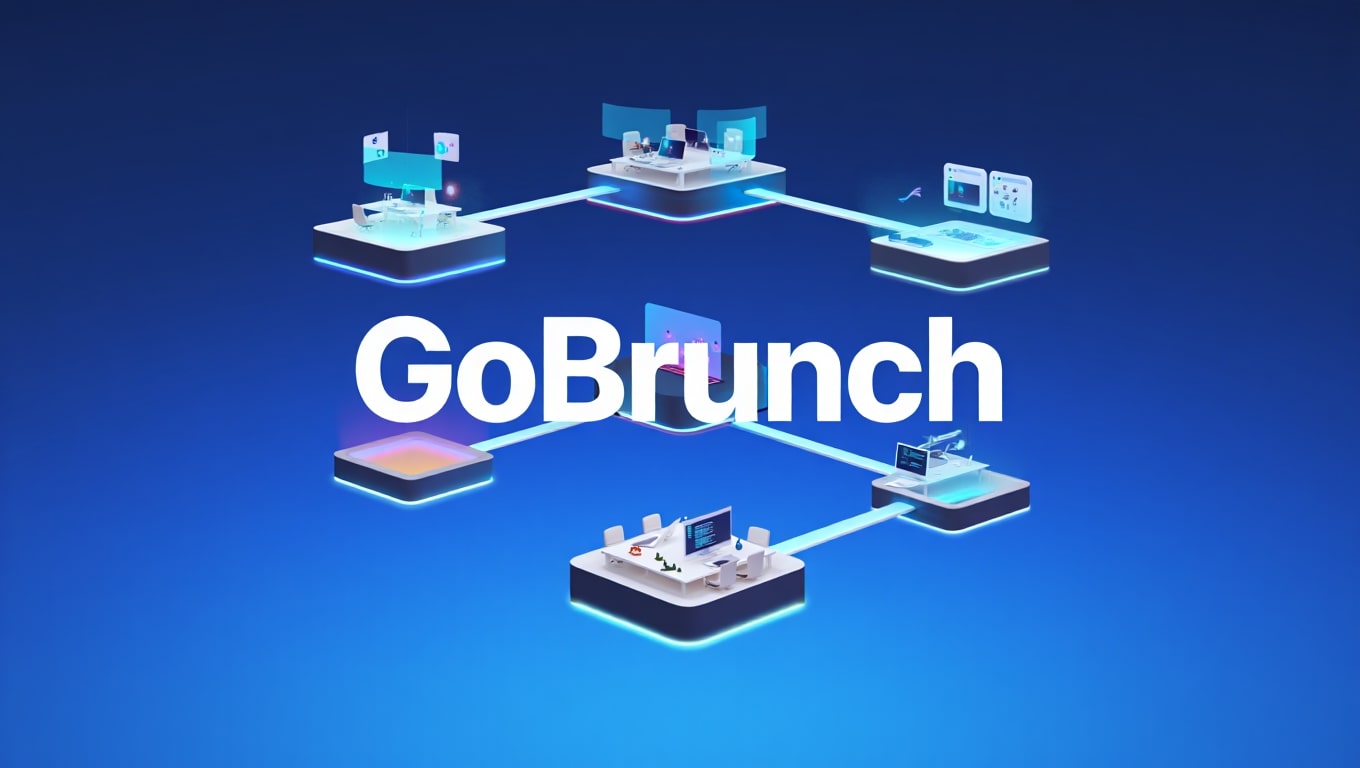
GoBrunch is not just another video conferencing tool; it’s an advanced, browser-based virtual environment designed for enhanced engagement and collaboration. Unlike flat, two-dimensional meeting grids, GoBrunch creates a dynamic, interactive space where participants can move around, interact with virtual objects, and engage more naturally. It aims to replicate the feeling of being in a physical room, complete with customizable layouts and interactive elements.
The platform distinguishes itself by offering persistent virtual rooms that users can design, brand, and utilize for various purposes, from online classes and team meetings to large-scale webinars and virtual events. Its focus is on making online interactions more human, more engaging, and ultimately, more productive. This innovative approach addresses common issues like meeting fatigue and disengagement often associated with conventional virtual platforms.
Key point: GoBrunch provides an immersive 3D-like virtual environment accessible directly from a web browser, eliminating the need for downloads.
Key Features Of GoBrunch: What Sets It Apart
GoBrunch is packed with features designed to create a richer virtual experience. These functionalities go beyond basic video and audio, promoting deeper interaction and greater control for hosts.
- Customizable Virtual Rooms: Users can design their own unique virtual spaces, choosing from various layouts, backgrounds, and branding elements to match their organization’s aesthetic.
- Persistent Rooms: Unlike temporary meeting links, GoBrunch rooms are permanent. Once created, they remain available for ongoing use, fostering a sense of community and continuity.
- Interactive Tools: The platform includes a suite of interactive tools such as whiteboards, polls, screen sharing, Q&A sessions, and multimedia sharing (videos, PDFs, images). These tools enhance participation and information exchange.
- Breakout Spaces: Hosts can easily create smaller, private breakout rooms within a larger session, perfect for group discussions, workshops, or focused team activities.
- Browser-Based Access: GoBrunch operates entirely within a web browser, meaning participants don’t need to download any software or plugins. This simplifies access and improves user experience.
- Comprehensive Reporting: Hosts can access detailed analytics on attendance, engagement levels, poll results, and Q&A interactions, providing valuable insights into session effectiveness.
- Branding and Personalization: Add your logos, colors, and specific images to truly make the virtual space your own. This level of branding elevates professionalism for client meetings and educational sessions.
How Does GoBrunch Work? Understanding The Platform
Getting started with GoBrunch is straightforward, emphasizing ease of use while providing powerful customization options. The platform is designed to be intuitive, allowing users to quickly set up and host engaging virtual sessions.
Hosts begin by creating a virtual room, which can be configured with a specific layout, background, and branding elements. They can then invite participants via a simple link, which directs them straight into the browser-based room. Upon entering, participants find themselves in an interactive 3D-like environment, where they can see and interact with other attendees, shared content, and virtual objects.
During a session, hosts have full control over the meeting flow, able to share screens, play videos, conduct polls, use an interactive whiteboard, and manage participant microphones and cameras. The ability to create breakout rooms on the fly further enhances its utility for dynamic group activities. The persistent nature of the rooms means that once a session ends, the room and its setup remain, ready for the next use, saving time and ensuring consistency.
Create Immersive Virtual Classrooms, Seminars, and Breakout Spaces
GoBrunch excels in educational and event-hosting scenarios, offering features that elevate virtual learning and engagement far beyond standard video calls. It allows educators and trainers to design dynamic learning environments that encourage active participation.
Imagine a virtual classroom where students can ‘sit’ in a circular arrangement, fostering a sense of community, or a large auditorium layout for a webinar with hundreds of attendees. The platform supports these diverse needs by offering various room templates and customization options. For seminars, presenters can leverage multimedia sharing, polls, and Q&A features to keep the audience captivated.
Crucially, the breakout room functionality transforms group work in virtual settings. Instructors can effortlessly divide students into smaller groups for discussions or project collaboration, then bring them back to the main room with ease. This mimics real-world classroom dynamics and greatly enhances the effectiveness of online learning and workshop delivery.
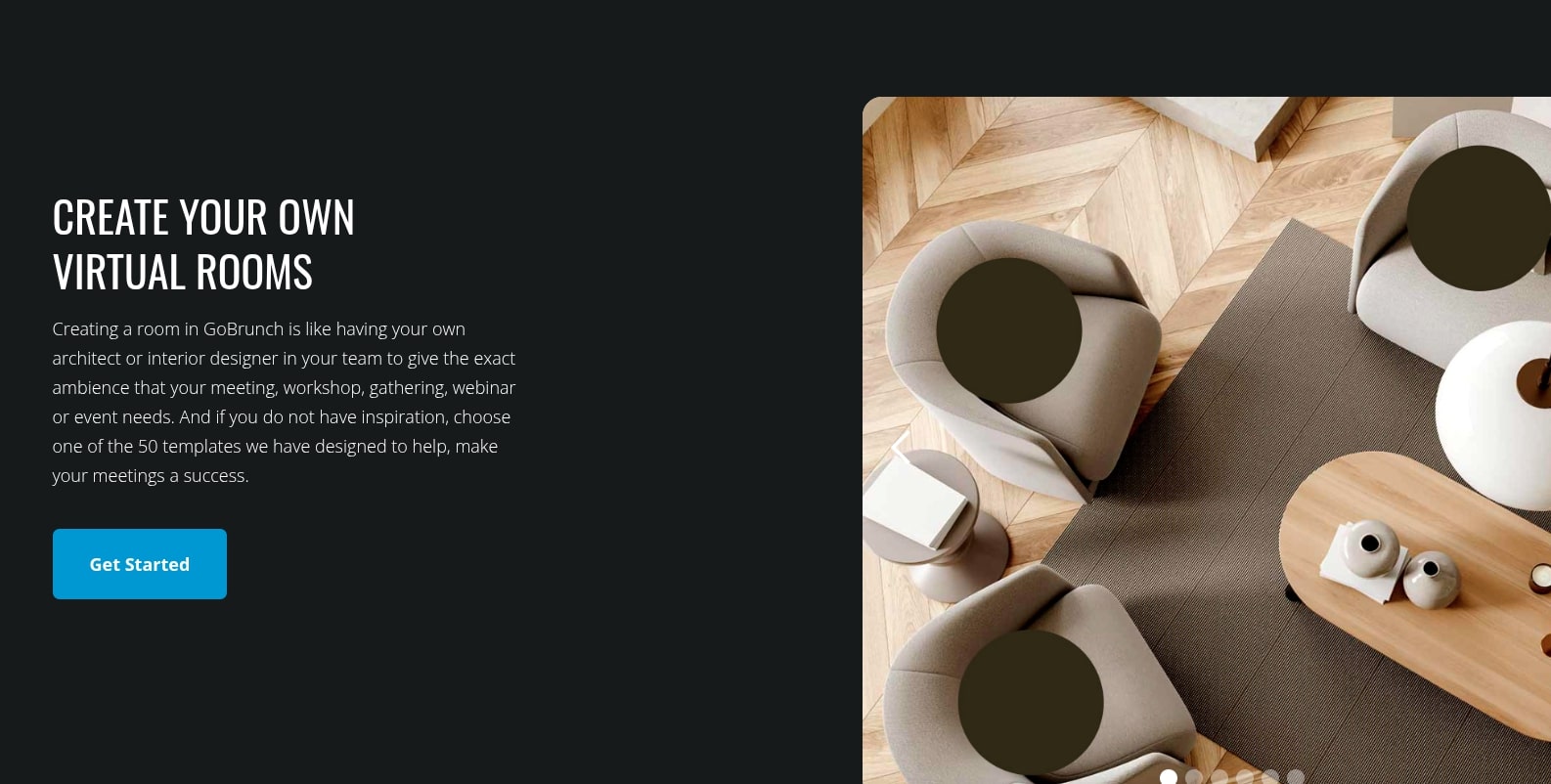
Create Your Own Virtual Rooms With GoBrunch
One of GoBrunch’s most appealing aspects is the profound level of customization it offers for virtual rooms. This isn’t just about changing a background; it’s about building a bespoke environment that reflects your purpose and brand.
Users can choose from a gallery of pre-designed room layouts, ranging from conference rooms and classrooms to auditoriums and casual lounge areas. Beyond layouts, you can upload custom background images, incorporate your organization’s logo, and select color schemes that align with your brand identity. This personalization ensures that every virtual interaction takes place in a professional and familiar setting.
Furthermore, GoBrunch allows for the embedding of various media directly into the room, such as videos, documents, or even external links. This means you can create a persistent resource hub within your virtual space, making it easy for participants to access materials before, during, or after a session. These highly customizable, persistent rooms are a game-changer for building a consistent online presence and improving user engagement.
Ideal Users And Scenarios: Who Should Use GoBrunch?
GoBrunch’s versatile features make it suitable for a wide array of professionals and organizations seeking more than just basic video conferencing. Its strengths lie in creating engaging and interactive online environments.
Educators and Trainers: For online courses, workshops, and student collaboration, GoBrunch provides interactive whiteboards, breakout rooms, and custom layouts that mimic physical classrooms. It helps combat student disengagement in virtual settings.
Remote Teams and Businesses: Companies with remote employees can use GoBrunch for team meetings, brainstorming sessions, project collaboration, and even virtual office spaces. The persistent rooms and interactive tools foster better communication and a stronger team culture.
Event Organizers: From virtual conferences and seminars to smaller networking events, GoBrunch offers a platform to host engaging events with customizable stages, breakout areas, and audience interaction features.
Coaches and Consultants: For client consultations, group coaching sessions, and delivering specialized training, the professional and customizable environment enhances the client experience and perceived value.
Freelancers and Agencies: For client pitches, project reviews, and collaborative work with diverse stakeholders, GoBrunch provides a polished and efficient virtual meeting solution. Its unique interface can help stand out from competitors using generic tools.
Use Cases of AppSumo GoBrunch: Practical Applications
The AppSumo lifetime deal for GoBrunch makes this powerful platform accessible and cost-effective for a broad range of practical applications, turning a significant upfront cost into a one-time investment.
- Affordable Online Education: Schools, universities, and independent tutors can establish permanent, branded virtual classrooms without recurring subscription fees, making quality online education more sustainable.
- Budget-Friendly Remote Work Hubs: Small to medium businesses can create dedicated virtual offices or meeting spaces for their remote teams, fostering consistent collaboration without the ongoing expense of premium video conferencing.
- Professional Virtual Events: Event organizers, even those with limited budgets, can host high-quality webinars, workshops, and virtual conferences that offer a distinct, engaging experience for attendees.
- Enhanced Client Engagement: Consultants and coaches can provide a superior virtual meeting experience for clients, using branded rooms and interactive tools to deliver more impactful sessions, all while keeping operational costs low over the long term.
- Product Demos and Launches: Companies can host engaging product demonstrations or launch events in a visually appealing virtual environment, utilizing multimedia features to showcase their offerings effectively.
Key point: The AppSumo deal transforms GoBrunch from a recurring expense into a permanent asset, ideal for long-term virtual engagement strategies.

GoBrunch Lifetime Deal: Pricing Breakdown at $79
The GoBrunch lifetime deal on AppSumo is often highlighted as an exceptional value proposition. For a one-time payment, typically around $79 (prices can vary or deals expire), users gain permanent access to GoBrunch, bypassing monthly or annual subscription costs entirely.
This single payment grants access to a specific license tier of GoBrunch, which includes a set number of virtual rooms, participant capacity per room, and storage for shared files. The core appeal is the elimination of ongoing fees, making it an incredibly attractive option for individuals and organizations looking for a long-term solution to their virtual communication needs. This deal essentially allows you to “own” a powerful virtual meeting platform, rather than renting it.
The $79 deal usually represents the entry-level license tier, perfect for smaller teams, educators, or consultants. Higher tiers, available at increased one-time costs, offer expanded capacities and features to accommodate larger user bases and more demanding scenarios. This tiered approach allows users to select a plan that precisely fits their current and future requirements without the burden of escalating subscription costs.
GoBrunch License Tiers and Pricing Options
The AppSumo lifetime deal for GoBrunch typically comes in several license tiers, each offering progressively more capacity and features. This allows users to scale their GoBrunch capabilities based on their specific needs and budget. Below is an illustrative example of how these tiers might be structured. Please note that actual AppSumo deals can change, so always check the current offering.
| License Tier | Price (One-Time) | Features |
|---|---|---|
| License Tier 1 | $79 |
|
| License Tier 2 | $158 |
|
| License Tier 3 | $237 |
|
Choosing the right tier depends on your expected usage. For individuals or small teams, Tier 1 often suffices. Growing businesses or those hosting larger events might find Tier 2 or 3 more appropriate, offering increased capacity and additional professional features. The beauty of the AppSumo deal is that you pay once and enjoy these benefits for life, a stark contrast to the cumulative cost of monthly subscriptions.
How GoBrunch Boosts Productivity for Remote Teams
Remote work thrives on efficient communication and collaboration, and GoBrunch offers unique advantages that directly contribute to increased team productivity. It goes beyond merely connecting voices and faces.
Firstly, the immersive and customizable rooms reduce “Zoom fatigue” by offering a more engaging environment. This leads to more focused meetings where participants are less likely to multitask or get distracted. The ability to create persistent, branded team rooms means that shared resources, agendas, and discussions can be stored in one accessible place, serving as a virtual knowledge hub.
Secondly, interactive tools like whiteboards and screen sharing facilitate real-time brainstorming and problem-solving just as effectively as in a physical office. Breakout rooms allow for smaller group discussions or focused work without disrupting the main team meeting. This flexibility supports diverse meeting formats and encourages more active participation from all team members, ultimately streamlining decision-making and project execution.
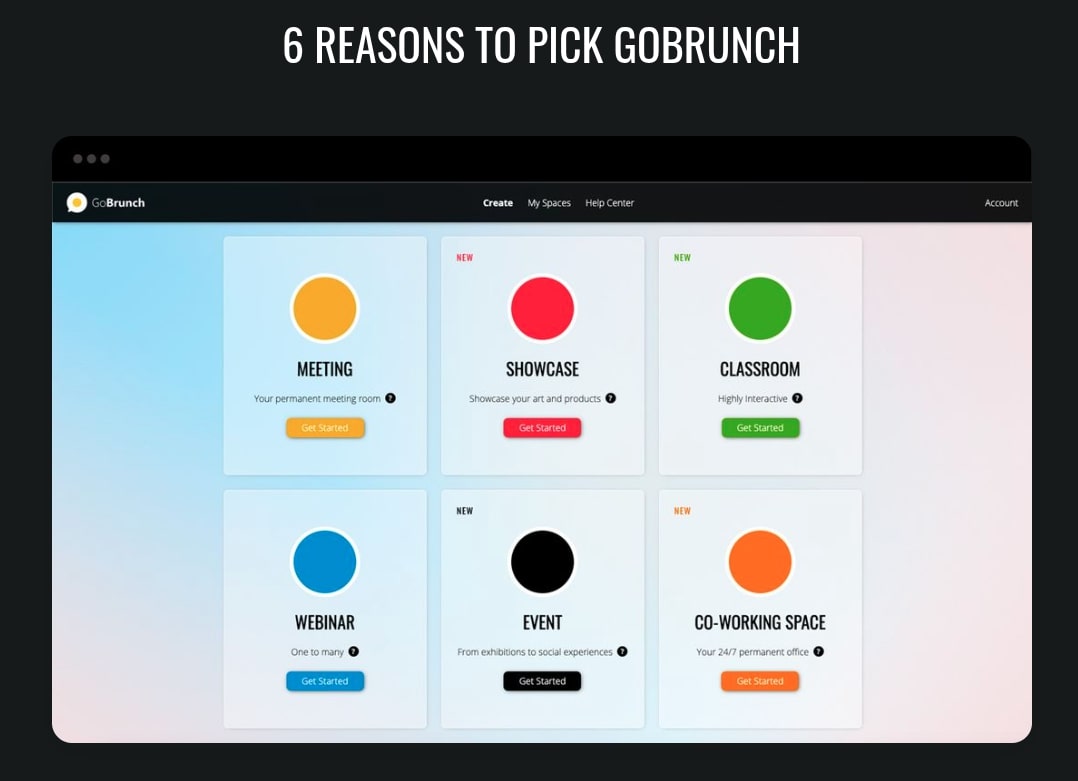
6 Reasons to Pick GoBrunch Over Competitors
While the virtual meeting landscape is crowded, GoBrunch distinguishes itself with several compelling advantages that make it a strong contender, especially when considering the AppSumo lifetime deal.
- Truly Immersive Experience: Unlike grid-based platforms, GoBrunch offers a 3D-like virtual environment that enhances engagement and reduces meeting fatigue. It feels more like being in a real space.
- No Downloads Required: Fully browser-based, GoBrunch eliminates the friction of software installations and updates, ensuring seamless access for all participants across different devices.
- Unparalleled Customization & Branding: From room layouts to custom logos and backgrounds, GoBrunch allows users to create a branded, professional environment that reinforces their identity.
- Persistent Virtual Rooms: Your created rooms are permanent, serving as consistent spaces for recurring meetings, classes, or events, complete with saved content and configurations.
- Comprehensive Interactive Tools: With integrated whiteboards, polls, Q&A, and multimedia sharing, GoBrunch facilitates dynamic and participatory sessions, keeping audiences active and engaged.
- Exceptional Lifetime Value via AppSumo: The one-time payment for a lifetime deal on AppSumo provides significant cost savings compared to the ongoing subscription fees of major competitors, making it a highly attractive long-term investment.
Pros and Cons Of GoBrunch: An Honest Review
Like any software, GoBrunch has its strengths and weaknesses. An honest assessment helps potential users determine if it’s the right fit for their specific needs.
Pros:
- High Engagement: The interactive and immersive nature of the rooms significantly boosts participant engagement compared to standard video conferencing.
- Customization: Extensive branding and room design options allow for a highly personalized and professional virtual presence.
- Ease of Access: Being browser-based, there’s no software to download, simplifying the joining process for all participants.
- Cost-Effective Lifetime Deal: The AppSumo offer provides incredible long-term value, eliminating recurring subscription costs.
- Persistent Rooms: Rooms remain active and ready, saving setup time for regular events or team meetings.
- Feature-Rich: Includes essential tools like screen sharing, whiteboards, polls, and breakout rooms.
Cons:
- Learning Curve: The 3D-like navigation can take a little getting used to for participants accustomed to traditional grid layouts.
- Resource Intensive: While browser-based, the immersive graphics might require more system resources on older or less powerful devices, potentially affecting performance for some users.
- Less Ubiquitous: It doesn’t have the widespread familiarity of platforms like Zoom or Microsoft Teams, which might require a brief introduction for new participants.
- Not for Every Scenario: For extremely brief, simple one-on-one calls, its advanced features might be overkill, and a simpler tool could suffice.
Frequently Asked Questions About GoBrunch
Here are answers to some common questions users might have about GoBrunch, especially in the context of the AppSumo deal.
- Is GoBrunch truly browser-based? Yes, GoBrunch operates entirely within modern web browsers (Chrome, Firefox, Edge, Safari), requiring no downloads or installations for hosts or participants.
- What are the system requirements for GoBrunch? While browser-based, GoBrunch performs best on a stable internet connection and a relatively modern computer with sufficient RAM (8GB+ recommended) for a smooth experience, especially for larger sessions.
- Can I record sessions on GoBrunch? Yes, GoBrunch offers the functionality to record your virtual sessions, which can then be downloaded and shared with participants who missed the live event or for archival purposes.
- Is GoBrunch secure? GoBrunch implements standard security measures for data encryption and privacy. It’s advisable to review their privacy policy for full details.
- How many participants can join a GoBrunch room? The number of participants depends on your license tier. The AppSumo deals typically start at 50 participants per room and scale up to 200 or more for higher tiers.
- Can I use my own branding with GoBrunch? Absolutely. Custom branding is a core feature, allowing you to upload logos, select brand colors, and use custom backgrounds to personalize your virtual rooms.
- What happens after I purchase the AppSumo lifetime deal? Once purchased, you receive a code from AppSumo which you redeem on the GoBrunch website to activate your lifetime account and corresponding license tier.
What Customers Are Saying About GoBrunch
Customer feedback on GoBrunch, particularly from AppSumo users, often highlights several recurring themes. Many users praise the platform for its innovative approach to virtual meetings, noting a significant improvement in engagement compared to traditional video conferencing.
Reviewers frequently commend the level of customization available, allowing them to create professional and branded environments that impress clients and students alike. The “no download” aspect is consistently appreciated for simplifying access for participants. Educators, in particular, find the breakout rooms and interactive tools invaluable for fostering dynamic learning experiences.
While the positive reviews emphasize its unique features and lifetime value, some users mention a slight learning curve for both hosts and participants to adapt to the 3D-like interface fully. A few reviews also touch upon the platform’s performance on older machines or during very large, simultaneous interactions, suggesting that optimal experience relies on adequate system resources. Overall, the sentiment is overwhelmingly positive, with many viewing GoBrunch as a fresh and effective alternative in the virtual collaboration space.
Final Verdict: Is GoBrunch Lifetime Deal Worth It?
After a thorough examination, the GoBrunch AppSumo Lifetime Deal presents a compelling value proposition for a specific segment of users. If you are consistently hosting online classes, team meetings, webinars, or client consultations and find traditional video conferencing tools lacking in engagement and personalization, GoBrunch is an excellent solution. Its unique immersive environment, extensive customization options, and powerful interactive tools make it stand out.
The AppSumo lifetime deal transforms GoBrunch from a recurring operational cost into a one-time investment. This makes it particularly attractive for small businesses, educators, coaches, and freelancers who need a professional, reliable, and engaging virtual platform without the burden of ongoing subscription fees. While there’s a minor learning curve and it might be overkill for very simple, infrequent calls, its benefits for fostering deeper connection and collaboration far outweigh these considerations for its target audience.
Conclusion: For those seeking to elevate their virtual interactions and establish a professional, branded online presence without continuous expenditure, the GoBrunch lifetime deal on AppSumo is unequivocally a worthwhile investment. It offers a fresh, innovative, and robust alternative to standard video conferencing, poised to enhance productivity and engagement across various virtual scenarios.
In a world where virtual communication is no longer an option but a necessity, GoBrunch provides the tools to make those interactions not just functional but truly memorable and effective. The AppSumo deal makes this future-forward platform accessible, ensuring that your virtual spaces are as engaging and productive as your physical ones.
Related Category: AppSumo Deals