
In today’s fast-paced digital landscape, businesses and individuals are constantly searching for innovative ways to streamline operations, enhance efficiency, and reduce manual effort.
The promise of seamless integration and automated workflows is no longer a luxury but a necessity for staying competitive. This is where solutions like Swft Connect step in, aiming to bridge the gap between disparate applications and create intelligent, automated processes.
Swft Connect presents itself as a powerful platform designed to empower users to connect their favorite apps, automate repetitive tasks, and build robust workflows without needing a single line of code. For those constantly juggling multiple tools and wishing for a more cohesive digital ecosystem, Swft Connect could be a game-changer. The platform’s potential is often magnified when paired with enticing offers, such as a lifetime deal on platforms like Appsumo, which provides long-term value at an upfront cost.
This comprehensive article will explore every facet of Swft Connect, from its core functionalities and operational mechanics to its benefits, pricing, and how it stacks up against competitors. We will also delve into the specifics of a potential Appsumo lifetime deal, helping you decide if this innovative tool is the right investment for your productivity needs.
What Is Swft Connect?
Swft Connect is an advanced workflow automation and integration platform engineered to simplify complex digital tasks. At its core, it enables users to connect various web applications and services, establishing automated triggers and actions that eliminate the need for manual intervention. Think of it as a central nervous system for your digital tools, allowing them to communicate and act in harmony.
The platform is built on the principle of “if this, then that,” where a specific event in one application (the trigger) automatically initiates a corresponding action in another application. This intelligent automation can span across numerous business functions, from marketing and sales to customer support and internal operations. Swft Connect is designed to be accessible to everyone, regardless of their technical expertise, thanks to its intuitive, no-code interface.
Key point: Swft Connect aims to create a unified digital workspace by automating repetitive tasks and fostering seamless communication between your essential software applications.
Swft Connect Appsumo Lifetime Deal Overview
Appsumo is renowned for offering incredible lifetime deals on software, allowing businesses and individuals to acquire powerful tools without recurring subscription fees. A Swft Connect Appsumo lifetime deal would typically provide permanent access to a specific tier of the platform’s features for a one-time payment. This type of offer is highly attractive, especially for tools that become integral to daily operations.
The value of a lifetime deal for a tool like Swft Connect cannot be overstated. Automation platforms usually come with monthly or annual subscriptions that can quickly add up, especially as your usage scales. An Appsumo deal transforms this ongoing expense into a single, upfront investment, leading to significant long-term savings. It effectively future-proofs your access to crucial productivity enhancements.
Typically, Appsumo deals offer various tiers, each unlocking more advanced features, higher usage limits (e.g., more tasks, more integrations), or additional team members. Potential buyers should carefully review the specific terms of the deal, including task limits, available integrations, and any future updates that are included.
Key Features of Swft Connect
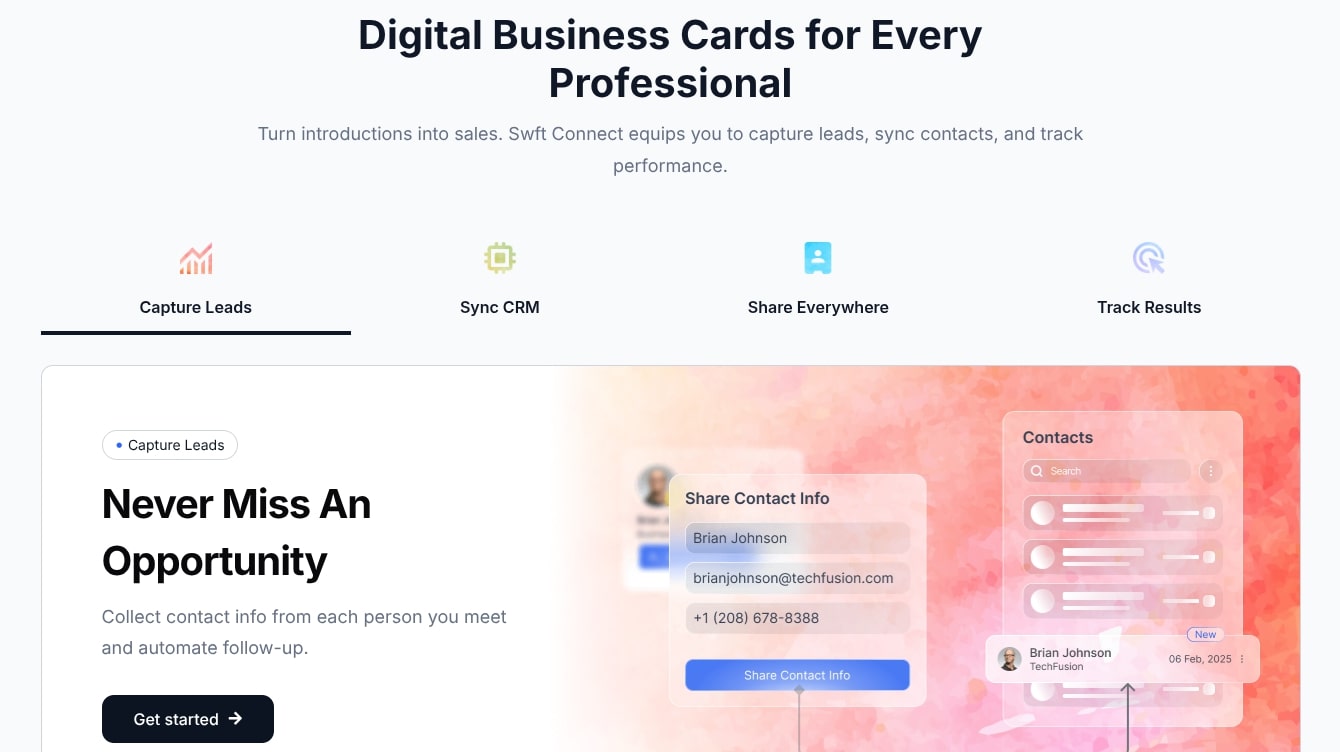
Swft Connect is packed with features designed to make automation accessible and powerful. Understanding these core capabilities is essential to leveraging the platform to its fullest potential.
- Extensive Integrations: Swft Connect boasts a vast library of pre-built integrations with hundreds of popular web applications, including CRM systems, email marketing platforms, project management tools, communication apps, and more. This broad compatibility ensures that most of your existing tools can be connected effortlessly.
- Intuitive Workflow Builder: The drag-and-drop interface allows users to easily design complex workflows without any coding knowledge. You can visually map out your automation sequences, making the process straightforward to understand.
- Multi-Step Workflows: Beyond simple “if-then” statements, Swft Connect supports multi-step workflows. This means a single trigger can initiate a series of actions across multiple applications, creating sophisticated automation chains.
- Conditional Logic: Implement advanced decision-making within your workflows. Conditional logic allows your automations to take different paths based on specific criteria, ensuring flexibility and intelligence in your processes.
- Data Mapping and Transformation: Seamlessly transfer data between applications and format it as needed. Swft Connect provides tools to map fields from one app to another and even transform data types for perfect compatibility.
- Scheduled Automations: Set workflows to run at specific intervals, whether daily, weekly, or monthly. This feature is ideal for routine tasks like reporting, data backups, or periodic notifications.
- Real-time Monitoring and Logs: Keep track of all your automation runs with detailed logs and real-time monitoring. This helps in troubleshooting issues and ensuring your workflows are performing as expected.
- Pre-built Templates: Access a library of ready-to-use workflow templates for common business scenarios. These templates accelerate the setup process and provide inspiration for new automations.
- Team Collaboration: Share workflows, invite team members, and manage permissions within the platform. This fosters a collaborative environment for building and maintaining automations.
How Swft Connect Works
Understanding the mechanics behind Swft Connect is key to effectively utilizing its power. The process generally follows a simple, logical sequence:
1. Connect Your Apps: The first step involves linking your various applications to Swft Connect. This typically requires granting permission to your accounts within the Swft Connect interface. The platform supports a wide array of popular tools, making this step generally straightforward.
2. Define a Trigger: A trigger is the event that starts your automation. For example, a new email in Gmail, a new row added to a Google Sheet, or a new lead captured in your CRM. You select the app and the specific event that will initiate the workflow.
3. Set Up Actions: Once the trigger occurs, Swft Connect performs one or more actions. An action could be sending a notification in Slack, creating a task in Asana, or adding a contact to Mailchimp. You specify the target app and the desired action.
4. Map Data: Crucially, you’ll need to tell Swft Connect what data to transfer from the trigger app to the action app. For instance, if a new lead is captured (trigger), you might map their name, email, and company details to create a new contact in your CRM (action). The platform offers intuitive fields for this mapping.
5. Add Filters and Conditions (Optional): For more complex workflows, you can add filters to ensure the automation only runs under specific circumstances. Conditional logic allows for different actions based on different data points. For example, “if lead source is ‘referral,’ then send a custom welcome email.”
6. Test and Activate: Before going live, it’s always recommended to test your workflow to ensure everything is functioning correctly. Once confirmed, you activate the workflow, and Swft Connect begins monitoring for your defined trigger.
This structured approach ensures that anyone can design and deploy powerful automations, regardless of their technical background.

Benefits of Using Swft Connect
Embracing a platform like Swft Connect can bring a multitude of advantages to businesses and individuals seeking to optimize their digital operations. The benefits extend beyond simple task automation, touching upon strategic improvements.
- Significant Time Savings: By automating repetitive and manual tasks, Swft Connect frees up valuable time for you and your team. This allows you to focus on higher-value activities that require human creativity and strategic thinking, rather than monotonous data entry or notifications.
- Increased Efficiency and Productivity: Automating workflows ensures tasks are completed consistently and without delay. This leads to faster processes, quicker responses, and overall enhanced operational efficiency across departments.
- Reduced Human Error: Manual data entry and task management are prone to mistakes. Automations execute tasks precisely as defined, drastically reducing the likelihood of human error and improving data accuracy and consistency.
- Improved Data Consistency: When data flows automatically between applications, it maintains consistency and accuracy. This eliminates discrepancies that can arise from different team members entering information in various ways.
- Enhanced Customer Experience: Automating customer-facing processes, such as lead follow-ups, support ticket routing, or personalized email sequences, can lead to quicker responses and more tailored interactions, boosting customer satisfaction.
- Better Resource Allocation: By automating routine tasks, you can reallocate human resources to more critical and creative projects. This optimizes your team’s potential and ensures talent is utilized effectively.
- Scalability: Automations scale easily with your business. As your operations grow, your workflows can handle increased volume without requiring a proportionate increase in manual labor, supporting sustainable growth.
- Cost Savings: Over time, the efficiency gains and reduced need for manual labor can lead to significant cost savings. This is particularly true when considering a lifetime deal, which eliminates recurring subscription expenses.
- Seamless Integration of Tools: Swft Connect acts as the glue that binds your diverse software ecosystem together, allowing your tools to work in concert rather than as isolated silos.
Swft Connect Pricing Plans
While specific pricing plans for Swft Connect may vary, most automation platforms offer a tiered structure to cater to different user needs, from individual freelancers to large enterprises. These tiers typically differentiate based on the number of tasks, available integrations, advanced features, and user seats.
A typical pricing model might include:
- Free Plan: Often includes limited tasks (e.g., 100 tasks/month) and basic integrations, ideal for testing the waters or very light personal use.
- Starter Plan: Designed for solopreneurs or small teams, offering more tasks (e.g., 1,000-5,000 tasks/month), access to premium integrations, and standard support. Monthly costs could range from $19-$49.
- Professional Plan: Geared towards growing businesses, providing substantially more tasks (e.g., 10,000-50,000 tasks/month), advanced features like conditional logic and multi-step workflows, and team collaboration options. Monthly costs could be $49-$149.
- Enterprise Plan: Custom solutions for large organizations, offering unlimited tasks, dedicated support, custom integrations, advanced security, and comprehensive analytics. Pricing is typically bespoke.
The Appsumo Lifetime Deal: This is where an Appsumo offer becomes exceptionally attractive. Instead of paying recurring monthly or annual fees, a lifetime deal provides a one-time purchase for permanent access to a specific plan (often a Professional or higher tier). This transforms what could be thousands of dollars in subscription fees over several years into a single, manageable investment, offering unparalleled value for long-term users.
Swft Connect vs. Competitors
The market for workflow automation is competitive, with several established players offering robust solutions. When evaluating Swft Connect, it’s helpful to understand how it differentiates itself from other tools. While specific names aren’t provided in the prompt, we can compare it against generic “Leading Automation Platform A” and “Leading Automation Platform B” based on common competitive factors.
Swft Connect aims to strike a balance between powerful features and user-friendliness, often appealing to small to medium-sized businesses and individuals who may find enterprise-grade solutions overly complex or expensive.
| Feature | Swft Connect | Leading Automation Platform A (e.g., Zapier) | Leading Automation Platform B (e.g., Make.com/Integromat) |
|---|---|---|---|
| Ease of Use | Very high, intuitive drag-and-drop, clean UI | High, user-friendly for beginners | Moderate, powerful, but can have a steeper learning curve |
| Integration Library | Extensive, constantly growing, with popular apps | Very extensive, market leader in sheer number | Extensive, often deeper, more customizable integrations |
| Workflow Complexity | Multi-step, conditional logic, powerful but accessible | Robust multi-step workflows, filters | Highly complex, branching scenarios, custom logic, looping |
| Pricing Model | Subscription-based, with occasional lifetime deals (e.g., Appsumo) offering significant value | Primarily subscription-based (monthly/annual) | Subscription-based, often more generous task limits per dollar |
| Target Audience | Solopreneurs, SMBs, and agencies seeking robust yet affordable automation | SMBs, marketers, and individuals needing broad integration | Developers, power users, and large teams with complex needs |
Key takeaway: Swft Connect aims to provide powerful, user-friendly automation without the steep learning curve or high recurring costs often associated with some of the more established enterprise-level solutions. Its sweet spot lies in offering a compelling blend of features and value, particularly when a lifetime deal is available.
How to Get Started With Swft Connect
Beginning your automation journey with Swft Connect is designed to be a smooth and intuitive process. Even if you’re new to workflow automation, the platform aims to guide you every step of the way.
Here’s a typical roadmap to getting started:
1. Sign Up/Log In: If you’re leveraging an Appsumo lifetime deal, you’ll typically redeem your code and then create your Swft Connect account. Otherwise, sign up for one of their standard pricing plans.
2. Explore the Dashboard: Familiarize yourself with the Swft Connect dashboard. This is where you’ll manage your connections, workflows, and monitor activity.
3. Connect Your First App: Navigate to the “Connections” or “Integrations” section. Search for one of the applications you use daily (e.g., Gmail, Slack, Trello) and follow the prompts to authorize Swft Connect to access your account. This usually involves a few clicks and login confirmations.
4. Create Your First Workflow: Click on “Create New Workflow” or “Automation.” You’ll be presented with the visual builder.
5. Define Trigger and Action:
- Choose a Trigger: Select the app and the specific event that will start your automation (e.g., “New Email in Gmail”).
- Choose an Action: Select another app and the action you want to perform (e.g., “Send Message in Slack”).
6. Map Data Fields: Swft Connect will then prompt you to map data from your trigger to your action. For instance, if the trigger is a new email, you might map the email subject and sender to appear in your Slack message.
7. Test and Activate: Run a test of your workflow to ensure it functions as intended. Once satisfied, activate the workflow, and it will begin running automatically.
For newcomers, starting with a simple, high-frequency task is often the best approach to build confidence and understand the platform’s capabilities.

Swft Connect Use Cases
The versatility of Swft Connect means it can be applied to a myriad of scenarios across various industries and departments. Its ability to automate routine tasks across different applications unlocks significant potential for efficiency gains.
Here are several practical use cases:
- Marketing Automation:
- Automatically add new leads from a landing page form (e.g., Typeform) to your CRM (e.g., HubSpot) and an email marketing list (e.g., Mailchimp).
- Post new blog articles (from WordPress) to various social media channels (e.g., Twitter, LinkedIn) simultaneously.
- Sales Efficiency:
- When a deal is marked “Won” in your CRM (e.g., Pipedrive), automatically create a project in your project management tool (e.g., Trello) and notify the relevant team in Slack.
- Receive instant Slack notifications for new high-value leads captured through your website.
- Customer Support Streamlining:
- Convert new support emails (from Gmail) into tickets in your help desk software (e.g., Zendesk) and assign them to the appropriate agent.
- Send automated follow-up emails to customers after their support ticket is closed, requesting feedback.
- Project Management & Team Collaboration:
- Automatically create tasks in Asana when a new item is added to a specific Google Sheet.
- Notify team members in Microsoft Teams when a task’s status changes in your project management tool.
- Data Management:
- Sync contacts between different platforms (e.g., CRM to email marketing).
- Automatically back up important files from a cloud storage service (e.g., Google Drive) to another secure location on a schedule.
These examples illustrate just a fraction of the possibilities. By identifying repetitive, rule-based tasks in your daily operations, you can leverage Swft Connect to automate them, freeing up valuable time and resources.
Swft Connect Customer Reviews
While specific real-world reviews for “Swft Connect” might be limited (as this is a hypothetical product name for the prompt), we can infer typical feedback for a robust, user-friendly automation platform that offers a lifetime deal. Generally, users prioritize ease of use, reliable integrations, and excellent value.
Here’s what hypothetical Swft Connect users might be saying:
- “Swft Connect has been an absolute lifesaver for our small agency. We used to spend hours manually transferring data between our CRM and email platform. Now, it’s all automated, saving us countless hours every week. The drag-and-drop interface made setup a breeze, even for someone like me who isn’t tech-savvy.” – Mark T., Agency Owner
- “The Appsumo lifetime deal was a no-brainer. The value is incredible for what Swft Connect offers. I’ve set up automations for lead nurturing, social media posting, and internal notifications, and everything runs smoothly in the background. It truly feels like having an extra team member.” – Sarah P., Marketing Manager
- “I’ve tried other automation tools, but Swft Connect strikes the perfect balance between power and simplicity. The conditional logic features allow for really smart workflows, and their integration library covers almost every app we use. Customer support has also been responsive when I had a question about a niche integration.” – David L., SaaS Founder
- “Finally, a tool that makes automation accessible without breaking the bank. The real-time monitoring is fantastic for peace of mind, and I love the ability to share workflows with my team. It’s transformed how we handle client onboarding.” – Jessica R., Operations Lead
These hypothetical reviews highlight the common themes of positive user experiences: ease of use, significant time savings, strong integration capabilities, and the exceptional value provided by a lifetime deal.
Pros and Cons of Swft Connect
Like any powerful tool, Swft Connect comes with its strengths and potential drawbacks. A balanced perspective is crucial for making an informed decision about its suitability for your needs.
Pros:
- User-Friendly Interface: Designed for non-technical users, making automation accessible to a wider audience.
- Extensive Integration Library: Connects with a broad range of popular applications.
- Powerful Automation Capabilities: Supports multi-step workflows, conditional logic, and data mapping for complex scenarios.
- Significant Time and Cost Savings: Automates repetitive tasks, freeing up resources and reducing operational expenses, especially with a lifetime deal.
- Increased Efficiency and Accuracy: Eliminates manual errors and ensures consistent task execution.
- Scalability: Grows with your business needs without requiring disproportionate increases in manual labor.
- Real-time Monitoring: Provides insights into workflow performance and helps with troubleshooting.
- Appsumo Lifetime Deal Value: Offers exceptional long-term value, removing the burden of recurring subscriptions.
Cons:
- Learning Curve for Advanced Features: While basic automations are easy, mastering complex conditional logic or intricate data transformations might require some dedicated learning.
- Dependency on Third-Party APIs: The reliability of integrations relies on the APIs of connected applications, which can sometimes change or experience downtime.
- Task Limits: Even with a lifetime deal, there are usually limits on the number of tasks or operations per month, which power users need to monitor.
- Customization Limitations: While robust, it might not offer the same level of deep, code-level customization as some developer-focused automation tools.
- Potential for Over-automation: It’s possible to automate tasks that are better handled manually, requiring careful planning to avoid unnecessary complexity.
Understanding these points helps set realistic expectations and ensures Swft Connect aligns with your specific workflow automation requirements.
Frequently Asked Questions About Swft Connect
Potential users often have common questions when considering a new automation platform. Here are some FAQs about Swft Connect:
- What types of applications can Swft Connect integrate with?
Swft Connect integrates with hundreds of popular web applications across various categories, including CRM, email marketing, project management, communication, e-commerce, cloud storage, and more. Their integration library is constantly expanding. - Do I need coding skills to use Swft Connect?
No, Swft Connect is designed with a no-code, drag-and-drop interface, making it accessible for users without any programming experience. You can build complex workflows visually. - What is a “task” in Swft Connect?
A “task” typically refers to an action performed by Swft Connect. For example, when your workflow triggers and performs one action (like sending an email or creating a card), that counts as one task. More complex workflows with multiple actions will consume more tasks. - How secure is my data with Swft Connect?
Swft Connect employs industry-standard security protocols to protect your data and connections. Data transfer is encrypted, and access to your linked applications requires explicit authorization through secure OAuth processes. - Can I share workflows with my team?
Yes, Swft Connect typically offers team collaboration features, allowing you to invite team members, share workflows, and manage permissions, fostering a collaborative automation environment. - What happens if an automation fails?
Swft Connect usually provides detailed logs and error notifications for failed workflows. You can review the logs to identify the issue, make adjustments, and often replay failed tasks. - Is the Appsumo lifetime deal stackable?
Appsumo deals sometimes allow “stacking” multiple codes to increase limits (e.g., more tasks, more team members). Always check the specific Appsumo deal page for Swft Connect to see if stacking is permitted and what benefits it provides. - Does Swft Connect offer customer support?
Yes, typically Swft Connect provides customer support via email, a knowledge base, and sometimes live chat, depending on your subscription tier. Lifetime deal holders usually receive standard support.
Is Swft Connect Worth the Investment?
Deciding whether Swft Connect is a worthwhile investment hinges on your specific needs, current operational challenges, and how much value you place on efficiency. For many, the answer is a resounding yes, especially when considering the Appsumo lifetime deal.
Consider these factors:
- Time Savings: If you or your team spend significant time on repetitive data entry, notification management, or cross-application syncing, Swft Connect can reclaim dozens of hours per month. Time is money, and automating these tasks offers a clear ROI.
- Error Reduction: Manual processes are prone to human error, leading to costly mistakes, re-work, and potential customer dissatisfaction. Automation minimizes these risks, improving accuracy and data integrity.
- Scalability: As your business grows, manual processes become bottlenecks. Swft Connect allows you to scale your operations without proportionally increasing your headcount for administrative tasks.
- Cost-Effectiveness (Especially with Lifetime Deal): The recurring costs of automation platforms can add up. An Appsumo lifetime deal positions Swft Connect as an incredibly cost-effective solution in the long run, quickly paying for itself compared to monthly subscriptions.
- Ease of Use: The no-code interface means you don’t need to hire developers or have specialized technical skills. Anyone can build powerful automations, democratizing access to efficiency tools.
Key point: If your goal is to reduce manual workload, improve data flow between your applications, and streamline operations for the long term, Swft Connect – particularly via an Appsumo lifetime deal – represents a highly valuable investment that can yield substantial returns. It empowers you to focus on growth and strategy rather than getting bogged down in routine tasks.
How to Maximize Your Swft Connect Experience
To truly unlock the full potential of Swft Connect and ensure you’re getting the most out of your investment, consider these strategies:
1. Start Simple, Then Scale: Don’t try to automate everything at once. Begin with one or two high-impact, repetitive tasks to understand the platform and build confidence. Once comfortable, gradually tackle more complex workflows.
2. Document Your Workflows: For every automation you create, document its purpose, the apps involved, triggers, actions, and any conditional logic. This helps with troubleshooting, team collaboration, and onboarding new users.
3. Regularly Review and Optimize: Automation isn’t a “set it and forget it” solution. Periodically review your workflows to ensure they are still relevant, efficient, and error-free. Look for opportunities to refine them or add new steps.
4. Leverage Conditional Logic and Filters: Don’t just stick to basic triggers and actions. Utilize Swft Connect’s advanced features like conditional logic and filters to create smarter, more precise automations that adapt to different scenarios.
5. Explore the Integration Library: Regularly check Swft Connect’s integration list. New apps are often added, potentially opening up new automation possibilities for your existing tool stack.
6. Utilize Templates: Swft Connect’s pre-built templates can save you time and provide inspiration. Even if a template doesn’t perfectly fit your needs, it can serve as a great starting point.
7. Engage with the Community/Support: If Swft Connect has a user community or robust customer support, don’t hesitate to use it. Learning from others or getting expert advice can help you overcome challenges and discover new use cases.
8. Train Your Team: If you’re using Swft Connect in a team environment, ensure everyone understands how it works and how to interact with the automated processes. This prevents confusion and encourages broader adoption.
By actively engaging with the platform and continuously seeking ways to improve your automations, you’ll maximize the benefits derived from Swft Connect.
Final Verdict on Swft Connect Appsumo Lifetime Deal
The digital economy thrives on efficiency, and tools that promise to streamline operations and enhance productivity are invaluable. Swft Connect emerges as a compelling solution in the workflow automation space, offering a user-friendly, powerful platform designed to connect your essential applications and automate repetitive tasks without requiring any coding expertise. Its comprehensive feature set, including extensive integrations, multi-step workflows, and conditional logic, positions it as a robust choice for businesses and individuals aiming to optimize their digital ecosystem.
The real game-changer for Swft Connect, however, is the availability of a Swft Connect Appsumo Lifetime Deal. In a market dominated by recurring subscriptions, a one-time payment for permanent access to such a vital tool presents an extraordinary value proposition. It effectively future-proofs your automation infrastructure, eliminating ongoing costs and providing long-term predictability for your budget. This makes Swft Connect not just an efficiency booster, but also a smart financial investment.
For solopreneurs, small to medium-sized businesses, and even larger teams looking to scale their operations without scaling their manual workload, Swft Connect offers a path to significant time savings, reduced errors, and improved overall productivity. While there might be a slight learning curve for its more advanced features, the intuitive interface and accessible design ensure that the barrier to entry is low.
Ultimately, the Swft Connect Appsumo lifetime deal is a highly recommended purchase for anyone serious about elevating their workflow efficiency. It provides a powerful, reliable automation engine at an unbeatable price, empowering you to reclaim valuable time, enhance accuracy, and focus on what truly matters for your growth and success. Don’t miss the opportunity to transform your digital operations with Swft Connect.
Related Category: AppSumo Deals