In today’s fast-paced digital world, compelling video content is no longer a luxury—it’s a necessity. From marketers and educators to freelancers and small businesses, everyone is striving to create high-quality, engaging videos that capture attention and deliver their message effectively. This demand has led to a surge in innovative video editing solutions, and Dadan video editor is emerging as a powerful contender, promising to simplify the entire video production workflow.
Dadan positions itself as an all-in-one platform designed to streamline everything from screen recording to advanced AI-powered editing and seamless team collaboration. It aims to empower users to produce professional-grade videos without needing extensive technical expertise or a hefty budget.
This article will dive deep into the Dadan video editor, exploring its features, benefits, and how it stands out in a crowded market, particularly with its compelling AppSumo lifetime deal.
What is Dadan and How Does It Work?
Dadan is an innovative, cloud-based video creation and editing platform built to cater to a wide range of users, from solo content creators to entire marketing teams. It combines robust screen recording capabilities, intuitive video editing tools, and cutting-edge AI features into a single, cohesive ecosystem. The platform’s primary goal is to make professional video production accessible and efficient for everyone.
At its core, Dadan works by providing a user-friendly interface that guides you through the entire video production process. You can start by recording your screen, webcam, or both, capturing tutorials, presentations, or software demonstrations with ease. Once your raw footage is acquired, Dadan’s powerful editor allows you to refine your content, add effects, and incorporate interactive elements.
The platform leverages cloud technology, meaning you can access your projects from anywhere, collaborate with team members, and enjoy automatic backups.
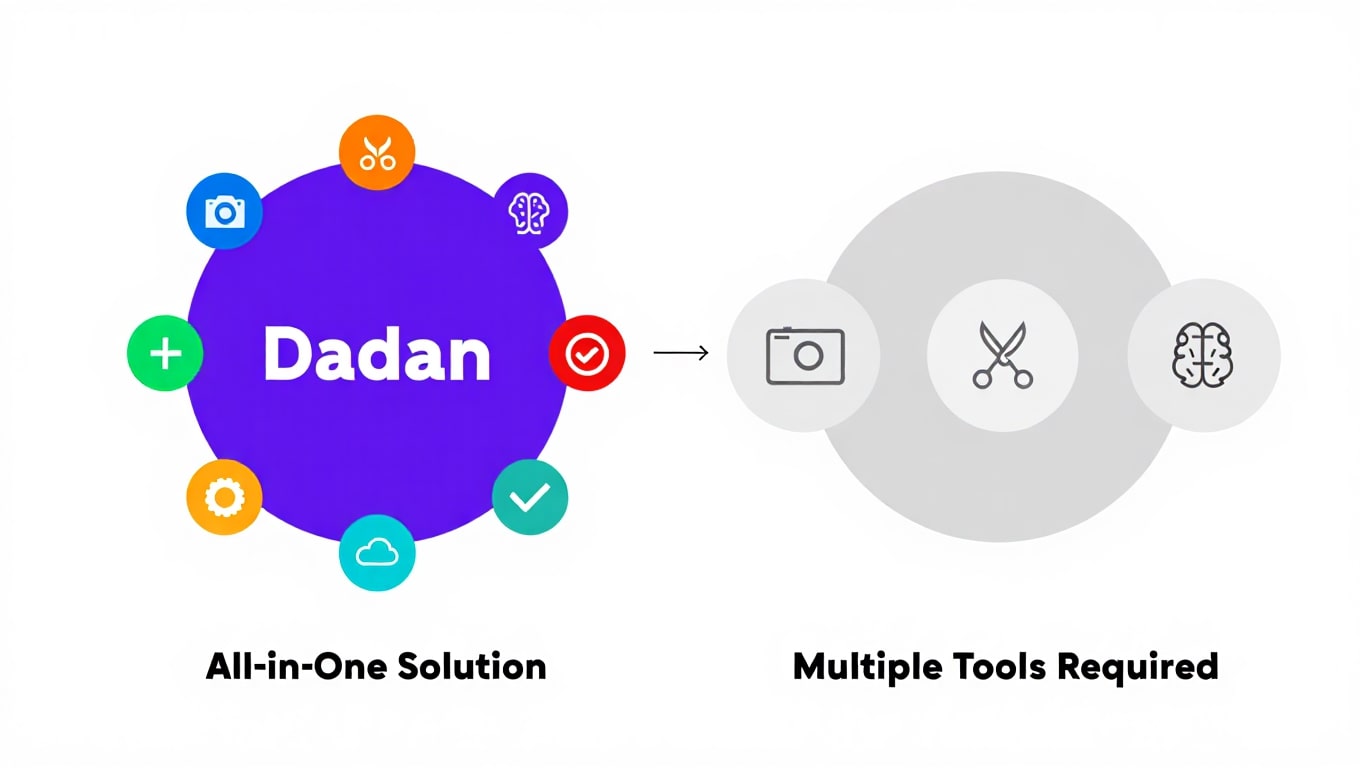
Key point: Dadan is designed to be an end-to-end solution, eliminating the need for multiple tools and simplifying the video creation pipeline for enhanced productivity.
Key Features of Dadan Video Platform
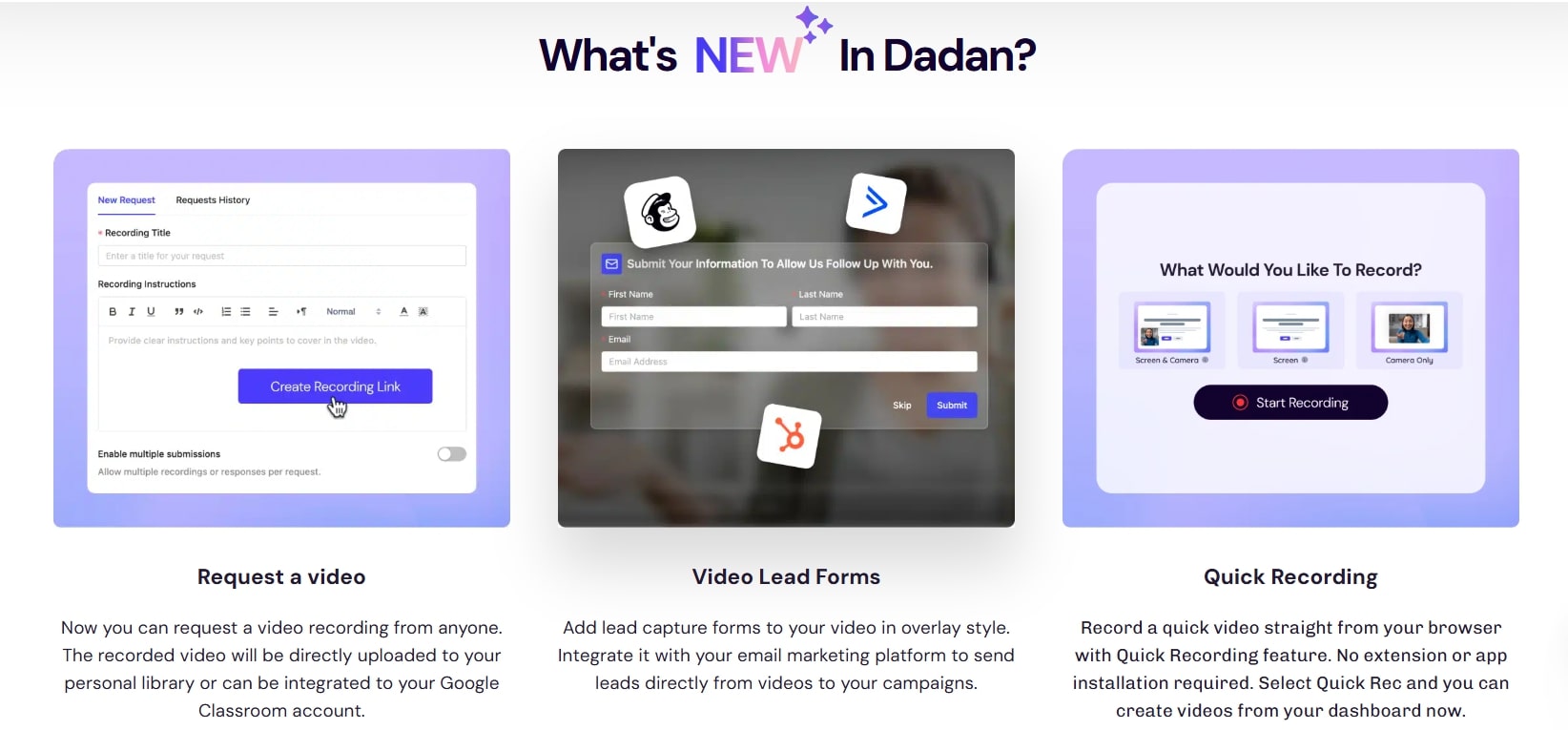
The Dadan video editor comes packed with a comprehensive suite of features engineered to cover every aspect of video production. These features are strategically integrated to ensure a smooth and efficient workflow, making it easier for users to bring their creative visions to life.
From initial capture to final export, Dadan offers tools that cater to both beginners and more experienced video creators.
Here’s a breakdown of the core functionalities that make Dadan a standout platform:
- Integrated Screen Recording: Capture your desktop activity, webcam, and audio simultaneously.
- Advanced Video Editing: A full-fledged editor with timeline-based controls, transitions, effects, and text overlays.
- AI-Powered Tools: Features like automatic captions, background removal, and smart cuts to speed up editing.
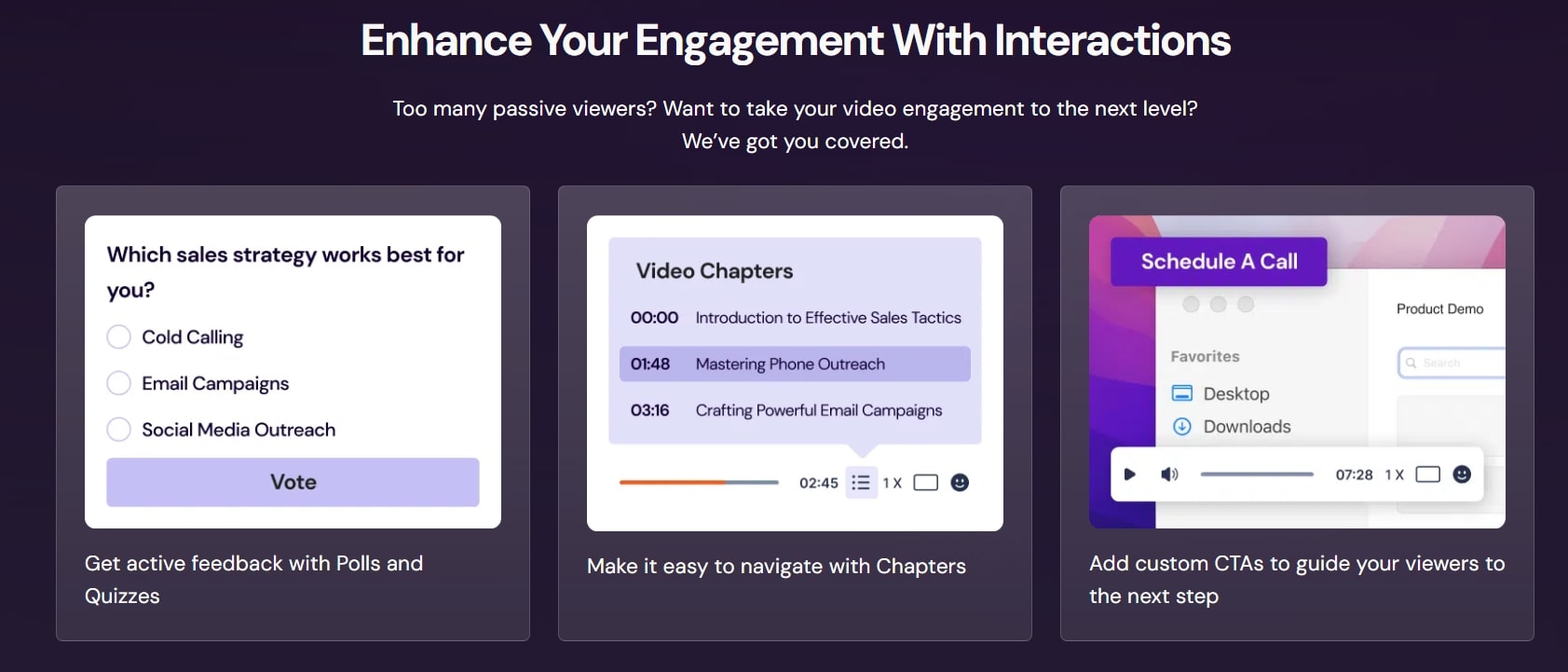
- Interactive Elements: Add quizzes, polls, and CTAs directly into your videos for increased engagement.
- Team Collaboration: Share projects, leave comments, and manage feedback efficiently within the platform.
- Extensive Asset Library: Access to stock media, music, and templates to enhance your videos.
- Analytics and Insights: Track viewer engagement and performance of your interactive videos.
Screen Recording Made Simple
One of Dadan’s foundational strengths is its robust and user-friendly screen recording functionality. Whether you’re creating software tutorials, online course lectures, product demonstrations, or simply recording a meeting, Dadan makes the process incredibly straightforward. You can choose to record your entire screen, a specific window, or just a custom area, providing flexibility for various content types.
Beyond just capturing visuals, Dadan allows for simultaneous recording of your webcam and microphone. This is crucial for creating personal and engaging content, enabling you to add a human touch to your screen recordings. The ability to record both system audio and microphone input ensures that your audience hears exactly what you intend, from background music to your narrative commentary.
Key point: Dadan’s integrated screen recorder eliminates the need for a separate tool, offering a seamless transition from capture to editing within the same environment. This integrated approach saves time and reduces friction in the content creation process.
Advanced Video Editing Capabilities
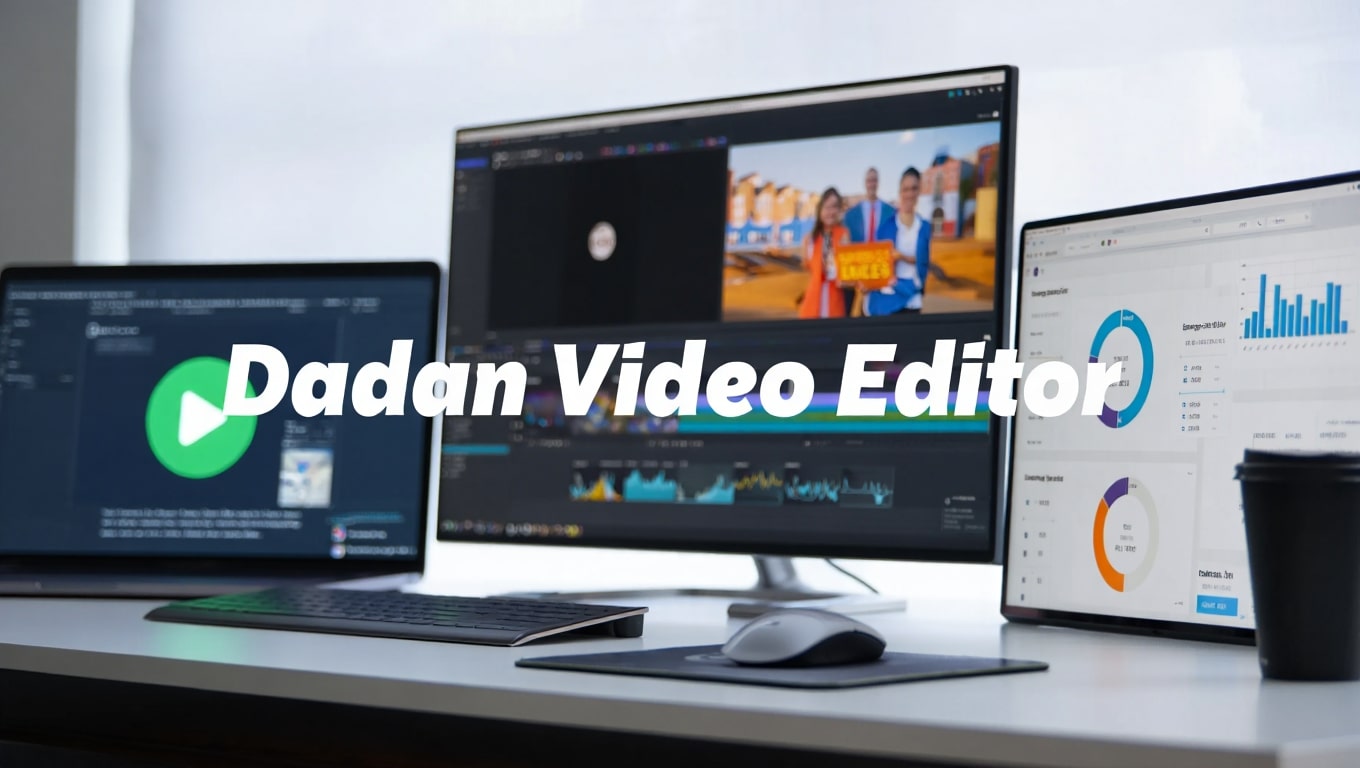
Once your footage is captured, Dadan transitions seamlessly into its advanced video editing suite. This isn’t just a basic trimmer; it’s a comprehensive, timeline-based editor designed to give you precise control over your video projects. Users can easily cut, trim, split, and merge clips, arranging them exactly as needed to craft a coherent narrative.
The platform offers a wide array of professional editing tools, including options for adding text overlays, titles, lower thirds, and call-to-action buttons. You can enhance your videos with various transitions, visual effects, and filters to achieve a polished look. Dadan also provides robust audio editing features, allowing you to adjust volume levels, add background music from its library, and even incorporate voiceovers directly within the editor.
Key point: Dadan’s editor supports multiple tracks, enabling complex layering of video, audio, and graphic elements, making it suitable for intricate projects beyond simple recordings.
AI-Powered Video Enhancement
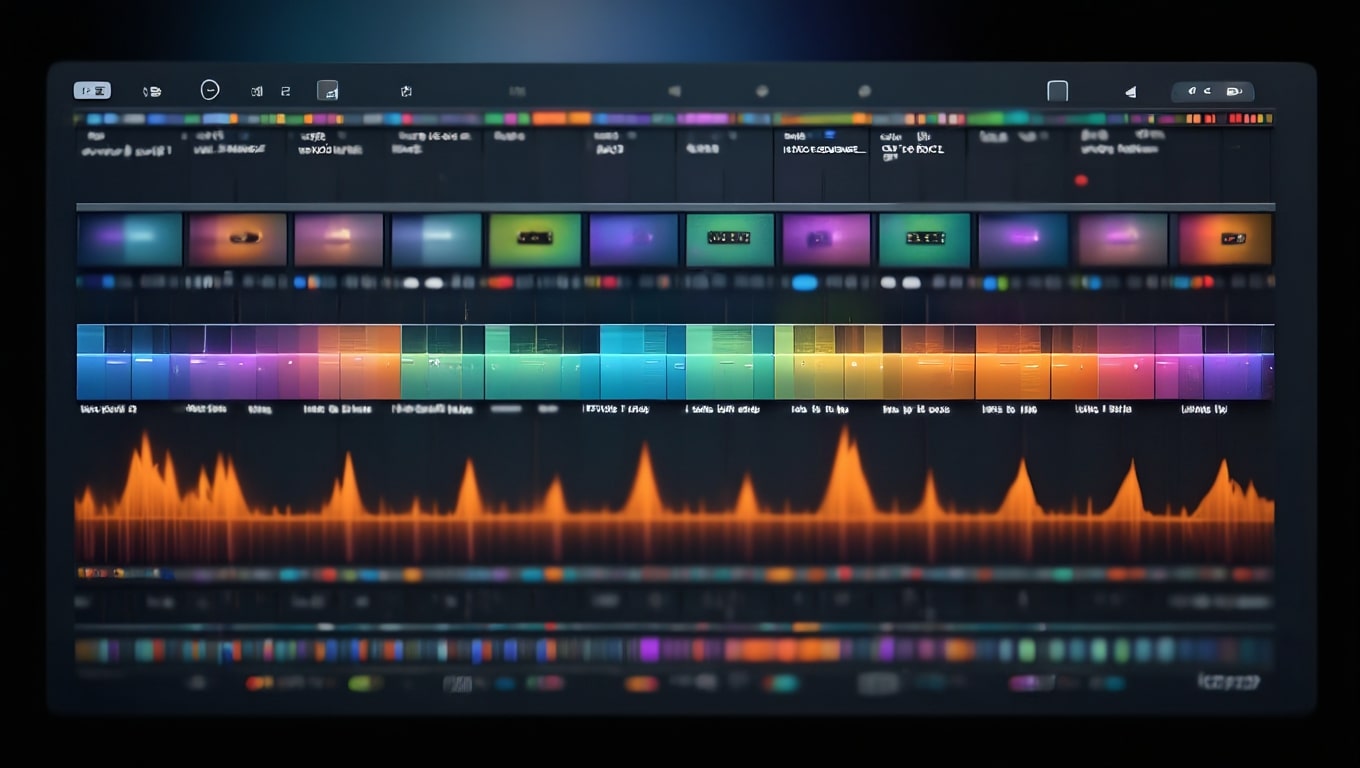
A significant differentiator for the Dadan video editor is its integration of artificial intelligence (AI) to automate and enhance various editing tasks. These AI-powered features are designed to save users countless hours, making professional-grade video editing accessible even to those without extensive experience. They simplify complex processes, allowing creators to focus more on their message and less on tedious adjustments.
One popular AI feature is automatic captioning, which transcribes spoken words into text, making videos more accessible and improving SEO. Dadan can also offer smart cuts, automatically identifying and removing silences or awkward pauses from recordings. Other AI enhancements might include intelligent background removal for webcam footage, AI-generated summaries, or even suggestions for optimizing engagement based on content analysis.
Key point: AI tools within Dadan streamline mundane editing tasks, such as transcription and pause removal, significantly accelerating the post-production workflow and allowing for more rapid content deployment.
Interactive Elements to Boost Engagement
In today’s crowded digital landscape, simply creating a video isn’t enough; you need to make it engaging. Dadan understands this fundamental truth and provides powerful interactive elements that can be embedded directly into your videos. These tools transform passive viewing into an active experience, keeping your audience hooked and prompting desired actions.
Users can strategically place interactive polls, quizzes, and surveys at various points in their videos. This is invaluable for educators to check understanding, for marketers to gather feedback, or for businesses to qualify leads. Additionally, Dadan supports clickable Call-to-Action (CTA) buttons, guiding viewers to a website, a product page, or a sign-up form directly from the video. These features are trackable, providing valuable insights into viewer behavior.
Key point: Embedding interactive elements directly within your Dadan videos can significantly increase viewer retention, drive conversions, and provide measurable insights into audience engagement.
Seamless Video Collaboration for Teams
For teams working on video projects, collaboration can often be a bottleneck. Dadan video editor addresses this challenge head-on by offering robust collaboration features designed to keep everyone on the same page and accelerate project completion. This is particularly beneficial for marketing agencies, content teams, and educational institutions where multiple stakeholders contribute to video content.
The platform allows for shared project workspaces, enabling multiple team members to access and work on the same video files. Features like time-stamped comments and annotation tools facilitate clear and contextual feedback, eliminating endless email chains or confusing revision notes. Team members can provide suggestions, highlight specific segments, and approve changes directly within the Dadan interface, ensuring a streamlined review and approval process.
Key point: Dadan’s collaborative tools foster efficient teamwork, reducing communication gaps and ensuring that video projects move forward smoothly from conception to final export.

Integration with Your Favorite Tools
A modern SaaS platform is only as powerful as its ability to integrate with the other tools in your digital ecosystem. Dadan video editor understands this need for interoperability and strives to provide seamless connections with popular platforms. These integrations help users automate workflows, extend the reach of their content, and leverage existing assets more effectively.
While specific integrations can vary, typically Dadan would offer direct export options to video hosting platforms like YouTube and Vimeo, or social media channels such as Facebook and LinkedIn. It might also integrate with cloud storage services like Google Drive or Dropbox for easier asset management.
For marketing teams, potential integrations with CRM or marketing automation platforms could further enhance campaign efficiency by syncing video analytics or lead data.
Key point: Dadan’s ability to integrate with other popular tools enhances its utility, allowing for a more connected and efficient workflow across different aspects of your digital strategy.
Dadan AppSumo Lifetime Deal: What’s Included?
The AppSumo lifetime deal for Dadan video editor is often a game-changer for businesses and creators looking to secure a powerful tool without recurring subscription costs. These deals typically offer access to the platform’s premium features for a one-time payment, providing significant long-term savings. While specific AppSumo deals can vary in their offerings and tiers, a hypothetical Dadan deal might include robust capabilities.
A typical lifetime deal could include a certain number of user seats, substantial cloud storage for video projects, and access to all core features like screen recording, advanced editing, and AI enhancements.
Higher tiers often unlock more storage, additional user seats, priority support, and perhaps advanced analytics or unique integrations. It’s crucial to review the specific tier details on AppSumo to understand what functionalities and limitations apply to each license.
- License Tier 1: 1 user, 100 GB storage, unlimited projects, all core features (screen recording, editing, AI captions).
- License Tier 2: 3 users, 300 GB storage, all Tier 1 features plus advanced analytics.
- License Tier 3: 5 users, 1 TB storage, all Tier 2 features plus custom branding removal and priority support.
Key point: The AppSumo lifetime deal is an excellent opportunity for long-term users to access Dadan’s comprehensive features without the burden of ongoing monthly or annual fees.
Dadan Pricing: Lifetime Deal vs Regular Plans
Understanding Dadan’s pricing structure is essential for making an informed decision, especially when comparing a potential AppSumo lifetime deal with its regular subscription plans. While regular pricing for Dadan (if offered) would likely follow a standard SaaS model, the AppSumo deal presents a unique value proposition.
Regular plans typically come in monthly or annual subscriptions, often tiered to cater to different user needs—e.g., a “Basic” plan for individuals with limited features and storage, a “Pro” plan for advanced users or small teams, and an “Enterprise” plan for larger organizations needing custom solutions and extensive support. These plans would involve recurring payments, which can add up significantly over time.
In contrast, the AppSumo lifetime deal involves a single upfront payment that grants access to the platform indefinitely. This eliminates recurring costs, offering substantial savings in the long run. For a tool like Dadan, which you might use consistently for content creation, a lifetime deal can lead to a much lower total cost of ownership compared to several years of subscription fees.
Key point: The Dadan AppSumo lifetime deal fundamentally alters the cost structure, transforming a recurring operational expense into a one-time capital investment, making it highly attractive for budget-conscious creators and businesses.
Pros and Cons of Dadan Video Platform
Like any comprehensive software solution, the Dadan video editor comes with its own set of advantages and potential drawbacks. Weighing these pros and cons is important for potential users to determine if it’s the right fit for their specific video creation needs.
Pros:
- All-in-One Solution: Combines screen recording, editing, and interactive elements, reducing reliance on multiple tools.
- User-Friendly Interface: Designed to be intuitive, making it accessible for beginners while offering advanced features for pros.
- AI-Powered Efficiency: Features like auto-captioning and smart cuts save significant editing time.
- Enhanced Engagement: Interactive elements like quizzes and CTAs boost viewer retention and conversion.
- Cloud-Based Collaboration: Facilitates seamless team projects and remote work.
- Potential Lifetime Deal Value: An AppSumo deal offers incredible long-term cost savings.
Cons:
- Learning Curve: While user-friendly, mastering all advanced features might still require some time.
- Internet Dependency: As a cloud-based tool, a stable internet connection is essential for optimal performance.
- Feature Depth: May not offer the hyper-specialized features found in dedicated, high-end professional editing software (e.g., DaVinci Resolve or Adobe Premiere Pro).
- Storage Limits: Even with generous AppSumo deals, large-scale video producers might eventually hit storage ceilings.
Key point: Dadan excels in providing a comprehensive, efficient, and collaborative environment, though users with highly niche or extreme demands might find limitations compared to hyper-specialized tools.
How Dadan Compares to Alternatives
The video editing software market is highly competitive, with various tools catering to different needs. To understand Dadan’s unique position, it’s helpful to compare it against some popular alternatives. We’ll look at a few common types of video tools and see how Dadan stacks up.
For instance, tools like Loom focus heavily on screen recording and quick sharing, while more advanced desktop editors like Adobe Premiere Pro offer unparalleled professional-grade control. Online editors like InVideo or Clipchamp provide browser-based simplicity. Dadan aims to strike a balance, offering a blend of these functionalities within a single platform.
| Feature | Dadan Video Editor | Loom (Example Screen Recorder) | InVideo (Example Online Editor) |
|---|---|---|---|
| Primary Focus | All-in-one screen recording, AI editing, interactivity, and collaboration | Quick screen & webcam recording, instant sharing | Template-based online video creation, stock media |
| Screen Recording | Comprehensive, integrated, advanced settings | Excellent, very fast, but limited editing post-capture | Limited or no direct screen recording |
| Video Editing | Advanced timeline editor, effects, transitions, multi-track | Basic trimming, minor cuts only | Template-driven, drag-and-drop, good for quick edits |
| AI Features | Auto-captions, smart cuts, and potential background removal | Some AI for transcription (paid plans) | Text-to-video, AI voiceovers |
| Interactive Elements | Quizzes, polls, CTAs directly in video | Limited/none directly in video (external links) | Limited interactive features |
| Collaboration | Shared projects, time-stamped comments, team workspaces | Sharing via links, basic comments | Team folders, project sharing |
| Pricing Model | Subscription plans, often an AppSumo lifetime deal | Freemium, subscription plans | Freemium, subscription plans |
Key point: Dadan differentiates itself by offering a robust, all-in-one solution that combines the best aspects of screen recording, advanced editing, and interactive capabilities, which is a broader scope than many specialized tools.
Getting Started with Dadan: Quick Setup Guide
Embarking on your video creation journey with Dadan is designed to be a straightforward process. The platform prioritizes user experience, allowing new users to get up and running quickly, whether they are leveraging an AppSumo deal or a regular subscription. Here’s a quick guide to help you get started with the Dadan video editor:
First, access the Dadan platform through its web interface. If you’ve purchased an AppSumo deal, you’ll typically redeem a code to activate your lifetime account. Once logged in, you’ll usually be greeted by a dashboard that provides quick access to start a new recording, open an existing project, or browse templates.
To begin creating, you can select “Start a New Recording” to initiate the screen recorder. Configure your recording settings—choosing between full screen, specific windows, or custom areas, and enabling your webcam and microphone as needed. After recording, your footage will automatically be imported into the Dadan editor. From there, you can use the timeline to trim, add text, transitions, and apply AI features. Finally, export your completed video or share it directly through Dadan’s integrated sharing options.
Key point: Dadan’s intuitive interface and integrated workflow make it easy for users to move from initial setup to creating and sharing their first video project in a very short amount of time.
Frequently Asked Questions About Dadan
To further clarify what Dadan video editor offers and address common inquiries, here are some frequently asked questions:
Is Dadan purely cloud-based, or is there a desktop application?
Dadan is primarily a cloud-based platform, meaning you access it through your web browser. This ensures cross-device accessibility and simplifies collaboration. While some features might have local components (like screen recording browser extensions), the core editing experience is online.
What kind of content creators would benefit most from Dadan?
Dadan is ideal for educators, marketers, sales professionals, course creators, tutorial providers, and small to medium-sized businesses looking for an efficient way to produce engaging video content without needing extensive technical skills or multiple software subscriptions.
Can I upload my own video footage to Dadan for editing?
Yes, in addition to screen recordings, Dadan typically allows users to upload their existing video, audio, and image files for editing, enabling comprehensive project creation.
Are there limits on video length or resolution with Dadan?
This often depends on your specific plan or AppSumo tier. Premium plans and higher lifetime deal tiers usually offer higher resolution exports (e.g., 1080p, 4K) and longer video durations, along with more storage.
Does Dadan provide stock media assets?
Yes, Dadan typically includes access to a built-in library of stock images, videos, and music to help users enhance their projects without having to source external assets.
How does Dadan handle privacy and security for recorded content?
Cloud-based platforms like Dadan generally employ industry-standard security measures for data encryption and access control. It’s always advisable to review Dadan’s specific privacy policy and terms of service for detailed information.
Final Verdict: Is the Dadan AppSumo Deal Worth It?
After exploring the comprehensive features and capabilities of the Dadan video editor, it’s clear that it presents a compelling solution for modern content creators. Its integration of screen recording, advanced editing, AI-powered enhancements, interactive elements, and robust collaboration tools positions it as a powerful all-in-one platform. It addresses many pain points faced by individuals and teams struggling with fragmented video production workflows.
The hypothetical AppSumo lifetime deal sweetens the proposition significantly. For a one-time investment, users can gain indefinite access to a tool that could otherwise incur substantial recurring subscription costs. This makes the Dadan AppSumo deal a desirable option for those committed to consistent video content creation for years to come, offering immense long-term value.
Suppose you are a content creator, marketer, educator, or business owner looking to produce high-quality, engaging videos efficiently, and you appreciate the benefits of a streamlined, collaborative, and AI-enhanced workflow. In that case, the Dadan video editor is certainly worth considering. The lifetime deal, in particular, makes it a shrewd investment that promises to pay dividends in productivity and cost savings.
The Dadan AppSumo lifetime deal is a highly recommended investment for anyone seeking a powerful, all-in-one video creation platform to simplify their workflow and drive engagement without ongoing subscription fees.
Related Category: AppSumo Deals