In today’s fast-paced digital landscape, businesses of all sizes are constantly seeking ways to streamline operations, enhance productivity, and reduce manual effort. The promise of seamless integration between disparate software applications has become a holy grail for efficiency, yet it often comes with the complexity of custom coding or the recurring cost of expensive subscription-based integration platforms. This is where a solution like ApiX-Drive steps in, offering a powerful bridge between your essential tools.
ApiX-Drive presents itself as a robust, no-code integration platform designed to automate workflows and synchronize data across hundreds of applications. But what truly makes it stand out is the strategic opportunity presented by its presence on AppSumo as a lifetime deal. This unique offer allows businesses to invest a one-time fee for perpetual access to a service that typically demands continuous monthly payments.
This comprehensive article will explore every facet of ApiX-Drive, from its core functionalities and integration capabilities to its value proposition through the AppSumo lifetime deal, helping you decide if it’s the right automation partner for your business.
What is ApiX-Drive?
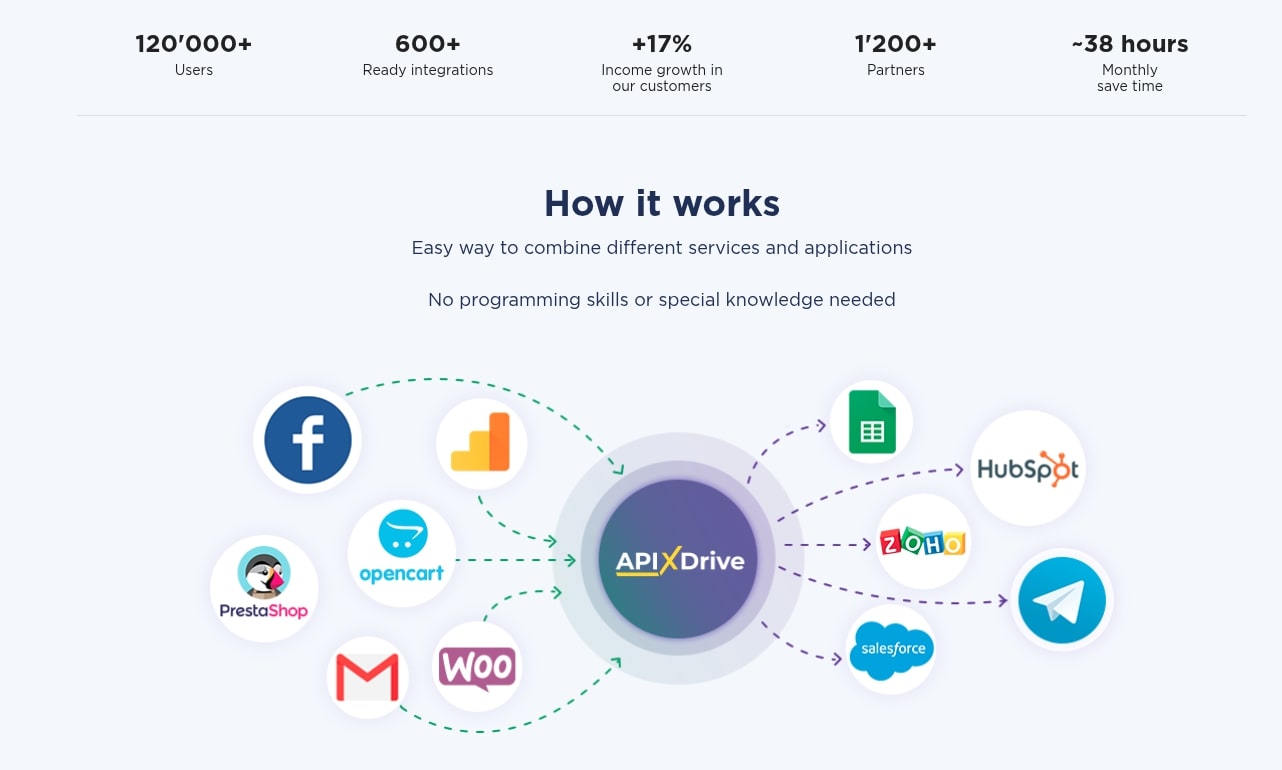
ApiX-Drive is an advanced integration Platform as a Service (iPaaS) designed to connect various web applications and automate data exchange between them without requiring any coding knowledge. It acts as a central hub, allowing users to build complex workflows where an action in one app automatically triggers a corresponding action in another. This transformative capability eliminates repetitive tasks and ensures data consistency across your entire software ecosystem.
The platform empowers businesses to create sophisticated automations through a user-friendly, visual interface. Instead of manual data entry or relying on expensive developers, users can simply choose their applications, define their triggers and actions, and map the necessary data fields. ApiX-Drive then takes over, executing these predefined tasks reliably and in real-time.
Its primary goal is to save businesses countless hours, reduce human error, and free up valuable resources that can be redirected towards more strategic initiatives. Whether you’re managing leads in a CRM, processing orders in an e-commerce store, or sending marketing emails, ApiX-Drive ensures your tools work together harmoniously, creating a cohesive and efficient operational environment.
Key Features of ApiX-Drive
ApiX-Drive is packed with features designed to make automation accessible and powerful for users of all technical skill levels. These functionalities collectively contribute to its ability to streamline workflows and improve operational efficiency across diverse business functions. Understanding these core features is crucial to appreciating the platform’s full potential.
Here are some of the standout features:
- Extensive App Integrations: ApiX-Drive boasts a rapidly growing library of direct integrations with hundreds of popular business applications. This includes CRMs like HubSpot, sales tools, marketing automation platforms, e-commerce solutions, communication apps, project management software, and many more. This wide compatibility ensures that most businesses can connect their essential tools.
- No-Code Workflow Builder: At its heart, ApiX-Drive is built for simplicity. Its intuitive drag-and-drop interface allows users to create complex automation flows without writing a single line of code. This visual builder makes it easy to understand the logic of your integrations and make adjustments as needed.
- Real-time Data Synchronization: The platform ensures that data is consistently updated across all connected applications in real-time or near real-time. This eliminates discrepancies and ensures that every department is working with the most current information, which is critical for decision-making and customer satisfaction.
- Customizable Triggers and Actions: Users can define specific events (triggers) in one application that will initiate a desired outcome (action) in another. This flexibility allows for highly tailored automations, from simple data transfers to multi-step conditional workflows.
- Data Mapping and Transformation: ApiX-Drive provides robust tools for mapping data fields between different applications, ensuring that information is transferred accurately. It also offers options for basic data transformation, allowing users to format or modify data as it moves between systems.
- Conditional Logic: For more sophisticated automations, ApiX-Drive supports conditional logic. This means you can set rules that dictate when an action should or shouldn’t occur, based on specific criteria within the data. This adds a layer of intelligence to your workflows.
- Error Handling and Monitoring: The platform includes mechanisms for detecting and notifying users of failed tasks or integration errors. A comprehensive dashboard allows users to monitor the status of their automations and troubleshoot issues quickly, ensuring minimal disruption.
- Webhooks Support: For applications not directly integrated, ApiX-Drive offers webhook support. This powerful feature allows users to connect virtually any application that supports webhooks, significantly expanding the platform’s integration possibilities beyond its native connectors.
- Task History and Logs: Every task executed by ApiX-Drive is logged, providing a clear history of all automations. This audit trail is invaluable for tracking data flow, verifying task completion, and diagnosing any potential issues.
These features combine to create a powerful, user-friendly, and highly adaptable integration solution. They enable businesses to automate a vast array of processes, from lead nurturing and customer support to inventory management and financial reporting, all without the need for extensive technical expertise.
How ApiX-Drive Works
Understanding how ApiX-Drive functions demystifies the process of setting up powerful automations. At its core, the platform operates on a simple yet effective trigger-action principle, orchestrated through an intuitive visual workflow builder. This design philosophy makes complex integrations accessible to everyone, regardless of their technical background.
The process begins with connecting your desired applications to ApiX-Drive. This typically involves authenticating your accounts through the platform’s secure interface, granting it permission to access and transfer data. Once connected, these applications become available for selection within your automation workflows.
Next, you define a “trigger event” – a specific action or update that occurs in one of your connected applications. For example, a new lead added to your CRM, a new order placed in your e-commerce store, or a new email received in your support inbox could all serve as triggers. ApiX-Drive continuously monitors these applications for the specified trigger.
Once a trigger is detected, ApiX-Drive springs into action, initiating a predefined “action event” in another connected application. This action is the desired outcome of the automation. Examples include creating a new contact in your email marketing platform, sending a notification to a team chat, or updating a spreadsheet. The beauty of ApiX-Drive lies in its ability to map data from the trigger application directly to the action application, ensuring that relevant information is accurately transferred.
The workflow builder provides a canvas where you visually construct these connections. You select the trigger app and its event, then the action app and its corresponding event. Crucially, you then map the data fields between the two. For instance, if a new lead in your CRM triggers an action in your email marketing tool, you would map the lead’s name and email address from the CRM field to the appropriate fields in the email marketing tool.
Beyond simple trigger-action pairs, ApiX-Drive supports multi-step workflows, allowing you to chain several actions together or incorporate conditional logic. This means an automation can be configured to perform different actions based on specific criteria within the data. For example, if a new customer makes a purchase over a certain amount, they could be added to a VIP email list, while others go to a standard list.
After building and configuring your automation, you can test it to ensure everything runs smoothly. Once satisfied, you activate the workflow, and ApiX-Drive takes over, operating in the background to keep your applications synchronized and your processes automated. The platform provides dashboards and logs to monitor task execution, allowing you to track performance and troubleshoot any issues efficiently.
ApiX-Drive Integration Capabilities
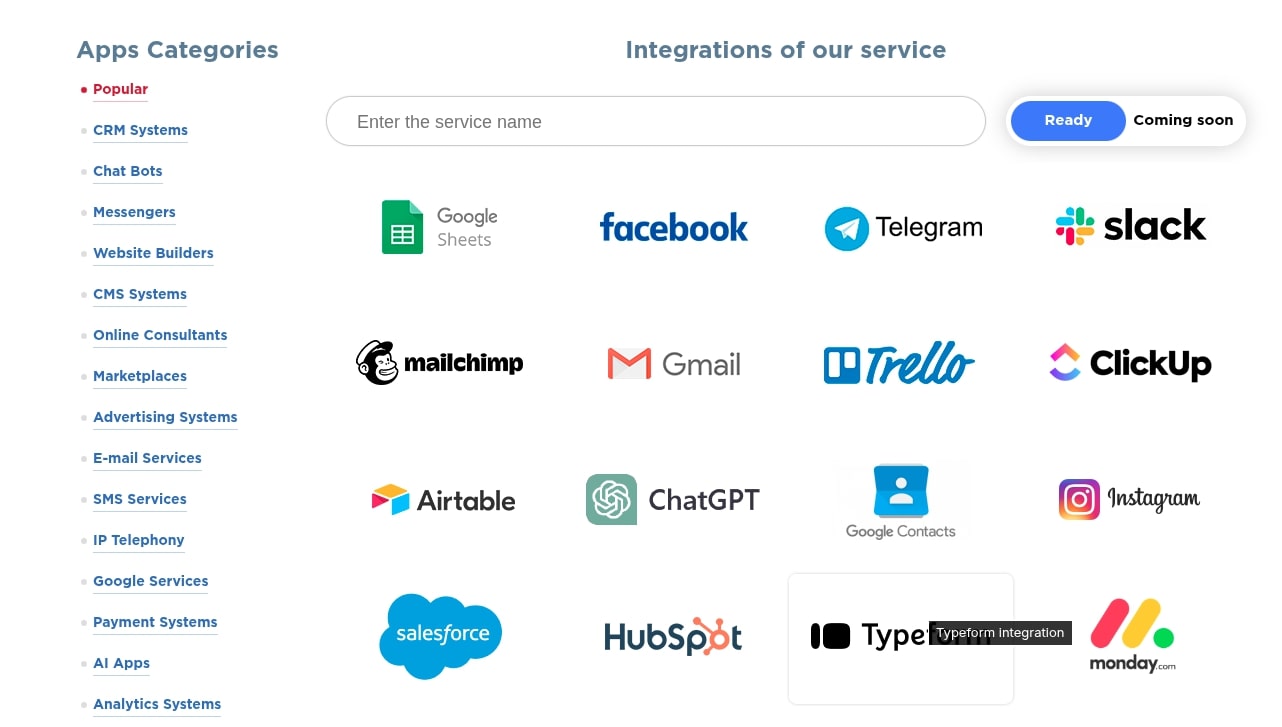
The true power of any integration platform lies in the breadth and depth of its integration capabilities, and ApiX-Drive excels in this area. It serves as a universal connector, bridging the gaps between diverse software applications that typically operate in silos. This extensive connectivity is fundamental to building truly automated and efficient workflows.
ApiX-Drive offers a constantly expanding library of direct integrations with hundreds of popular business tools across various categories. This includes, but is not limited to:
- CRM Systems: Connect popular CRMs like HubSpot, Salesforce (indirectly via webhooks/other tools), Pipedrive, and more to automate lead capture, contact management, and sales pipeline updates.
- Marketing Automation & Email Marketing: Integrate with Mailchimp, ActiveCampaign, GetResponse, and others to automate email sequences, segment audiences, and manage campaigns based on customer behavior.
- E-commerce Platforms: Link Shopify, WooCommerce, Magento, and similar platforms to streamline order fulfillment, customer data sync, inventory updates, and abandoned cart recovery.
- Communication & Collaboration Tools: Connect with Slack, Telegram, Trello, Google Chat, and others to automate notifications, task creation, and team communication based on specific events.
- Project Management Software: Integrate with Asana, Monday.com, Jira, and others to automate task assignment, project updates, and progress tracking.
- Spreadsheets & Databases: Connect with Google Sheets, Excel, and various database solutions to automate data entry, reporting, and synchronization.
- Forms & Surveys: Integrate with Google Forms, Typeform, Jotform, and others to automate lead processing, data collection, and follow-up actions.
- Payment Gateways: Connect with Stripe, PayPal, and other payment processors to automate invoicing, transaction recording, and financial reporting.
Beyond these direct integrations, ApiX-Drive significantly extends its reach through robust support for webhooks. Webhooks act as a generic mechanism for applications to communicate with each other in real-time. If an application supports sending or receiving webhooks, ApiX-Drive can likely integrate with it, even if it’s not listed among the native connectors. This flexibility is invaluable for businesses using niche software or custom-built solutions.
This comprehensive integration ecosystem means that businesses are not limited by their existing software choices. ApiX-Drive enables them to create interconnected systems that share data effortlessly, leading to more cohesive operations, improved data accuracy, and significant time savings across virtually every department. The platform is continuously adding new integrations, ensuring its utility remains relevant and expanding.
ApiX-Drive AppSumo Lifetime Deal: Pricing Overview
The ApiX-Drive AppSumo lifetime deal is a significant opportunity that sets it apart from many other integration platforms. In a market dominated by subscription models, a lifetime deal offers a compelling alternative, transforming a recurring operational cost into a one-time investment. Understanding this pricing structure is key to evaluating its long-term value.
AppSumo is renowned for offering deals on software and digital products, often in the form of lifetime access. For ApiX-Drive, this means purchasing a license that grants you access to the platform’s features and a specified number of tasks/operations for the lifetime of the product, without any further monthly or annual fees. This is a stark contrast to competitors like Zapier or Make (formerly Integromat), which typically operate on tiered subscription plans that scale with the number of tasks or operations performed each month.
While specific pricing tiers and features can vary over time on AppSumo, a typical structure for such deals often includes multiple codes that users can stack to unlock higher limits. For instance, a single code might offer a certain number of tasks per month and specific features, while stacking multiple codes could dramatically increase task limits, introduce premium integrations, or extend access to advanced features like longer data retention or more frequent sync intervals.
Key aspects of the AppSumo lifetime deal usually include:
- One-time Payment: The most attractive aspect, eliminating ongoing subscription costs.
- Tiered Options: Different “codes” or license levels offer varying task limits and feature sets, allowing businesses to choose a plan that fits their current and projected automation needs.
- Feature Access: Often, the lifetime deal includes access to core features and may even include future updates for the purchased tier, ensuring the platform remains useful as it evolves.
- Significant ROI: Over months and years, the one-time cost can lead to substantial savings compared to cumulative subscription fees for comparable services. This makes it particularly attractive for small to medium-sized businesses and solopreneurs looking to optimize their budget.
- Risk-Free Trial (AppSumo’s Guarantee): AppSumo typically offers a 60-day money-back guarantee, allowing users to test the product thoroughly and ensure it meets their needs before committing long-term.
When considering the ApiX-Drive lifetime deal, potential buyers should carefully evaluate their current and future automation requirements. Assess the number of tasks you anticipate running monthly, the specific applications you need to integrate, and any advanced features crucial for your operations. Comparing these against the typical AppSumo tiers will help determine which level offers the best value. This deal transforms ApiX-Drive from just another powerful automation tool into a strategic asset for long-term business efficiency and cost savings.
Pros and Cons of ApiX-Drive
Like any software solution, ApiX-Drive comes with its own set of advantages and disadvantages. A balanced perspective is essential when considering whether it’s the right fit for your business, especially when evaluating the long-term commitment of a lifetime deal.
Pros of ApiX-Drive:
- Exceptional Value with Lifetime Deal: The AppSumo lifetime deal is arguably its biggest draw. A single, one-time payment for perpetual access to a powerful automation platform offers immense long-term cost savings compared to the recurring subscription fees of competitors.
- No-Code Simplicity: Its intuitive drag-and-drop interface makes automation accessible to non-technical users. Building workflows doesn’t require any programming knowledge, significantly lowering the barrier to entry for businesses.
- Extensive Integration Library: With hundreds of direct integrations and robust webhook support, ApiX-Drive can connect a vast array of popular business applications, ensuring seamless data flow across your ecosystem.
- Time and Resource Savings: By automating repetitive manual tasks, businesses can save countless hours, reduce labor costs, and free up employees to focus on more strategic, high-value activities.
- Improved Data Accuracy: Automation minimizes human error in data entry and transfer, ensuring consistency and reliability across all connected systems.
- Scalability: As your business grows, ApiX-Drive can scale with your needs. The ability to add more tasks or build more complex workflows means it remains relevant as your operations expand.
- Real-time Data Sync: Ensures that all your applications are working with the most up-to-date information, crucial for quick decision-making and responsive customer interactions.
Cons of ApiX-Drive:
- Learning Curve for Complex Workflows: While the basics are simple, building highly intricate, multi-step automations with conditional logic and data transformation can still require some time and effort to master.
- Dependency on Third-Party APIs: Like all integration platforms, ApiX-Drive relies on the stability and functionality of the APIs provided by the integrated applications. Changes to these APIs by third-party services can occasionally impact integrations.
- Task Limits: While the lifetime deal is cost-effective, it comes with specific task limits per month, depending on the tier purchased. Businesses with extremely high automation volumes might need to upgrade or consider enterprise-level solutions.
- Support for Niche Applications: While it covers many popular apps, some highly niche or industry-specific software might not have direct integrations, requiring the use of webhooks or a custom API, which can add complexity.
- Relative Newcomer Status (compared to giants): While robust, ApiX-Drive is a newer player compared to long-established services like Zapier. This might mean a smaller community or fewer pre-built templates for highly specific use cases.
Weighing these pros and cons against your specific business needs and budget will provide a clear picture of whether ApiX-Drive, particularly through its AppSumo lifetime deal, is the optimal automation solution for you. The lifetime deal significantly tips the scales in its favor for many small to medium-sized businesses looking for powerful automation without the recurring financial burden.
User Experience with ApiX-Drive
A crucial factor in the adoption and long-term success of any software is its user experience. ApiX-Drive has clearly prioritized an intuitive and accessible design, making it a viable option even for those without a technical background. The platform’s user interface (UI) and user experience (UX) are geared towards simplifying the often-complex world of API integrations.
Upon logging in, users are greeted with a clean and straightforward dashboard. This central hub provides an overview of active automations, task history, and usage statistics, allowing for quick monitoring of your integrated workflows. The design avoids clutter, focusing on essential information and guiding users towards key actions.
The true test of user experience comes in the workflow builder, where automations are created. ApiX-Drive utilizes a visual, drag-and-drop interface that makes the process feel more like building with blocks than writing code. Users can easily select applications, define triggers and actions, and then visually connect them. The step-by-step wizard for configuring connections and mapping data fields is particularly helpful, guiding users through each stage with clear prompts and explanations.
Data mapping, often a stumbling block in integration platforms, is made relatively easy with ApiX-Drive. The interface presents available fields from the trigger application and allows users to simply click or drag them into the corresponding fields of the action application. This visual representation minimizes errors and confusion.
For advanced users, the platform offers options for conditional logic and basic data transformation, allowing for more nuanced automations. While these features add complexity, they are integrated in a way that remains relatively manageable, with clear instructions and examples often provided.
Error handling and monitoring are also well-integrated into the user experience. If an automation fails, ApiX-Drive typically provides clear notifications and logs, detailing the reason for the failure. This allows users to quickly identify and rectify issues, minimizing downtime for their automated processes. The task history log provides a transparent record of all operations, which is invaluable for auditing and troubleshooting.
While some initial learning is always required to grasp the concepts of triggers, actions, and data mapping, ApiX-Drive’s overall design aims to flatten this learning curve significantly. The availability of documentation, tutorials, and customer support further contributes to a positive user experience, ensuring that users can leverage the platform’s capabilities effectively.
Ideal Users and Scenarios for ApiX-Drive
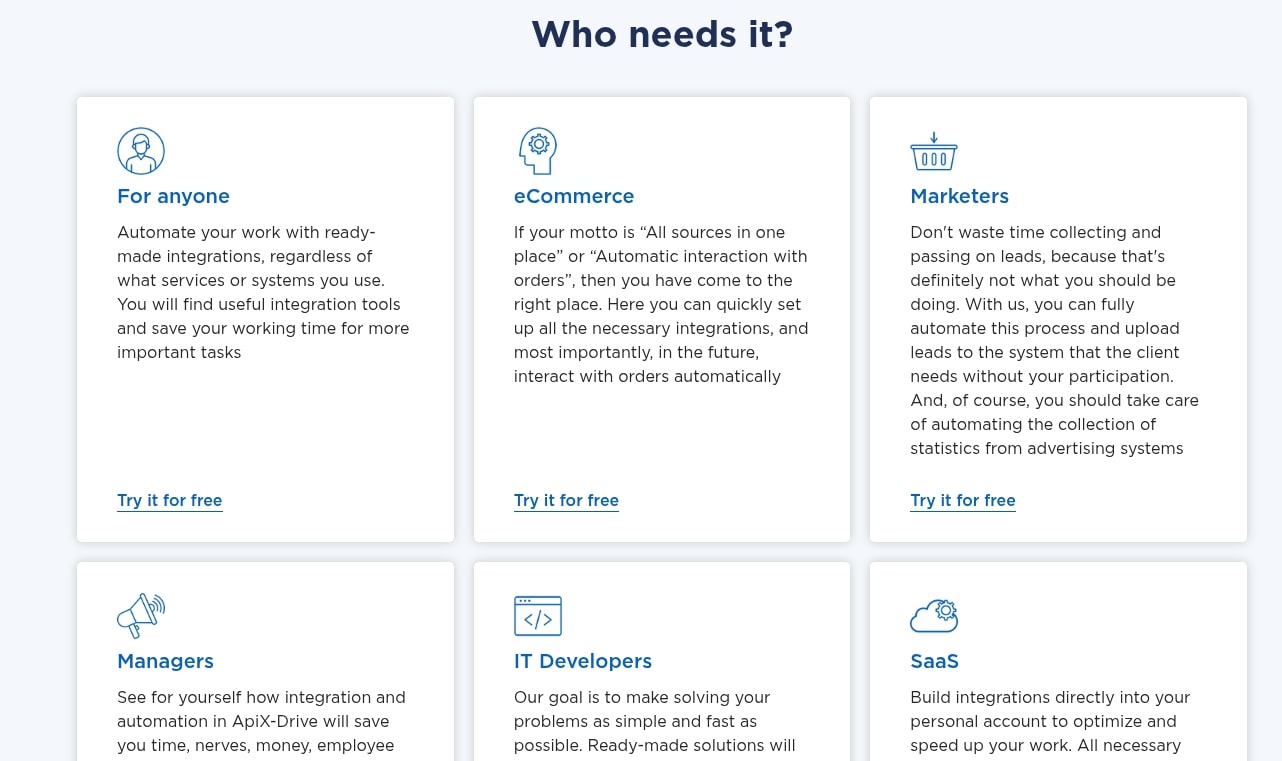
ApiX-Drive’s versatility and no-code approach make it an attractive solution for a wide range of users and business scenarios. Its ability to automate routine tasks and synchronize data across multiple applications can benefit virtually any entity looking to enhance efficiency.
Ideal Users:
- Small and Medium-sized Businesses (SMBs): Often operating with limited budgets and IT staff, SMBs can greatly benefit from ApiX-Drive’s cost-effectiveness (especially the lifetime deal) and ease of use. It allows them to leverage automation without heavy investment in custom development.
- Solopreneurs and Freelancers: Individuals juggling multiple roles can automate administrative tasks, lead generation, client communication, and project management, freeing up time to focus on core services and growth.
- Marketing Agencies and Professionals: Automating lead capture, CRM updates, email marketing sequences, social media scheduling, and analytics reporting can significantly boost campaign efficiency and client satisfaction.
- E-commerce Store Owners: Streamlining order processing, inventory management, customer support, and email follow-ups for abandoned carts or new purchases is critical for scaling online businesses.
- Sales Teams: Automating lead enrichment, CRM data entry, follow-up scheduling, and proposal generation allows sales professionals to spend more time selling and less time on administrative tasks.
- Operations Managers: Anyone responsible for optimizing internal processes can use ApiX-Drive to connect HR tools, project management systems, and communication platforms to ensure smooth workflows.
- Non-Technical Users: Individuals who need automation but lack coding skills will find ApiX-Drive’s visual interface particularly empowering.
Ideal Scenarios:
- Lead Management Automation: Automatically send new leads from your website forms (e.g., Typeform, Google Forms) to your CRM (e.g., HubSpot, Pipedrive) and trigger an email sequence in your marketing automation tool.
- E-commerce Order Fulfillment: When a new order is placed on Shopify, automatically create a new customer record in your CRM, update inventory in a Google Sheet, and send order details to your fulfillment service or team via Slack.
- Customer Support Workflow: When a new support ticket is created in Zendesk, automatically add it to your project management tool (e.g., Trello) and notify the relevant team member in Slack.
- Marketing Campaign Automation: Synchronize subscriber lists between your email marketing platform and CRM, or automatically post blog updates to social media channels.
- Data Synchronization: Keep contact lists, product inventories, or sales records consistent across multiple platforms used by different departments.
- Event-Based Notifications: Automatically send alerts to a team chat for critical events, such as a high-value sale, a critical error in a system, or a new signup for a webinar.
- Accounting and Invoicing: When a sale is made, automatically generate an invoice in an accounting tool and update a financial spreadsheet.
In essence, ApiX-Drive is ideal for any business or individual seeking to eliminate manual data transfer and repetitive tasks between their core applications, thereby improving efficiency, reducing errors, and allowing teams to focus on more impactful work. The lifetime deal further solidifies its position as a go-to solution for budget-conscious users.
ApiX-Drive vs. Alternatives
The market for integration platforms is competitive, with several established players offering robust solutions. While ApiX-Drive brings significant value, especially with its lifetime deal, it’s helpful to compare it against prominent alternatives like Zapier, Make (formerly Integromat), and Pabbly Connect to understand its unique position.
Zapier: Often considered the market leader, Zapier is known for its extensive app directory and extreme ease of use. Its interface is highly user-friendly, and it has a vast library of pre-built “Zaps” (automations). However, Zapier operates exclusively on a subscription model, which can become quite expensive as task volume increases. Its pricing scales rapidly, making it a significant ongoing operational cost for growing businesses.
Make (formerly Integromat): Make is a more powerful and flexible alternative to Zapier, often preferred by users who need to build more complex, multi-step workflows with intricate conditional logic and data transformation. It excels in visual representation of workflows, allowing for highly customized scenarios. Make also operates on a subscription basis, though its pricing can sometimes be more favorable than Zapier for high-volume, complex automations. It has a slightly steeper learning curve than Zapier, but offers greater depth.
Pabbly Connect: Pabbly Connect is often seen as a strong value-for-money competitor, frequently offering lifetime deals or very competitive subscription pricing. It boasts a good number of integrations and a solid visual builder. Pabbly Connect aims to provide a balance between ease of use and advanced features, often at a lower cost than Zapier or Make.
Here’s a comparison table to highlight the key differences:
| Feature/Aspect | ApiX-Drive | Zapier | Make (Integromat) | Pabbly Connect |
|---|---|---|---|---|
| Pricing Model | Lifetime Deal (AppSumo) / Subscription | Subscription (monthly/annual) | Subscription (monthly/annual) | Subscription / Occasional Lifetime Deal |
| Ease of Use | High, no-code visual builder | Very High, extremely user-friendly | Moderate, visual builder for complex scenarios | High, good visual builder |
| Integration Library | Hundreds, constantly expanding + Webhooks | Thousands, very extensive | Hundreds, growing + Webhooks | Hundreds, growing + Webhooks |
| Advanced Logic | Good, conditional logic, data transformation | Good, with “Paths” for conditional logic | Excellent, highly granular control | Good, conditional logic, iterators |
| Target Audience | SMBs, solopreneurs, cost-conscious users | All users, especially beginners & those needing vast integrations | Power users, complex workflows, advanced needs | SMBs, cost-conscious users needing robust features |
The critical differentiator for ApiX-Drive is its lifetime deal. While Zapier and Make might offer more extensive integration libraries or deeper customization for enterprise-level operations, their ongoing costs can quickly outweigh the benefits for SMBs and solopreneurs. ApiX-Drive provides a powerful, user-friendly, and highly capable automation platform without the burden of recurring fees, making it an incredibly compelling choice for those seeking long-term value and predictable expenses in their automation strategy.
Case Studies: ApiX-Drive in Action
To truly grasp the impact of ApiX-Drive, let’s explore a few hypothetical but realistic case studies demonstrating its application across different business types. These examples illustrate how the platform translates into tangible benefits for operational efficiency.
Case Study 1: E-commerce Business Streamlining Order Fulfillment
“EcoThreads,” a small online apparel store, faced challenges in managing orders manually. When a customer purchased an item on their Shopify store, the owner had to manually create a customer record in their CRM (HubSpot), update inventory in a Google Sheet, and then notify their shipping partner via email. This process was time-consuming and prone to errors, especially during peak seasons.
Using ApiX-Drive, EcoThreads set up a multi-step automation:
- Trigger: New order placed in Shopify.
- Action 1: Create or update the customer contact in HubSpot with order details.
- Action 2: Add a new row to a Google Sheet for inventory tracking and sales reporting.
- Action 3: Send a detailed notification via Slack to the shipping team, including customer details, shipping address, and order items.
Result: Order processing time was reduced by 80%, errors in data entry were virtually eliminated, and the owner could focus on marketing and product development instead of administrative tasks. Customer satisfaction improved due to faster fulfillment.
Case Study 2: Marketing Agency Automating Lead Nurturing
“GrowthMarketers,” a digital marketing agency, generated leads through various channels, including landing pages (Typeform) and Facebook Ads. Their challenge was quickly getting these leads into their email marketing software (ActiveCampaign) and notifying the sales team for follow-up. Manual transfer meant delays and missed opportunities.
GrowthMarketers implemented an APIX-Drive automation:
- Trigger: New submission on a Typeform lead generation survey.
- Conditional Logic: If the lead’s industry is “E-commerce,” proceed.
- Action 1: Add the new lead to a specific “E-commerce Leads” list in ActiveCampaign and enroll them in a tailored email nurturing sequence.
- Action 2: Send a notification to the sales team’s dedicated Slack channel, including the lead’s contact information and survey responses.
Result: Leads were instantly captured and entered into the relevant nurturing sequence, drastically reducing lead response time. The sales team received real-time, qualified leads, leading to a 15% increase in conversion rates for specific campaigns.
Case Study 3: Small Business Enhancing Customer Support
“LocalTech Solutions,” an IT support company, received support requests via email and phone. Managing these requests and assigning them to technicians was a manual process using a shared inbox and a Trello board. This often led to delays and unassigned tickets.
LocalTech Solutions deployed ApiX-Drive to automate their support workflow:
- Trigger: New email received in their support inbox (connected via Gmail integration).
- Action 1: Create a new card on their “Support Tickets” Trello board, populating the card with the email subject, sender, and body content.
- Action 2: Assign the Trello card to a specific technician based on keywords in the email subject (e.g., “network issue” goes to John, “software problem” goes to Sarah) using conditional logic.
- Action 3: Send an automated confirmation email to the customer stating their ticket has been received and will be reviewed shortly.
Result: Customer support response times improved significantly, no tickets were missed, and technicians received assignments automatically, leading to more efficient resolution of issues and higher customer satisfaction.
These case studies highlight how ApiX-Drive can be tailored to address specific pain points across various business functions, turning manual, error-prone processes into seamless, automated workflows that save time and drive better results.
Setting Up ApiX-Drive: A Quick Guide
Getting started with ApiX-Drive is designed to be straightforward, even for those new to automation. The platform prioritizes a user-friendly experience, guiding you through each step of building your first integration. Here’s a quick guide to setting up your first automation:
Step 1: Sign Up and Access Your Dashboard
If you’ve purchased the ApiX-Drive lifetime deal on AppSumo, you’ll typically redeem your code to create an account or upgrade an existing one. Once logged in, you’ll land on your main dashboard, which provides an overview of your account, active automations, and task usage.
Step 2: Connect Your Applications
Before building workflows, you need to connect the applications you want to integrate. Navigate to the “Connections” or “Applications” section within ApiX-Drive. Here, you’ll find a list of supported apps. Select the application you wish to connect (e.g., Google Sheets, Mailchimp, Shopify). You’ll be prompted to authenticate your account, which usually involves logging into the respective app through ApiX-Drive’s secure interface and granting necessary permissions. Repeat this for all applications you intend to use in your automation.
Step 3: Create a New Automation (A ‘Link’ or ‘Integration’)
From your dashboard, look for an option like “Create New Integration” or “New Link.” This will open the visual workflow builder.
Step 4: Define Your Trigger App and Event
The first step in the builder is to choose your “Trigger App” – the application where the initiating event will occur. After selecting the app, you’ll choose the specific “Trigger Event” (e.g., “New Contact,” “New Order,” “New Form Submission”). ApiX-Drive will then ask you to connect or select the specific account for that app.
Step 5: Configure Your Action App and Event
Next, select your “Action App” – the application where something will happen in response to the trigger. Choose the “Action Event” (e.g., “Create Contact,” “Send Email,” “Add Row”). Similar to the trigger, you’ll connect or select the relevant account for this app.
Step 6: Map Data Fields
This is a crucial step. ApiX-Drive will present you with fields from the trigger event (e.g., “Lead Name,” “Lead Email”) and corresponding fields in the action event (e.g., “Contact Name,” “Contact Email”). You simply drag and drop or select the relevant data from the trigger to populate the fields in the action. Ensure that all mandatory fields for the action are filled. You can also apply simple transformations here if needed.
Step 7: Test Your Automation
Before going live, it’s highly recommended to test your automation. ApiX-Drive usually offers a “Test” button that simulates the trigger event and shows you what data would be sent to the action app. This helps you verify that data mapping is correct and the workflow behaves as expected. Make any necessary adjustments based on the test results.
Step 8: Activate Your Automation
Once testing is successful and you’re confident in your setup, activate your automation. ApiX-Drive will then begin monitoring the trigger app for events, and your workflow will run automatically in the background, syncing data and executing actions as defined.
By following these steps, you can quickly move from concept to a fully operational automated workflow, leveraging the power of ApiX-Drive to enhance your business efficiency.
Maximizing ApiX-Drive for Your Business
Acquiring an ApiX-Drive lifetime deal is just the first step; unlocking its full potential requires a strategic approach to implementation and continuous optimization. To truly maximize the value of this powerful automation platform for your business, consider the following best practices and advanced strategies.
1. Start Simple, Then Expand: Don’t try to automate everything at once. Begin with a single, high-impact workflow that addresses a clear pain point. Master that automation, understand its nuances, and then gradually expand to more complex scenarios. This approach builds confidence and ensures stability.
2. Thoroughly Map Your Workflows: Before diving into the builder, take the time to sketch out your desired automation process. Identify the trigger, all necessary actions, decision points (conditional logic), and the exact data fields that need to be transferred. A clear plan saves time and prevents errors.
3. Leverage Conditional Logic: Don’t settle for basic linear automations. Utilize ApiX-Drive’s conditional logic to create smarter workflows. For example, send different email sequences based on a lead’s score, or assign tasks to different team members based on the type of customer inquiry. This adds intelligence and personalization to your processes.
4. Understand Data Transformation: Often, data from one app isn’t perfectly formatted for another. Explore ApiX-Drive’s data transformation capabilities to ensure data integrity. This might involve reformatting dates, combining fields, or cleaning up text, leading to more accurate and usable data across your systems.
5. Utilize Webhooks for Niche Apps: If a critical app isn’t directly integrated, don’t give up. Investigate if it supports webhooks. ApiX-Drive’s webhook capabilities allow you to connect to a vast array of niche or custom applications, significantly extending the platform’s reach.
6. Monitor and Optimize Regularly: Automation isn’t a “set it and forget it” task. Regularly monitor your active automations for performance, errors, and task usage. Business needs change, and so should your automations. Periodically review your workflows to ensure they are still efficient and relevant.
7. Educate Your Team: Ensure that relevant team members understand how ApiX-Drive automations impact their work. This fosters buy-in, helps in identifying new automation opportunities, and can reduce confusion if a manual process is replaced by an automated one.
8. Explore All Integrations: Take the time to browse ApiX-Drive’s full list of integrations. You might discover possibilities for automation that you hadn’t considered, leading to unexpected efficiency gains in other areas of your business.
9. Backup Critical Data: While ApiX-Drive helps with data synchronization, always maintain proper backup procedures for your critical business data. Automation enhances processes but doesn’t replace foundational data management practices.
By adopting these strategies, you can transform ApiX-Drive from a mere tool into a strategic asset that continuously drives efficiency, reduces costs, and supports sustainable business growth. The lifetime deal empowers you to make this long-term investment without the fear of escalating subscription fees.
Frequently Asked Questions About ApiX-Drive
Potential users often have common questions when considering an integration platform like ApiX-Drive, especially when a lifetime deal is involved. Here are answers to some of the most frequently asked questions:
Q: Is ApiX-Drive truly a no-code solution?
A: Yes, ApiX-Drive is designed as a no-code platform. You can build complex automations using its visual drag-and-drop interface without writing any programming code. While advanced functionalities like specific data transformations or connecting highly custom APIs via webhooks might benefit from a basic understanding of data structures, core automation requires no coding skills.
Q: What happens if an integrated app changes its API or goes offline?
A: Like all integration platforms, ApiX-Drive relies on the stability of third-party APIs. If an app changes its API, ApiX-Drive’s team usually works quickly to update its connector. If an app goes offline, your automations involving that app will pause or fail, and ApiX-Drive’s error handling will notify you. You would then need to address the issue with the specific application.
Q: How many tasks can I run with the AppSumo lifetime deal?
A: The number of tasks typically depends on the specific tier (or number of codes stacked) purchased through the AppSumo lifetime deal. Each tier usually offers a set monthly task limit. It’s crucial to review the deal terms on AppSumo to understand the task allowances for each code level.
Q: Is the lifetime deal truly “forever”?
A: “Lifetime” in the context of AppSumo deals usually means the operational lifetime of the product as offered by the vendor. This implies that as long as ApiX-Drive is an active service, you will have access to the features and limits of your purchased tier without recurring payments. This excludes major product overhauls or changes in business models, which are rare but possible.
Q: What kind of customer support does ApiX-Drive offer?
A: ApiX-Drive typically offers support through channels like email, live chat, or a ticketing system. The exact level of support (e.g., response times, dedicated account managers) might depend on your lifetime deal tier, though basic technical support for issues is generally available. They also often provide documentation and tutorials.
Q: Can I integrate custom applications or apps not listed?
A: Yes, you can often integrate custom applications or those not natively supported by using webhooks. If your custom application or third-party tool can send or receive data via webhooks, ApiX-Drive can connect to it, significantly expanding its integration capabilities.
Q: How does ApiX-Drive handle data security and privacy?
A: ApiX-Drive, like reputable integration platforms, adheres to standard data security practices. This typically includes secure API connections (OAuth 2.0, API keys), data encryption in transit and at rest, and compliance with privacy regulations like GDPR. It’s always recommended to review their privacy policy and security documentation.
Q: Can I upgrade my lifetime deal later if my task needs increase?
A: With AppSumo deals, you can often “stack” multiple codes during the deal period to increase your task limits and unlock higher tiers. After the deal ends, upgrading might involve purchasing additional codes from AppSumo (if available) or potentially moving to ApiX-Drive’s standard subscription plans. Check the specific deal terms for upgrade options.
Our Recommendation: Is ApiX-Drive Worth It?
After a thorough examination of ApiX-Drive’s features, capabilities, user experience, and its compelling AppSumo lifetime deal, the question remains: Is it worth the investment? Our recommendation leans strongly towards a positive affirmation, particularly for specific user segments.
For small to medium-sized businesses, solopreneurs, freelancers, and marketing agencies operating on tight budgets but with a strong need for automation, ApiX-Drive presents an almost unparalleled value proposition. The elimination of recurring monthly subscription fees through the lifetime deal transforms a significant operational cost into a one-time, predictable investment. This alone makes it a highly attractive option, allowing businesses to reallocate funds to other growth areas.
Beyond the pricing, ApiX-Drive delivers on its promise of powerful, no-code automation. Its intuitive visual builder, extensive list of direct integrations, and robust webhook support mean that users can connect a vast array of their essential business applications. This leads to substantial time savings, reduced manual errors, and improved data consistency across their entire digital ecosystem. The ability to create sophisticated workflows with conditional logic and data transformation further enhances its utility, catering to both simple and moderately complex automation needs.
While it may not boast the sheer number of integrations as a market leader like Zapier, or the enterprise-level depth of customization found in tools like Make, ApiX-Drive comfortably sits in a sweet spot. It offers more than enough power and flexibility for the vast majority of SMB use cases, all without the escalating costs that often come with growth on subscription platforms. The learning curve is manageable, and the user experience is generally smooth, allowing even non-technical users to get up and running quickly.
Key point: If your business relies on multiple software applications that don’t communicate seamlessly, and you’re seeking a cost-effective, long-term solution to automate repetitive tasks, ApiX-Drive is not just worth considering—it’s likely an excellent fit. The AppSumo lifetime deal amplifies its value to an extent that makes it difficult to ignore for budget-conscious businesses aiming for increased efficiency.
However, for very large enterprises with extremely high task volumes (hundreds of thousands or millions of tasks per month) or highly niche, bespoke integration requirements that go beyond webhooks, more specialized or enterprise-grade solutions might still be necessary. But for the vast majority of digital businesses, ApiX-Drive offers a powerful and financially sensible pathway to automation.
Final Verdict on ApiX-Drive AppSumo Lifetime Deal
In conclusion, the ApiX-Drive AppSumo lifetime deal represents a remarkable opportunity for businesses aiming to embrace automation without succumbing to the relentless cycle of monthly subscriptions. It offers a powerful, user-friendly, and highly capable platform that stands as a formidable competitor in the crowded iPaaS market. The core value proposition of ApiX-Drive lies in its ability to connect disparate software applications, automate workflows, and synchronize data seamlessly, all through an intuitive no-code interface.
The sheer economic advantage of a lifetime deal cannot be overstated. By converting an ongoing operational expense into a single, upfront investment, businesses can achieve significant long-term savings, freeing up valuable capital that can be reinvested into other growth initiatives. This financial benefit, combined with ApiX-Drive’s robust feature set—including extensive integrations, conditional logic, data mapping, and webhook support—makes it an exceptionally compelling choice.
Whether you’re an e-commerce entrepreneur looking to streamline order fulfillment, a marketing agency striving to automate lead nurturing, or a small business owner aiming to simplify customer support, ApiX-Drive provides the tools to achieve greater efficiency and reduce manual effort. It empowers non-technical users to build sophisticated automations that were once the exclusive domain of developers.
For those who identify with the ideal user profiles and resonate with the discussed scenarios, the ApiX-Drive lifetime deal on AppSumo is not just an attractive offer; it’s a strategic investment in the future of your business operations. It’s an opportunity to future-proof your automation strategy, gain a competitive edge, and reclaim countless hours that can be dedicated to innovation and growth. Don’t miss the chance to lock in this transformative tool for a lifetime.
Related Category: AppSumo Deals